Can TOPDON Test a Battery? Yes, Here’s How It Works
Yes, TOPDON can test a battery on many vehicles, but the exact result depends on the model, battery type, and whether you need a simple voltage check or a deeper diagnostic readout. It is best used as a decision tool, not as the final answer for every electrical problem.
Can TOPDON Test a Battery? Yes—many TOPDON battery testers and scan tools can check battery voltage, starting health, and charging-system clues, but the exact results depend on the model and the battery type. This guide explains what that means in plain English, what the tool can’t prove, and how to use it safely on a daily driver.
- Battery check: Many TOPDON tools can read voltage and estimate battery condition.
- Not a full diagnosis: A weak battery reading does not always prove the battery is bad.
- Safety first: Stop if the battery is swollen, hot, leaking, or unstable.
- Compatibility matters: Check battery chemistry, vehicle year, and OBD2 support before buying.
- Privacy counts: App-based tools may collect vehicle and diagnostic data.
Can TOPDON Test a Battery? Quick Answer, What It Can Measure, and What It Can’t
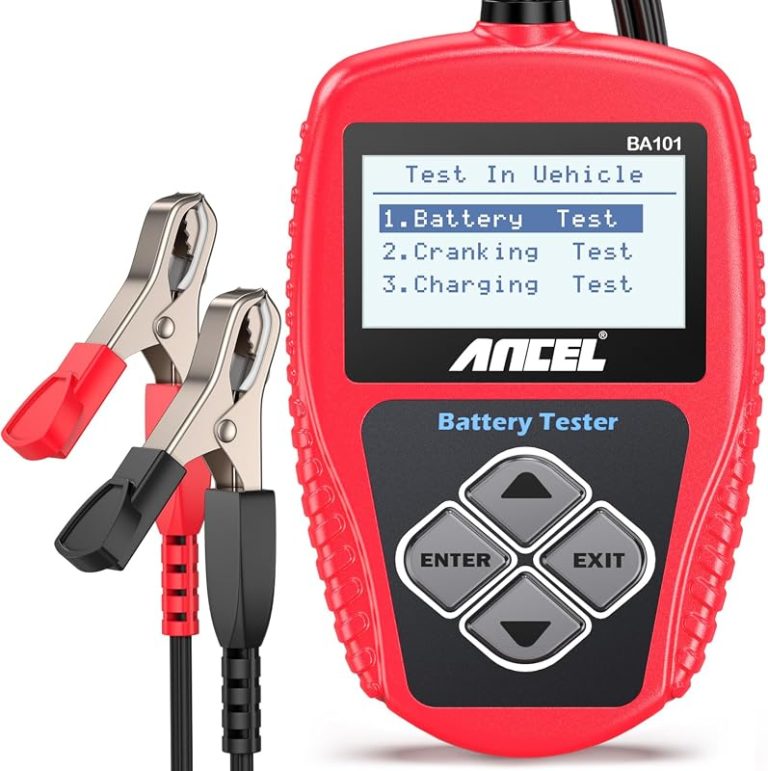
In most cases, yes. TOPDON battery testers and some TOPDON diagnostic tools can read a 12V battery’s voltage and estimate battery condition, which helps you decide whether the issue is the battery, the alternator, or something else in the charging system.
That said, a battery test is not the same as a full repair diagnosis. A tester can point to weak voltage, poor cranking performance, or charging trouble, but it cannot always tell you why the battery failed or whether the vehicle has a hidden draw, bad cable, or software-related issue.
How TOPDON Battery Testing Works in 2026: Voltage, State of Charge, and Battery Health
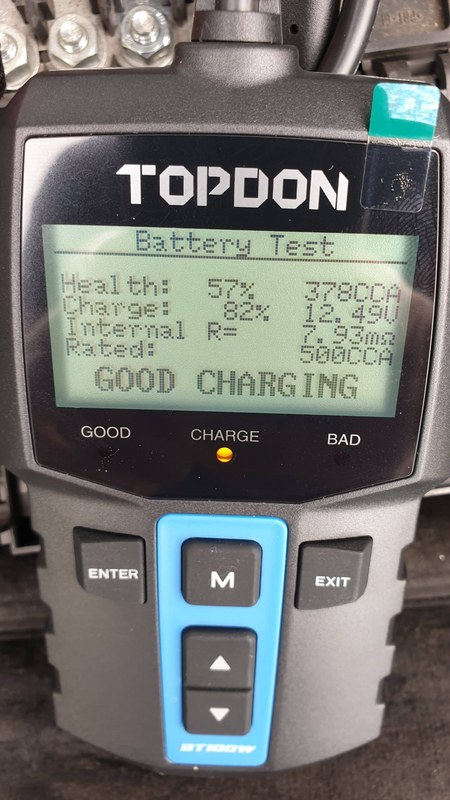
TOPDON tools generally work by checking battery voltage and related test data, then translating that information into a usable result such as state of charge or battery health. Some models also use vehicle data from the OBD2 port to help interpret starting and charging behavior.
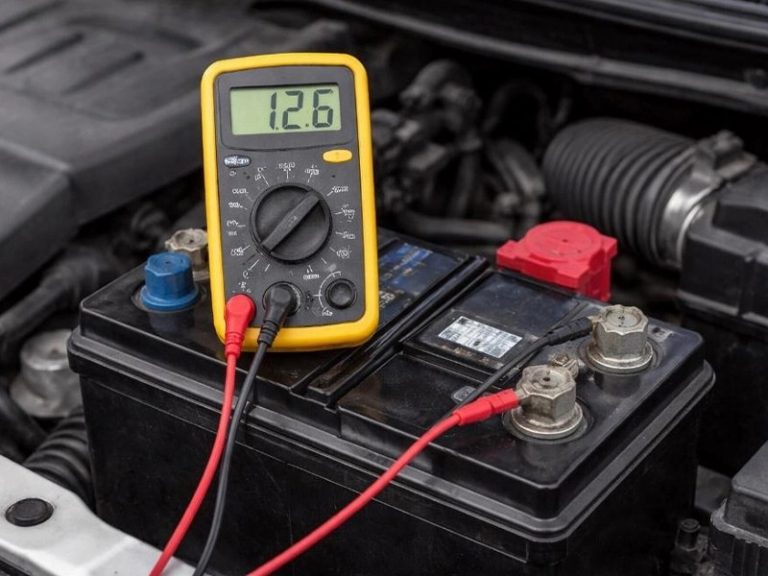
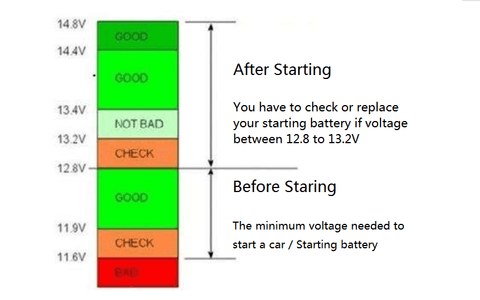
That distinction matters. Voltage is the instant reading. State of charge is how full the battery appears right now. Battery health is a broader judgment about whether the battery can still do its job under load and over time.
Battery chemistry support: lead-acid, AGM, EFB, and lithium-related cautions
Many TOPDON battery testers are designed for common 12V automotive batteries such as flooded lead-acid, AGM, and EFB. That covers a large share of gas vehicles, trucks, and some hybrids with a standard low-voltage battery.
Lithium-related batteries require more caution. Some low-voltage lithium setups and many high-voltage EV systems are not a simple match for a standard 12V tester. Always confirm the exact battery chemistry and the product manual before connecting anything.
Check: Verify make, model, year, trim, voltage, ports, mounting space, and OEM requirements. Limitations: State verified exclusions.
Why state of charge is not the same as battery health
A battery can show a decent charge and still be worn out. That happens when the battery has lost reserve capacity and can no longer deliver enough power during starting or cold weather.
On the other hand, a low state of charge does not always mean the battery is bad. It may simply need to be charged, or it may be fine but underused. This is why repeat readings, load behavior, and charging-system checks matter.
Which TOPDON Models Fit Your Vehicle: OBD2, 12V Systems, and Real-World Compatibility
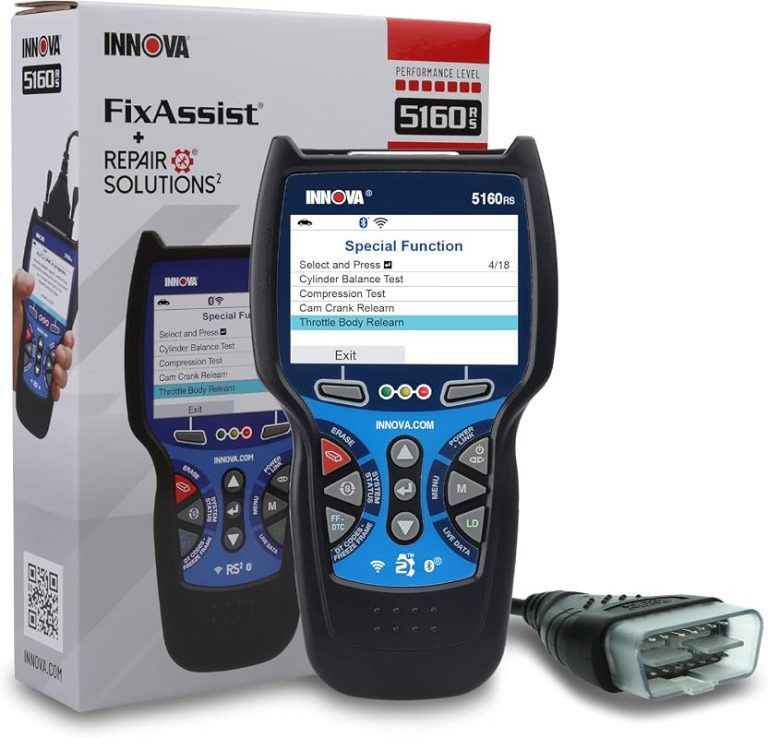
TOPDON does not use one single battery-testing method across every product. Some tools are dedicated battery testers, while others are OBD2 scanners with battery and charging-system features. The right choice depends on whether you mainly need a quick battery check or broader diagnostics.
If you want a deeper overview of the brand’s battery line, see how TOPDON battery testers work and this comparison of TOPDON BT100 vs. BT200 battery testers. For shoppers still narrowing it down, which TOPDON battery tester is best is a useful next read.
Model-year and protocol coverage for gas, diesel, hybrid, and EV-adjacent diagnostics
OBD2 support depends on the vehicle, not just the tool. In the U.S., most 1996-and-newer light-duty gasoline vehicles use OBD2, while diesel, hybrid, and EV-adjacent systems can vary more by platform and feature set.
Battery testing itself may work independently of model year, but app-based diagnostics, live data, and reset functions still depend on protocol support and software coverage. Always check the product listing and manual for your exact vehicle range.
OBD2 port location, ignition mode, and app/firmware requirements
Before testing, find the OBD2 port and confirm the ignition state the tool needs. Some functions require key-on, engine-off. Others need the engine running. A simple setup mistake can lead to bad readings or a failed connection.
Connected TOPDON tools may also need app permissions, pairing, and firmware updates. If the app is outdated or the Bluetooth connection is unstable, you may lose live data or see incomplete results.
Code reading, live data limits, emissions readiness, and reset limitations
Many TOPDON scan tools can read codes and show live data, but that does not mean they can perform every reset or special function on every vehicle. Some models are read-only for certain tasks, while others support more advanced service features.
For emissions checks, readiness monitors and code status matter more than a simple “no codes” message. If you want a broader scanner discussion, CarValleyNJ also covers which TOPDON scanner is best and the TOPDON TopScan review.
How to Use a TOPDON Tester Safely: Connection Order, Setup, and Damaged-Battery Stop Conditions
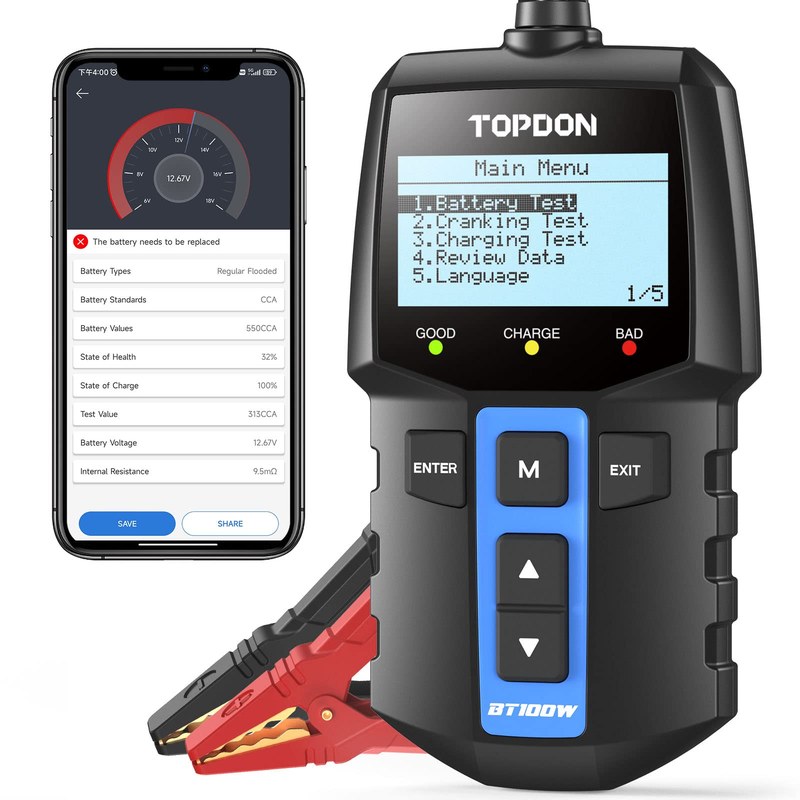
Safe use starts with the manual. Different TOPDON tools have different clamps, cables, app steps, and test modes, so the correct order matters. In general, you want the vehicle parked, stable, and off unless the specific test requires otherwise.
Correct connection order and polarity checks
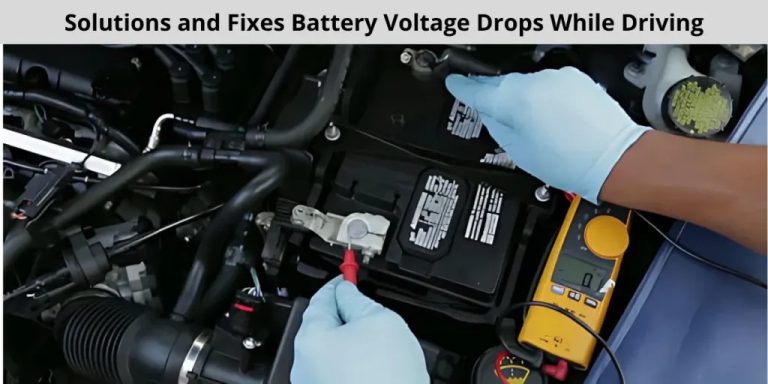
Always check positive and negative polarity before attaching leads. Clamp the correct terminal first, then the other terminal, and keep metal tools away from the battery posts as much as possible.
If the clamps are loose or corroded, the reading may be unreliable. Clean contact points only if the battery is safe to touch and the manufacturer allows it.
- Confirm vehicle, tool, voltage, port, tire, or battery compatibility
- Follow the vehicle and tool instructions in the correct order
- Inspect, store, and maintain the tool after use
- Clear codes before recording useful diagnostic information
- Work near traffic, moving parts, heat, or damaged batteries without proper precautions
- Rely on an unverified specification or temporary repair as a permanent fix
When to stop testing: swelling, leakage, heat, corrosion, or unstable voltage
Stop immediately if the battery is swollen, leaking, smoking, very hot, or showing unstable behavior. Heavy corrosion can also point to a larger problem, such as overcharging or poor terminal contact.
In those cases, the safest move is to disconnect only if the vehicle manual says it is safe, then have the battery or charging system inspected by a qualified shop.
Do not continue testing a battery that is physically damaged, overheating, or leaking. Follow the battery and vehicle manufacturer’s instructions and get professional help if the condition is uncertain.
Hybrid and EV cautions: high-voltage boundaries and when to avoid DIY testing
Hybrid and EV owners should be extra careful. A standard 12V battery tester is only for the low-voltage battery unless the product manual clearly says otherwise. High-voltage components require different tools and training.
If you are unsure whether the battery is part of a high-voltage system, stop and check the owner’s manual or service information first. That is not the place for guesswork.
Top Use Cases for Drivers: Starting Problems, Charging Checks, and Alternator Clues
For everyday drivers, a TOPDON tester is most useful when the car is slow to start, has a warning light, or acts fine one day and weak the next. It can help separate battery trouble from charging trouble before you spend money on parts you do not need.
What a TOPDON tester can reveal about cranking, charging, and parasitic drain suspicion
A weak cranking result can suggest the battery is struggling under load. A charging result outside the expected range can point toward the alternator, belt, wiring, or regulator. Some tools can also support suspicion of parasitic drain by showing that the battery keeps dropping too fast after shutdown.
That said, parasitic drain usually needs a more complete diagnostic process. A battery tester alone rarely proves the exact cause.
When the result means replace the battery versus diagnose the charging system
If the battery is old, fails repeatedly after charging, or cannot hold enough voltage under load, replacement may be the right answer. If the battery tests weak but the charging system is also abnormal, the alternator or related wiring may be the real issue.
For drivers who want a broader tool discussion, is the TOPDON battery tester any good is a helpful companion article.
Getting a clearer battery or charging result can reduce guesswork, prevent unnecessary parts replacement, and help you document a problem before visiting a shop.
TOPDON for Tires and TPMS: Pressure Checks, Relearn Limits, and Repair Boundaries
Some TOPDON products also reach into tire and TPMS-related tasks, but the same rule applies: know exactly which function your model supports. A battery tester is not automatically a tire inflator, and a scanner is not automatically a TPMS relearn tool.
Door-jamb placard, cold pressure, and gauge accuracy versus inflator readings
Use the door-jamb placard for the correct tire pressure, then check tires when they are cold for the most useful reading. Inflator gauges can be close, but they are not always identical to a dedicated tire gauge.
If your tool includes pressure-readout features, treat them as helpful, not perfect. For safety, the placard and a known-good gauge still matter most.
Inflator duty cycle, puncture location, temporary-repair limits, and when a tire needs a shop
If your TOPDON setup includes inflation features, duty cycle matters. Small portable compressors can overheat if pushed too long, especially on large tires or after a low-pressure fill.
Puncture location also matters. Sidewall damage, large cuts, bead damage, or repeated pressure loss usually needs shop attention. Temporary sealants and roadside fixes are not permanent repairs.
TPMS relearn limits and what TOPDON can and cannot reset
Some TOPDON scan tools can interact with TPMS functions, but relearn support varies by vehicle and model. You may still need a manual relearn procedure, a drive cycle, or a separate TPMS tool.
Do not assume a scan tool can reset every warning light. The vehicle’s service procedure always wins.
If you are using a tool to diagnose a tire-pressure or battery-related warning, check the vehicle VIN against current manufacturer and NHTSA recall information before assuming the problem is only maintenance-related.
Roadside and Emergency Tool Value: Storage, Readiness, and Post-Use Inspection
For commuters, parents, and road-trippers, a TOPDON tester can be part of a roadside kit. The tool is most useful when it is stored correctly, charged or powered correctly, and easy to reach without creating extra danger at the shoulder of the road.
Safe location, traffic visibility, and using the tool without increasing roadside risk
If you are testing on the roadside, prioritize traffic safety first. Park as far from traffic as possible, use hazard lights when appropriate, and avoid standing in a blind spot or near moving vehicles.
Do not lean into traffic lanes while checking clamps, cables, or the OBD2 port. If conditions feel unsafe, wait for a better location or call for help.
Pack/cable condition, current limits, tool completeness, and storage conditions
Before relying on the tool, inspect the cables, clamps, connectors, and any built-in power pack. A cracked cable jacket, bent pin, or weak clamp can create false readings or unsafe contact.
Storage matters too. Heat, moisture, and a dead internal battery can shorten the useful life of portable electronics. Keep the tool together with its cable, case, and manual so you are not missing a critical piece when you need it.
Check cables, clamps, charging ports, and app updates regularly. Store the tester in a dry place and replace damaged accessories before they affect readings or safety.
Post-use inspection: heat, clamp wear, app errors, and battery pack aging
After use, look for heat buildup, loose clamps, app pairing problems, or signs that the internal battery pack is aging if the model uses one. These are small issues at first, but they can become reliability problems later.
If the tool starts needing frequent resets, charging more often, or repeated app re-pairing, that is a sign to review the warranty and support options sooner rather than later.
TOPDON vs. Alternatives: What to Buy for DIY Drivers, Daily Commuters, and Shop Use
The best tool is the one that matches your actual job. A simple battery tester may be enough for a commuter who only wants starting-system checks. A more advanced scanner makes sense for someone who wants codes, live data, and broader diagnostics.
Side-by-side comparison criteria: accuracy, app quality, vehicle coverage, repair limits, and support
When comparing TOPDON with alternatives, look at the same basics every time: battery chemistry support, OBD2 compatibility, app quality, update policy, and how much the tool can actually reset. Also consider warranty length and customer support responsiveness.
| Option | Best for | Owner consideration | Driver consideration |
|---|---|---|---|
| Dedicated TOPDON battery tester | Quick battery and charging checks | Usually simpler to use and easier to store | Fast answers with less distraction |
| TOPDON OBD2 scan tool | Codes, live data, and battery-related clues | May need app setup or updates | More features, but more menu steps |
| Basic multimeter | Simple voltage checks | Low cost and broad usefulness | Less guidance than a dedicated tester |
Which option fits best: budget driver, home mechanic, hybrid owner, or frequent traveler
Budget drivers often do fine with a basic battery tester or multimeter. Home mechanics may prefer a TOPDON scanner if they want more than one function in a single tool. Hybrid owners should prioritize compatibility and safety boundaries first.
Frequent travelers may value compact size, quick startup, and a tool that is easy to keep in the trunk. If you are comparing scan-tool features, the TOPDON TopScan full-system tool and TOPDON TopScan without subscription pages can help narrow the decision.
Choose the simplest TOPDON model that covers your real use case. More features are helpful only if you will actually use them and your vehicle supports them.
Ownership Cost, Warranty, Privacy, and Final Verdict for CarValleyNJ Readers
Ownership cost is more than the sticker price. You should also think about firmware updates, app permissions, accessories, storage, support, and whether the tool will still be useful on your next vehicle.
Firmware updates, app permissions, data privacy, and support expectations
Connected tools may need app updates to stay useful. Before buying, check whether the product depends on a phone app, account login, or cloud features, and review what data the app can access.
If you use the tool for customer vehicles, family vehicles, or fleet work, privacy matters even more. Keep VIN and diagnostic records secure and avoid sharing account access casually.
Maintenance tips, replacement intervals, and long-term cost of ownership
Battery testers and scanners do not need much physical maintenance, but they do need care. Keep connectors clean, store the tool dry, and replace worn cables or clamps before they fail in the middle of a diagnosis.
If the model uses a rechargeable pack, factor in aging over time. A tool that is cheap upfront can cost more later if the battery pack, subscription, or accessory replacement is hard to manage.
Transparent verdict: who should buy TOPDON, who should skip it, and next steps
TOPDON makes sense for drivers who want a practical way to check battery condition, charging clues, and basic vehicle data without buying shop-level gear. It is a stronger fit when you want a mix of portability and useful diagnostics.
Skip it if you only need one simple voltage reading and already own a good multimeter. Also skip it if your vehicle needs high-voltage work, advanced programming, or a tool that the manual does not clearly support.
- Best for: Daily drivers and DIY owners who want a clear battery and charging-system check.
- Think twice if: You need high-voltage EV work, advanced programming, or full repair proof from one tool.
- Next step: Confirm your exact TOPDON model, battery chemistry, and vehicle compatibility before you buy or test.
Frequently Asked Questions
Yes. Many TOPDON tools also estimate battery condition and can show charging-system clues. Some scan tools add codes, live data, and service functions, but support varies by model and vehicle.
No. Stop if the battery is swollen, leaking, hot, or unstable. Follow the battery and vehicle manual, and get professional help if the condition looks unsafe.
No. Compatibility depends on the vehicle year, protocol support, battery type, and the exact TOPDON model. Check the manual and product listing before buying.
Sometimes, but not always. Reset and relearn support varies by model and vehicle, and some problems need a manual procedure or a shop tool. Do not assume every warning light can be cleared.
It can. App-based tools may collect VIN, trouble codes, live data, and account details. Review app permissions, cloud settings, and data-sharing options before you sign in.
Confirm battery chemistry, 12V compatibility, app requirements, warranty, and whether you need only battery testing or full OBD2 diagnostics. Also check cable condition, storage needs, and update support.