How to Use a TPMS Reset Tool Safely After Tire Service
Related Product Pick: TPMS Reset Tool for Tire Service
Use this type of tool when the article explains relearn or reset steps after tire rotation, sensor replacement, or seasonal tire work.
Use a TPMS reset tool only after the tires are set to the correct cold pressure and the vehicle is parked safely. If the light stays on, the problem may be a relearn issue, a dead sensor, or an actual tire leak that needs repair first.
how to use a TPMS reset tool starts with safe prep, the right tire pressure, and the correct vehicle procedure. If the light stayed on after tire service, the goal is usually to relearn sensor data or clear a warning only after the real issue is fixed.
- Set pressure first: Use the door-jamb placard and a cold-tire gauge before any reset.
- Match the vehicle: TPMS type, model year, and trim can change the relearn steps.
- Don’t mask leaks: A reset will not fix a tire that is still losing air.
- Check power and updates: Weak battery voltage, bad port power, or old firmware can stop the tool.
- Know when to stop: Repeated failures usually mean sensor, wheel, or compatibility problems.
How to Use a TPMS Reset Tool Safely After Tire Service
Quick answer: what the tool does, when to use it, and when not to
A TPMS reset tool helps a vehicle recognize tire pressure sensor data again after rotation, replacement, inflation, or wheel changes. Use it only after the tires are set to the door-jamb pressure spec and you have confirmed the vehicle actually needs a relearn or reset.
Do not use the tool as a shortcut for a leak, damaged sensor, or wrong tire size. If the tire is losing air, the warning light is telling you to fix the tire first, not just clear the message.
Why the TPMS light may stay on after tire rotation, replacement, or inflation
Many TPMS lights stay on because the system has not finished a relearn cycle, the sensor IDs are out of sync, or one tire pressure is still outside the expected range. Some vehicles also need a drive cycle after service before the light turns off.
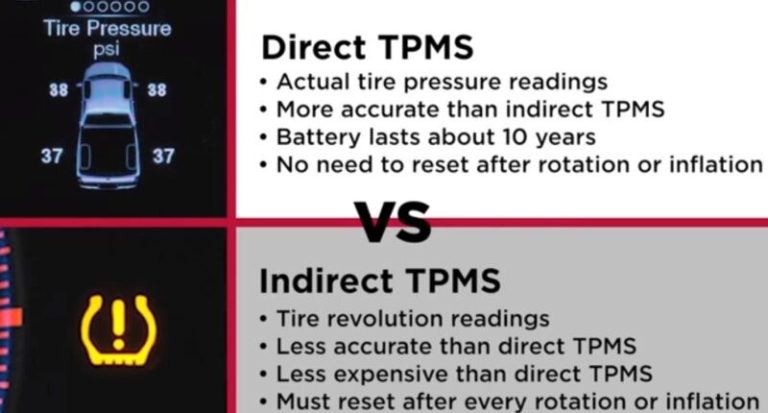
On direct TPMS systems, each wheel has its own sensor ID. On indirect systems, the car estimates pressure changes from wheel-speed data, so a reset may work differently and sometimes needs a menu procedure instead of a sensor trigger.
Before You Start: Safety Checks, Tire Pressure, and Vehicle Readiness
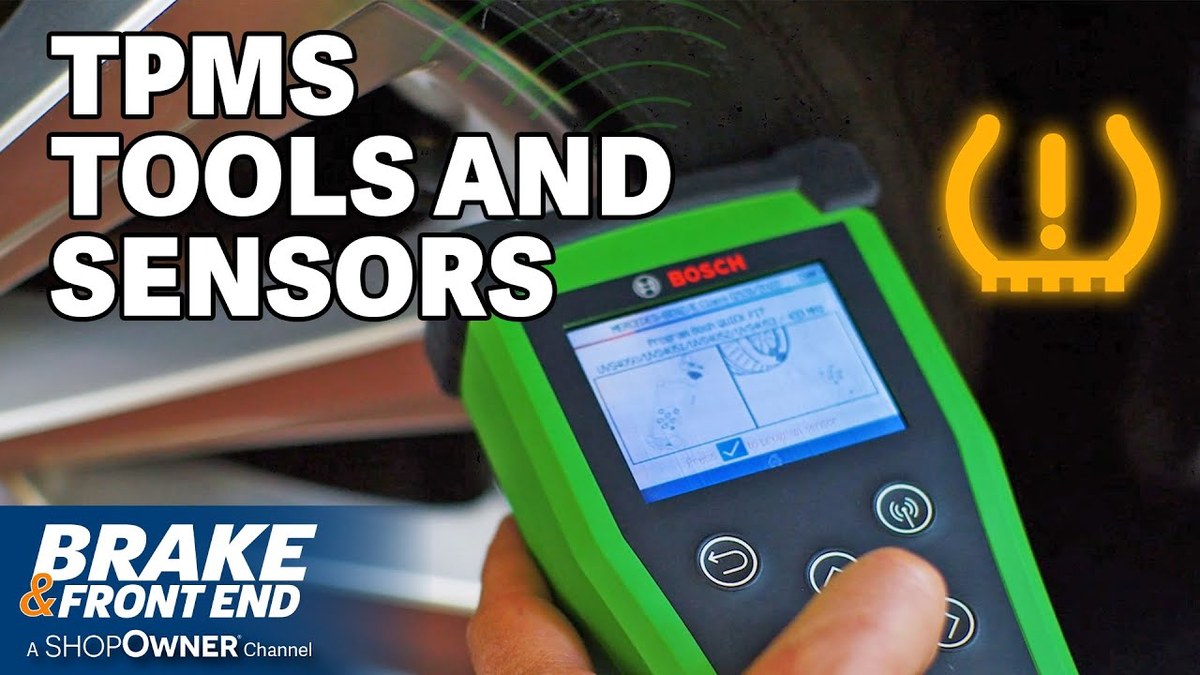
Park in a safe location with traffic visibility and stable footing
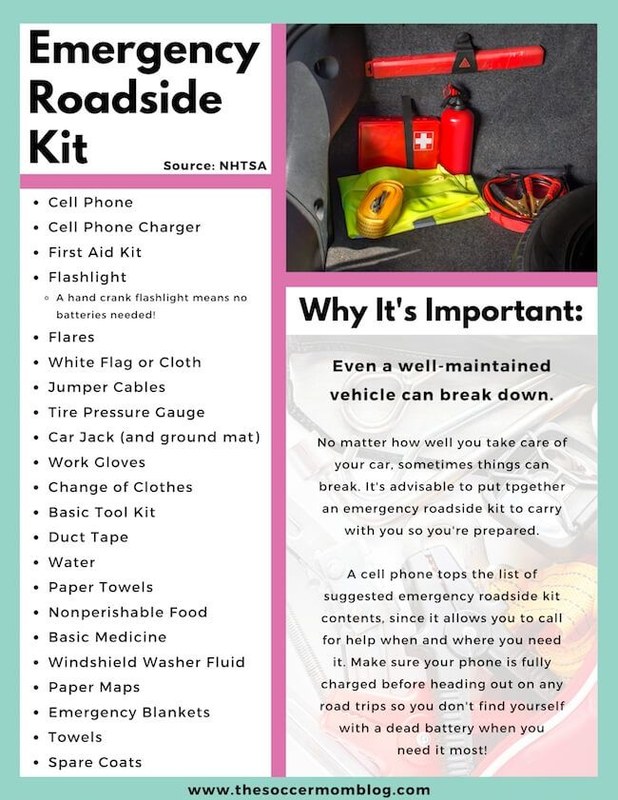
Park on level ground, set the parking brake, and keep the vehicle clear of traffic. If you are working roadside, use hazard lights and follow local roadside safety rules before handling tires or connecting a scan tool.
Check the door-jamb placard and set cold tire pressure with an accurate gauge
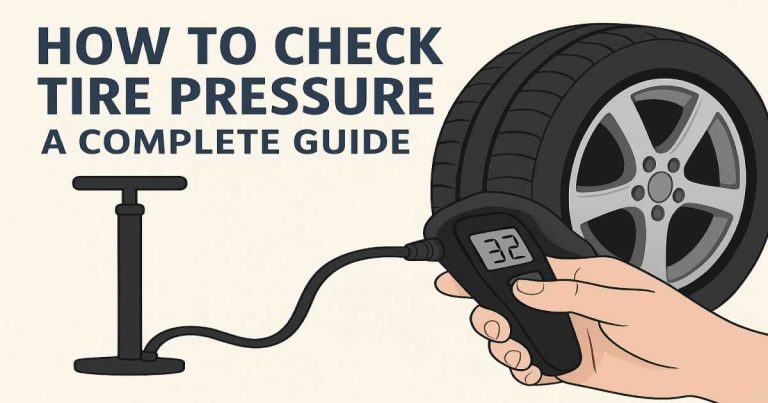
Start with the placard pressure on the driver-door jamb, not the number molded into the tire sidewall. Measure when the tires are cold, then adjust each tire with a reliable gauge and inflator.
If you need a refresher on safe inflation, see how to use a portable tire inflator and make sure the tire pressure matches the vehicle spec before resetting TPMS.
Inspect for puncture location, temporary-repair limits, and when professional repair is required
Look for nails, cuts, sidewall damage, bulges, or bead leaks before you reset anything. A plug or temporary repair may not be enough if the puncture is in the sidewall, the tire is damaged near the shoulder, or the tire has already lost significant air.
If the tire keeps dropping pressure after inflation, the TPMS tool is not the fix. The better next step is tire repair or replacement by a shop that can inspect the tire from the inside.
Confirm inflator duty cycle, storage condition, and tool completeness before use
Check that your inflator, scanner, or reset tool has the right cable, adapter, and app access if it uses one. Also confirm the tool is stored dry, the connectors are clean, and the battery or power source is ready.
How a TPMS Reset Tool Works on Different Vehicles
Direct vs. indirect TPMS systems and why reset procedures differ
Direct TPMS uses sensors inside each wheel assembly. A reset tool may trigger the sensors, wake them up, or help the vehicle register their IDs during relearn.
Indirect TPMS does not use wheel sensors in the same way. It watches wheel-speed patterns through ABS data, so the reset may be a menu command, a drive cycle, or a calibration step in the vehicle settings.
Model-year and protocol coverage: OBD2 compatibility, port location, and ignition mode
Many reset tools connect through the OBD2 port under the dash, but the exact location and required ignition mode vary by vehicle. Some cars need ignition on with the engine off, while others need accessory mode or a specific menu path.
Check: Verify make, model, year, trim, voltage, ports, mounting space, and OEM requirements. Limitations: State verified exclusions.
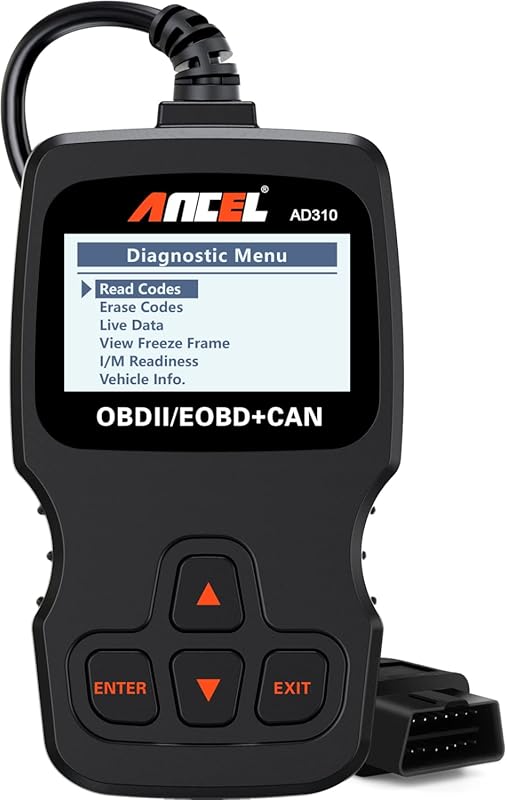
For a broader look at scan-tool setup and vehicle communication, compare the process with how to use BlueDriver Pro Scan Tool or how to use Topdon TopScan when your tool also handles diagnostics beyond TPMS.
What the tool can and cannot do: relearn, trigger sensors, read codes, and view live data
A TPMS reset tool may trigger a sensor, read TPMS-related codes, or help register new sensor IDs. Some tools also show live tire data or diagnostic trouble codes, but that does not mean they can repair a failed sensor.
If the tool cannot see a sensor, the battery may be dead, the sensor may be damaged, or the vehicle may not support that relearn method. In that case, the tool is only part of the diagnosis.
Emissions readiness and diagnostic limits: when a reset is not a repair
Clearing a warning or completing a relearn does not fix a puncture, worn sensor, bent wheel, or bad valve stem. It also does not guarantee the vehicle is ready for every inspection or that all diagnostic monitors are complete.
Step-by-Step: Using a TPMS Reset Tool Correctly
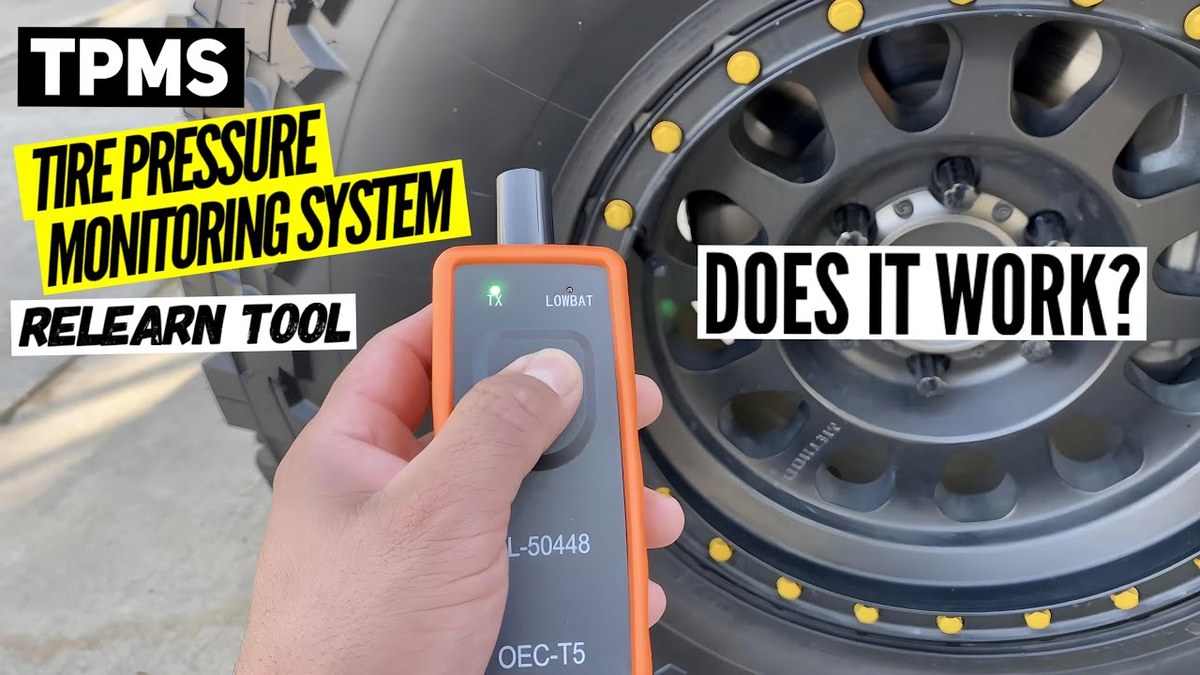
Verify battery voltage, state of charge, and battery health before connecting
Low vehicle battery voltage can interrupt a relearn or prevent the OBD2 port from powering the tool properly. If the battery is weak, charge or test it first so the reset does not fail halfway through.
If battery health is in doubt, a separate battery check is smarter than guessing. A weak battery can create false trouble codes and make TPMS relearn behavior less predictable.
Connect in the correct order and avoid damaged-battery stop conditions
Follow the tool instructions for connection order. Some tools need the ignition on before plugging in, while others want the app open first and the cable connected second.
Enter vehicle information, follow relearn prompts, and confirm sensor registration
Choose the exact vehicle year, make, model, and trim if the tool asks for it. Then follow the relearn prompts in order, which may include using a trigger tool at each wheel, driving a short distance, or confirming IDs through the OBD2 menu.
When the tool says a sensor is learned, verify the tire position and pressure one more time. A successful relearn should match the correct wheel, not just remove the warning light.
Check for app permissions, firmware updates, and tool-specific setup steps
App-based TPMS tools may need Bluetooth permission, location permission, or a logged-in account. Firmware updates can also matter if the manufacturer has improved vehicle coverage or fixed relearn bugs.
TPMS Reset Tool Compatibility Guide for U.S. Drivers in 2026
Vehicle type, model year, trim level, and sensor protocol matching
Compatibility is the biggest reason TPMS resets fail. The same brand may support one trim and not another, or support one model year but require a different relearn method on the next year.
Before buying, match the tool to the vehicle’s TPMS protocol, not just the badge on the grille. A tool that works on one sedan may not support a newer truck, SUV, or crossover with different electronics.
Hybrid and EV cautions: high-voltage systems, accessory power, and service-mode limits
Hybrids and EVs can have different accessory power behavior, service modes, and diagnostic rules. Never assume a TPMS reset is the same as on a gas vehicle, especially if the car asks for a specific ready or service state.
Aftermarket wheels, winter tires, and sensor ID issues that affect relearn success
Aftermarket wheels can change valve-stem style, sensor fitment, or signal reception. Winter tire sets can also create confusion if the sensor IDs were not copied, registered, or stored correctly.
If you swap tire sets seasonally, label the wheel positions and sensor IDs. That simple habit can save time during the next relearn.
When a dealer scan tool or professional TPMS service is the better choice
If the vehicle needs a special relearn sequence, a sensor replacement, or a module-level diagnosis, a dealer scan tool or tire shop may be faster and safer. That is especially true when the warning returns after every reset.
For readers comparing deeper scan-tool coverage, this is where a bidirectional diagnostic tool can matter more than a basic reset device. See how to use the Innova 5610 OBD2 bidirectional scan tool for the kind of menu depth some vehicles require.
Comparison: Manual Relearn, OBD2 Reset Tool, and Professional TPMS Service
Side-by-side comparison of cost, convenience, accuracy, and vehicle coverage
| Option | Best for | Owner consideration | Driver consideration |
|---|---|---|---|
| Manual relearn | Simple vehicles with built-in reset steps | No extra tool cost, but procedure varies by vehicle | May take more time and more menu steps |
| OBD2 reset tool | DIY owners who service tires often | Tool compatibility and update support matter | Can reduce dashboard warning time when used correctly |
| Professional TPMS service | Vehicles with stubborn relearn issues or sensor faults | Higher service cost, but more complete diagnosis | Less distraction and fewer repeat attempts |
Which option fits DIY owners, fleet drivers, and newer vehicles with strict relearn procedures
DIY owners usually benefit most from a reset tool if they rotate tires often and own a compatible vehicle. Fleet drivers and rideshare users may prefer professional service when downtime matters more than saving a few steps.
Newer vehicles with strict relearn procedures often reward the most complete tool, not the cheapest one. If the tool cannot register the sensor correctly, the cheaper choice becomes more expensive later.
Ownership cost, warranty/support, and long-term maintenance tradeoffs
Look beyond the purchase price. Support quality, firmware updates, cable durability, and app access can matter more over time than a small upfront savings.
Common Problems After Tire Service and How to Troubleshoot Them
TPMS light still on: relearn limits, sensor battery age, and damaged sensor symptoms
If the light stays on, first recheck pressure in all tires. Then confirm the correct relearn procedure was used and that the sensor batteries are not near end of life.
Symptoms like a dead sensor, repeated loss of signal, or a warning that returns after driving usually point to a hardware issue, not a reset issue.
Tool won’t connect: port power, ignition state, app permissions, and firmware issues
If the tool will not connect, verify the ignition mode, the OBD2 port condition, and whether the app has the correct permissions. Also check whether the tool needs a firmware update or a newer vehicle profile.
For scanner connection problems more generally, the same troubleshooting logic used in how to use Foxwell NT301 OBD2 scanner can help you isolate power, port, and communication issues.
Unexpected codes or no live data: what the scan tool can reveal and where it falls short
A TPMS-capable tool may show codes, but not every code tells the full story. Some faults need a separate tire inspection, a sensor trigger test, or a full system scan to find the root cause.
If live data is missing, the tool may simply not support that vehicle protocol. That is a coverage limit, not always a vehicle failure.
When a tire leak, wheel damage, or sensor fault requires professional diagnosis
Stop repeating resets if a tire is losing air, the wheel is bent, or the valve stem is damaged. Those are safety issues that should be inspected by a tire shop or qualified technician.
What to Look for in a TPMS Reset Tool Before You Buy
Compatibility, protocol coverage, and update support
Choose a tool that matches your exact vehicle family, not just “most cars.” Update support matters because TPMS coverage changes as automakers revise sensor protocols and relearn steps.
- Confirm vehicle, model-year, voltage, port, tire, battery, or system compatibility
- Check included accessories, required apps, adapters, hoses, cables, and power needs
- Review warranty, returns, support, firmware, and update policy
- Count replacement parts, batteries, subscriptions, storage, and maintenance costs
- Confirm the tool can be used safely in the intended roadside, garage, or diagnostic task
Battery/power requirements, cable quality, and current limits
Some tools are powered by the vehicle, while others need their own battery or phone connection. Weak cables, loose connectors, and poor power delivery can interrupt a reset before it finishes.
Warranty, support, privacy considerations, and app data handling
Support matters when a vehicle is not listed clearly or the relearn path changes after a firmware update. If the tool uses an app, review what data it stores and whether it shares VIN or diagnostic history.
Transparent verdict criteria: ideal user, ideal vehicle, drawbacks, and alternatives
The best TPMS tool is the one that fits your car, your comfort level, and how often you actually service tires. A basic manual relearn may be enough for some drivers, while others need a stronger OBD2-based tool or a shop visit.
Maintenance and Next Steps After the TPMS Reset
Post-use inspection: confirm pressures, recheck the warning light, and store the tool properly
After the reset, confirm every tire pressure again and drive only as needed until the warning light behavior is clear. Then store the tool in a dry place with its cable, adapter, and instructions together.
Monitor for slow leaks, repeat pressure loss, and sensor replacement intervals
TPMS sensors do not last forever. If the same wheel keeps triggering warnings, the sensor battery, valve stem, or wheel seal may need attention.
Know the legal and safety thresholds for driving after tire service in your state
State rules can affect roadside stopping, emergency lighting, and repair limits, so check local guidance if you are working outside a shop. Tire safety itself is not optional: a tire that will not hold pressure should not be treated as roadworthy.
When to schedule a tire shop or diagnostic appointment instead of repeating the reset
If the warning returns, the reset failed, or the vehicle needs sensor coding, schedule a tire shop or diagnostic appointment. Repeating the same reset over and over usually wastes time when the real problem is hardware or compatibility.
- Best for: Drivers who already set tire pressure correctly and need a safe way to relearn TPMS after service.
- Think twice if: The tire still leaks, the vehicle has a complex relearn process, or the tool’s coverage is uncertain.
- Next step: Verify your vehicle’s TPMS type and follow the owner manual before buying or using a reset tool.
Frequently Asked Questions
No. Some vehicles use a manual relearn in the dash menu, while others need an OBD2-based reset tool or a trigger tool. The correct method depends on the TPMS type and the model year.
You should not rely on a reset if the tire is losing air. Fix the leak first, then relearn TPMS after the tire pressure is correct.
Common causes include the wrong ignition state, a dead vehicle battery, a bad OBD2 port connection, missing app permissions, or unsupported vehicle coverage. Check the tool manual and the vehicle manual before trying again.
Not always. Some TPMS tools only trigger sensors or guide relearns, while full scan tools can also read codes, view live data, and handle more vehicle systems.
Match the tool to your exact vehicle make, model, year, and TPMS type. Also check update support, warranty, app permissions, and whether it needs subscriptions or extra adapters.
Sensor life varies by vehicle and use, but battery age is a common reason for failure over time. If the same wheel keeps losing signal or the warning returns after reset, the sensor may need replacement.


2 Comments