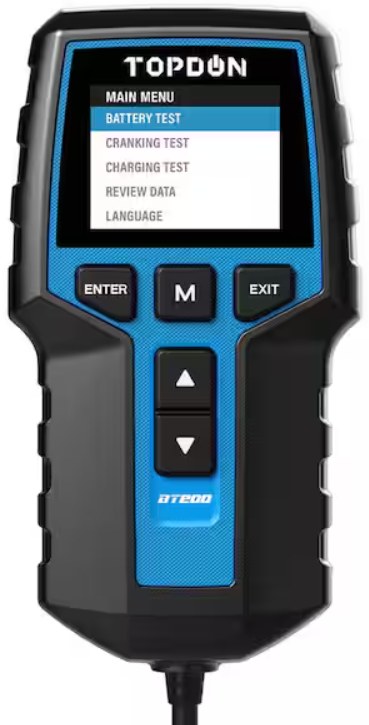
How to Use TOPDON BT200 Battery Tester for Accurate Checks
The TOPDON BT200 is best used as a quick 12V battery and charging check, not as a full vehicle diagnosis tool. If you enter the right battery details, connect it safely, and read charge versus health correctly, it can save time and help you spot weak batteries early.
How to Use TOPDON BT200 Battery Tester starts with one simple idea: connect it correctly, enter the right battery details, and read the results in context. For US drivers, that means using it as a fast check on battery condition, charging health, and starting-system clues without treating it like a magic fix.
- Best use: Fast 12V battery, cranking, and charging checks on parked vehicles.
- Main limit: It cannot replace a full OBD2 scan tool or repair a bad battery.
- Safety first: Stop if the battery is swollen, leaking, hot, or smells abnormal.
- Accuracy tip: Use clean terminal contact and the correct battery rating input.
- Owner value: Save readings to track battery decline over time.
How to Use TOPDON BT200 Battery Tester: The Fast Answer for Accurate Battery Checks
The BT200 is designed to help you quickly judge whether a 12V battery is still doing its job or starting to fall behind. If you want a clearer overview of the tool before you begin, see our guide on how the Topdon battery tester works.
What the BT200 can confirm in minutes: battery condition, charging health, and starting-system clues
Used correctly, the BT200 can help you separate a weak battery from a charging issue or a starter-related problem. That matters because a no-start complaint is not always the battery’s fault, and a battery that still turns the engine can still be worn out.
It is most useful when you need a quick answer before a commute, a road trip, or a used-car purchase. It can also give you a baseline reading to compare later, which is helpful if the car has been sitting, used for short trips, or showing slow cranking.
What it cannot do: repair a weak battery, replace a scan tool, or diagnose every electrical fault
The BT200 does not restore battery capacity, and it cannot fix a charging system that is failing. It also is not a full OBD2 scanner, so it will not replace a tool that reads engine codes, live data, or readiness monitors.
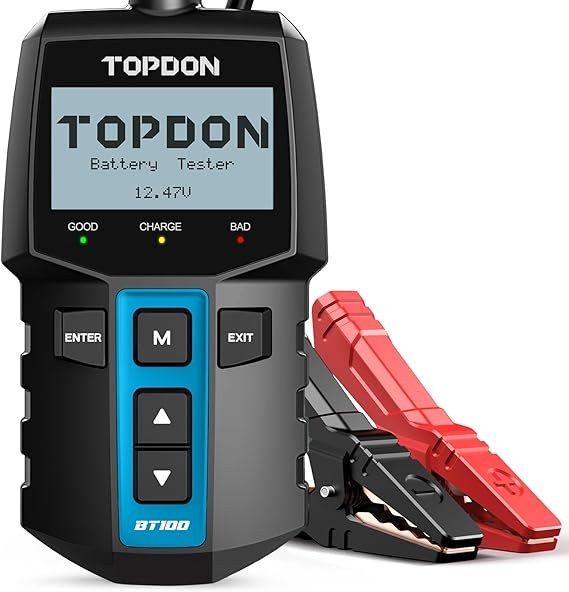
If you need a broader comparison, our Topdon BT100 vs BT200 battery tester comparison can help you understand where this model fits. For buyers deciding whether this brand is the right match at all, the article on whether the Topdon battery tester is any good is also useful.
TOPDON BT200 Overview for CarValleyNJ Drivers: What It Is and Who It Fits
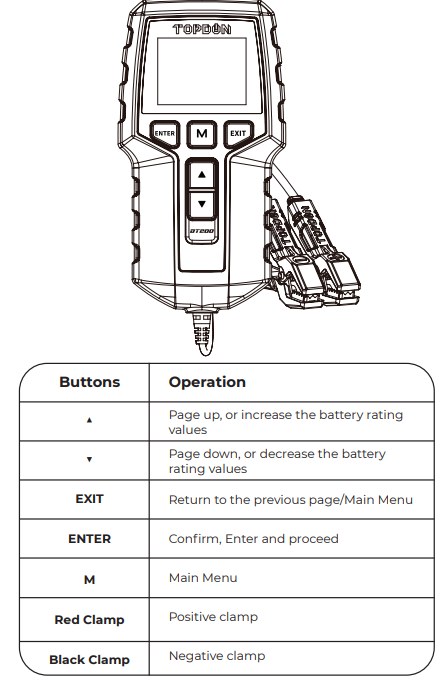
The TOPDON BT200 is a 12V battery and electrical tester aimed at everyday drivers and DIY owners who want a simpler way to check battery health. It generally fits best in a home garage, driveway, or roadside stop where you need a quick read without opening up the whole electrical system.
Core use cases: daily drivers, used-car buyers, DIY owners, and fleet maintenance
Daily drivers can use it to catch weak batteries before winter or before a long trip. Used-car buyers can use it as one more clue when a seller says the car is “fine,” but the battery is older or the starting behavior feels off.
DIY owners and small fleet operators may like it because it is faster than guessing with a multimeter alone. It can also help document whether a vehicle keeps showing the same low-voltage pattern over time.
Supported 12V systems, battery types, and where the tester fits in a home garage
According to the product category and typical manufacturer positioning, the BT200 is meant for 12V vehicle batteries, not high-voltage hybrid or EV traction packs. Exact battery chemistry and rating-standard support should always be checked in the current manual and product page because supported inputs can vary by revision.
Check: Verify make, model, year, trim, voltage, ports, mounting space, and OEM requirements. Limitations: State verified exclusions.
In a home garage, it works best as a quick diagnostic step before replacing parts. It is also useful after battery charging, since a battery may look better right after charging than it really is once it rests.
Key limitations to note before buying: vehicle scope, app dependence, and interpretation skill
Before buying, confirm whether the BT200’s app workflow fits the phone you use and whether you are comfortable reading results, not just pressing a button. Connected tools can also involve app permissions, account setup, and firmware updates.
Connected diagnostic tools may collect device, vehicle, and app usage data. Review permissions, account terms, and any cloud-retention settings before pairing the tool to your phone.
Step-by-Step: How to Use the TOPDON BT200 Correctly
For the best result, work on a parked vehicle and follow the tester prompts in order. A clean setup matters because bad clamp contact or the wrong battery profile can make a healthy battery look weak.
Prepare the vehicle safely: engine off, accessories off, stable parking, and ventilation
Park on level ground, set the parking brake, and shut off the engine. Turn off lights, climate control, audio, and chargers so you are not reading a load that should not be there during the test.
If you are testing in a garage, keep the area ventilated. That is especially important around batteries that may be damaged, leaking, or warm from recent use.
Connect the clamps in the correct order and verify a solid, clean terminal connection
Attach the tester clamps to the battery posts or clean terminal points, making sure the jaws bite firmly on bare metal. Loose, dirty, or corroded contact can create false readings or an unstable connection.
Battery terminals can spark if they are dirty, loose, or damaged. Keep metal tools away from both terminals at the same time and stop if you see swelling, leaking, heat, or a strong chemical smell.
Do not force the clamps onto cracked, bent, or heavily corroded terminals. If the connection looks unsafe, clean it first or have the battery inspected by a professional.
Enter battery details: system voltage, battery chemistry, rating standard, and rated capacity
The tester needs the correct battery information to interpret the result properly. That usually means confirming 12V system voltage, the battery type, and the rating standard printed on the battery label, such as the capacity or cranking rating the tester asks for.
If the battery label is unreadable, do not guess. A wrong input can make the tool’s health estimate less useful, even if the hardware itself is working correctly.
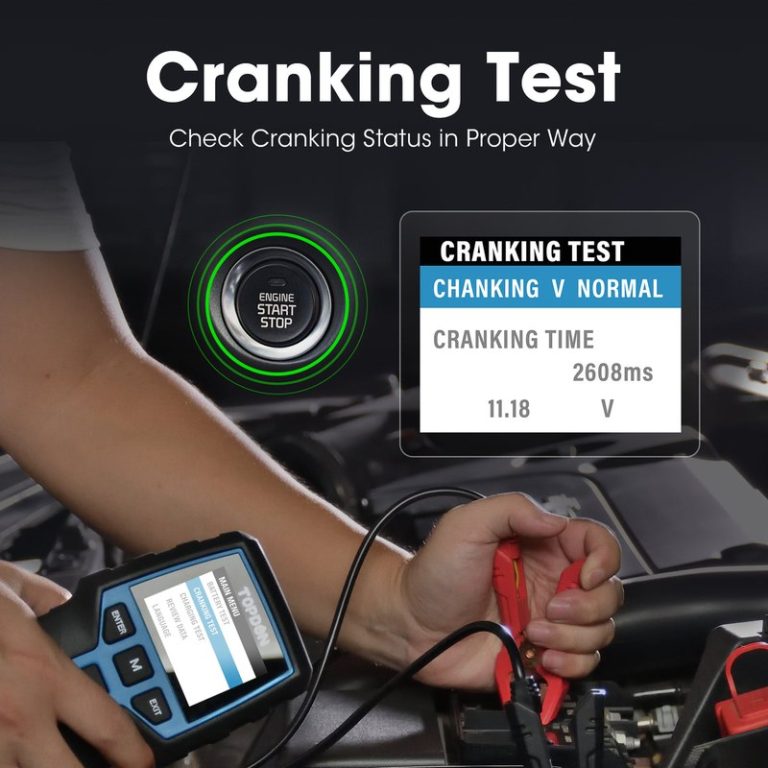
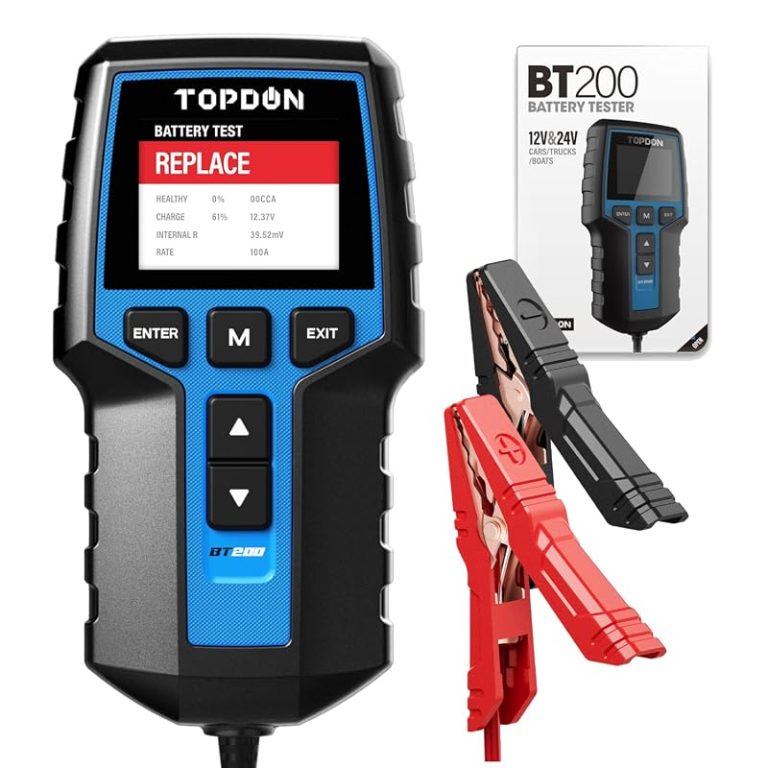
Run the test and read the results: state of charge versus state of health, cranking, and charging output
Once the data is entered, run the battery test first, then review any cranking or charging checks the device offers. The most important thing is to tell the difference between state of charge and state of health.
A battery can be fully charged and still be worn out. That is why a good-looking voltage number alone does not prove the battery is still strong enough for winter starts or repeated short trips.
Disconnect safely and save results for comparison over time
When the test is complete, remove the clamps carefully and store the tester where the cables will not get pinched. If the app or unit allows saving results, keep a record of the reading, date, and vehicle mileage.
Saving results can help you spot a slow decline before the battery leaves you stranded. It also gives you a useful paper trail if you are comparing replacement options or tracking a recurring charging issue.
Battery and Electrical Guide: What the Readings Mean in Real-World Driving
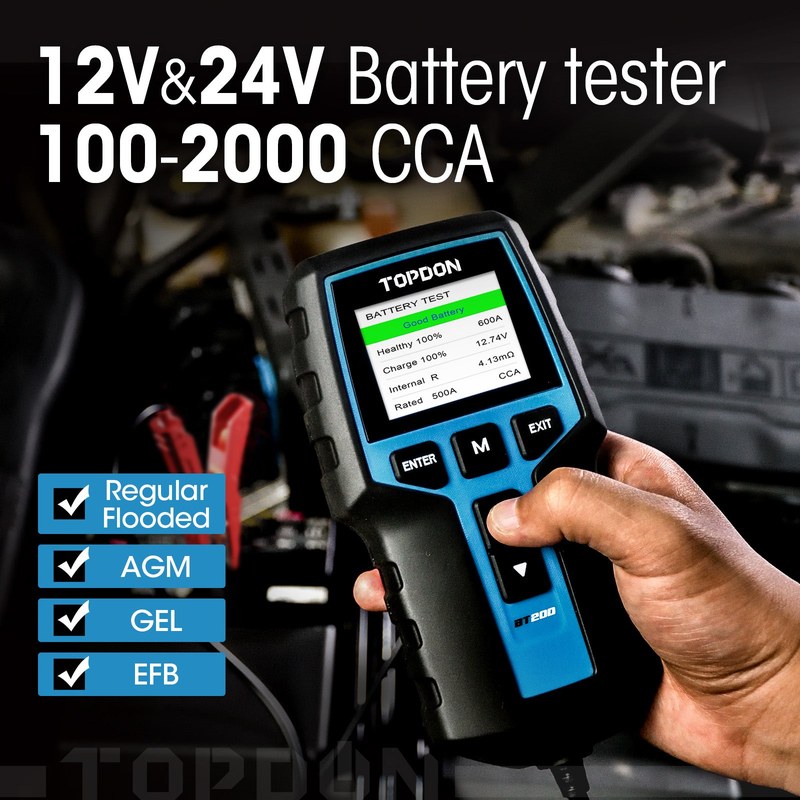
The BT200 is most valuable when you read it as a clue, not a final verdict on the whole vehicle. A single number may look alarming, but the larger pattern across charge, cranking, and charging output is what usually tells the story.
How to interpret voltage, cranking performance, and alternator output without overreacting
Low battery voltage can point to a weak battery, but it can also happen after short trips, cold weather, or sitting unused. Weak cranking results may point to battery wear, poor connections, a starter issue, or a charging problem that has not been corrected yet.
Charging output should also be read carefully. A charging system that appears normal at idle may still struggle under load, and a battery that recovers after driving may still be too tired to trust tomorrow morning.
State of charge vs. battery health: why a charged battery can still be worn out
State of charge tells you how full the battery is right now. State of health tells you how much useful life and performance the battery still has left.
This is the part many drivers miss. A battery can test “charged” after a drive, yet still fail a health check because its internal condition has degraded over time.
Stop conditions for damaged batteries, swollen cases, leaking acid, heat, or abnormal odors
If the battery case is swollen, cracked, leaking, hot, or giving off a sharp chemical smell, stop testing. Those are signs the battery may be unsafe and should be handled according to the vehicle and battery manufacturer’s instructions.
If a battery shows physical damage, heat, or leakage, do not continue testing or charging it. Move away from the area and follow the battery manufacturer’s disposal and service instructions.
Hybrid and EV cautions: when a 12V tester is useful and when high-voltage systems require a professional
On hybrids and EVs, a 12V battery tester can still be useful for checking the low-voltage auxiliary battery, but it does not diagnose the high-voltage traction system. Anything involving orange cables, battery packs, or high-voltage service should be left to trained personnel.
That distinction matters because a dead 12V battery can cause strange symptoms even in a modern hybrid or EV, while the root cause may be far beyond what a small tester can show.
Compatibility and Vehicle Coverage: Model Years, Protocols, and OBD2 Limits
The BT200 is a battery tester first, so its vehicle coverage is not the same as a full OBD2 scan tool. If you need code reading or live data, you may want to compare it with a dedicated scanner such as the Topdon Topscan guide.
OBD2 coverage basics for U.S. vehicles, including typical model-year cutoffs and protocol support
For U.S. vehicles, OBD2 generally applies to most gasoline cars and light trucks starting with the 1996 model year, but exact support depends on the vehicle and the tool. Some vehicles may still have limited communication issues if the battery is weak or the port is damaged.
If your vehicle is older, modified, or has a history of electrical repairs, do not assume every diagnostic function will work the same way.
Port location, ignition mode, and why some cars need key-on but engine-off testing
Many vehicles place the OBD2 port under the dash near the steering column, but the exact location varies. Some scan functions require key-on, engine-off mode, while others work better with the engine running or accessories off.
That matters because the wrong ignition mode can create confusing results or prevent the tool from communicating at all.
Code reading, live-data limits, emissions readiness, and reset limitations compared with a full scan tool
The BT200 should not be treated like a full scan tool with broad code, live-data, and reset coverage. If your goal is to clear engine codes, inspect readiness monitors, or read detailed sensor data, a dedicated OBD2 tool is the better fit.
In other words, the BT200 helps with battery and charging questions, but it is not the answer for every check-engine light or emissions issue.
When a battery test is not enough and the vehicle needs a professional diagnosis
If the battery keeps failing tests after replacement, or the charging output looks inconsistent, the issue may be in the alternator, wiring, grounds, starter, or control modules. That is the point where a deeper diagnosis is usually more efficient than swapping parts one by one.
For broader vehicle safety and recall awareness, check the NHTSA recall lookup page by VIN. It does not validate the BT200 itself, but it helps confirm whether a vehicle issue may involve a safety recall.
TPMS, Tires, and Roadside Checks: What the BT200 Can and Cannot Help With
The BT200 is not a tire inflator or TPMS service tool, but battery checks often happen alongside roadside tire checks. If you carry a portable inflator, our portable tire inflator guide explains the safe setup steps.
How to pair battery testing with tire checks using the door-jamb placard and cold pressure targets
When you stop to check the battery, it is a smart time to inspect tire pressure too. Use the door-jamb placard for the vehicle’s recommended cold pressure, not the number molded into the tire sidewall.
Cold pressure matters because tires heat up as you drive, and a warm tire can read higher than it should. That can lead to overinflation if you guess instead of checking properly.
Gauge accuracy, inflator duty cycle, and why tire pressure should not be estimated from TPMS alone
TPMS is a warning system, not a precision gauge. It may alert you to a problem, but it should not replace a hand gauge or a reliable inflator with a known reading method.
If you are using a compressor, respect the inflator’s duty cycle and let it cool when the instructions say to. Overheating a small inflator can shorten its life and make roadside use less reliable.
TPMS relearn limits, puncture location clues, and temporary-repair boundaries
TPMS can tell you that pressure is dropping, but it usually will not tell you exactly where the puncture is. If a tire loses air repeatedly, inspect the tread, valve stem, and sidewall, and do not assume a sealant or temporary plug will solve every case.
Professional-repair thresholds for sidewall damage, repeated pressure loss, or unsafe tread conditions
Sidewall damage, repeated low-pressure warnings, or tread wear near the legal limit are good reasons to stop and get professional help. Temporary repairs have boundaries, and a tire that cannot hold air safely should be replaced or repaired according to accepted tire-service standards.
If a tire has sidewall damage, exposed cords, or repeated rapid air loss, do not rely on a quick roadside fix. Drive only as far as needed for safe service, or arrange towing if the tire is unsafe.
Comparison Section: TOPDON BT200 vs. Other Battery Testers and DIY Diagnostics Options
Choosing the right tool depends on whether you want simple battery answers or broader vehicle diagnostics. The BT200 sits in the middle for convenience, but it is not the deepest diagnostic option.
BT200 vs. basic multimeter: ease of use, interpretation, and diagnostic depth
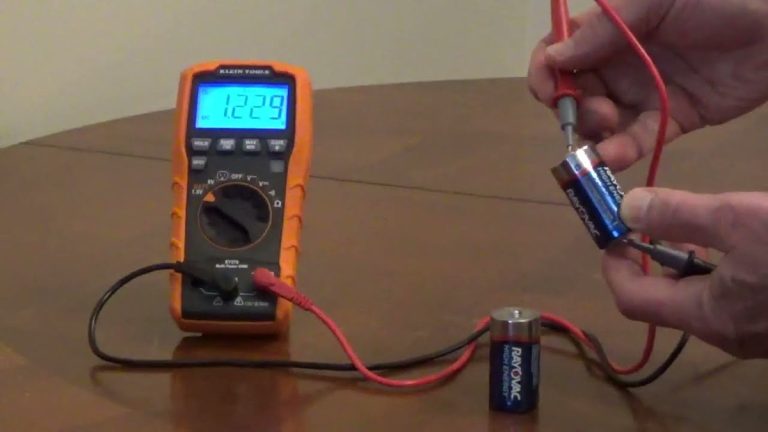
A multimeter is cheap and versatile, but it leaves more interpretation to the user. The BT200 is easier for many drivers because it guides the test flow and helps translate the result into battery health terms.
That said, a multimeter can still be useful for quick voltage checks, parasitic draw clues, and general electrical troubleshooting. If you already know how to use one, it remains a strong backup tool.
BT200 vs. higher-end battery analyzers: data detail, reporting, and service-shop value
Higher-end analyzers often provide more detailed reports, deeper service documentation, or broader battery-system coverage. Those tools can be better for shops or owners managing several vehicles.
The BT200 is more appealing if you want a simpler home-use workflow and do not need advanced reporting or shop-level features.
BT200 vs. full OBD2 scan tools: battery testing strengths versus code, live-data, and reset capabilities
The BT200 focuses on battery and charging checks, while a full OBD2 scan tool focuses on codes, live data, and reset functions. If your main problem is a weak battery, the BT200 may be the more direct tool.
If the issue is a check-engine light, emissions readiness, or a sensor fault, a full scanner is the better investment.
Which option fits different drivers: budget commuter, older-car owner, DIY mechanic, or multi-vehicle household
Budget commuters often do well with the BT200 because it covers the most common battery question: “Is this battery still healthy enough to trust?” Older-car owners may like it too, especially if battery age and charging problems are common.
DIY mechanics and multi-vehicle households may eventually want both a battery tester and a scan tool, since each answers a different kind of problem. If you are still deciding among Topdon’s lineup, which Topdon scanner is best is a helpful companion read.
Safety, Privacy, Storage, and Maintenance: Keeping the Tester Ready for 2026 Use
A battery tester only helps if it is ready when you need it. That means safe roadside habits, basic care, and a little attention to app and firmware updates.
Safe roadside use: traffic visibility, secure location, and avoiding exposure near moving traffic
If you are checking a battery on the shoulder or in a parking lot, stay visible and keep clear of moving traffic. Use hazard lights only when appropriate, and choose the safest location you can before opening the hood or reaching into the engine bay.
Battery checks should happen while parked and out of traffic flow. A distracted driver, a loose cable, or a poorly placed tester can create avoidable risk near moving vehicles.
Storage conditions, cable and clamp inspection, and signs the tester or pack needs replacement
Store the tester in a dry place away from extreme heat and moisture. Check the clamps, cable insulation, and connector ends before each use so you do not discover damage when you are already stranded.
Inspect clamp tension, cable wear, and connector cleanliness regularly. If the tool starts giving unstable readings or the wiring is visibly damaged, stop using it until it is repaired or replaced.
App permissions, firmware updates, and privacy considerations for connected diagnostic tools
Connected tools can request Bluetooth access, location permissions, or account sign-in. Review those settings before pairing, and only install updates from the official app source or manufacturer guidance.
If you are sharing a vehicle with family members or managing fleet data, think about what information gets stored and who can access it later.
Ownership cost, warranty/support expectations, and the best time to upgrade or replace the tool
Ownership cost is usually about more than the purchase price. Consider app support, warranty coverage, replacement clamps, and whether the tool still meets your needs as your vehicles or diagnostic habits change.
If you want a broader toolset later, compare the BT200 against a full scanner before upgrading. If you only need battery checks, keeping the setup simple may be the better long-term value.
- Best for: Drivers who want a straightforward 12V battery and charging check without moving up to a full scan tool.
- Think twice if: You need code reading, live data, or deeper electrical diagnosis in the same device.
- Next step: Confirm your vehicle’s battery type, app compatibility, and the tester’s current supported rating standards before you buy.
Frequently Asked Questions
Not always. It is meant for 12V battery testing, but exact battery types, rating standards, and vehicle coverage can vary by version and manual.
Usually no for a battery test. Many checks are done with the engine off, while charging-system tests may use a different ignition or engine state depending on the prompt.
No. It is a battery and electrical tester, not a full OBD2 scan tool with broad code, live-data, or reset functions.
No. Stop immediately if the case is swollen, cracked, hot, or leaking, and follow the battery manufacturer’s safety and disposal instructions.
If the model uses a connected app, yes, it may need Bluetooth access, account setup, or updates. Review permissions and privacy settings before pairing.
Check battery chemistry support, rating standards, phone compatibility, warranty terms, and whether you need a tester or a full scan tool for your main use case.