Do You Need the Engine Running to Use an OBD2 Scanner? Not for Codes
No, you do not need the engine running to read OBD2 codes — the key-on, engine-off setting powers the scanner and the computer. Use engine-off mode for codes and freeze frames, and start the engine only for live-data tests that require it.
The short answer to do you need the engine running to use an obd2 scanner is no — at least not for reading diagnostic trouble codes. For most code-reading and code-clearing work, you only need the ignition in the “on” position with the engine off. That setting, often called Key On, Engine Off (KOEO), powers the scanner and the vehicle’s computer without the noise, heat, and moving parts of a running engine.
This guide walks through what you can do in KOEO mode, when you genuinely need the engine running, and how to avoid dead batteries, failed emissions checks, and common scanner mistakes.
- Key On, Engine Off: The standard setting for reading and clearing diagnostic codes safely.
- Engine running needed: Live data, oxygen sensor tests, and some bidirectional commands require it.
- Clear codes carefully: Codes return if the fault remains, and readiness monitors reset until a drive cycle.
- Protect the battery: Keep sessions short and stop if dash lights dim or the scanner flickers.
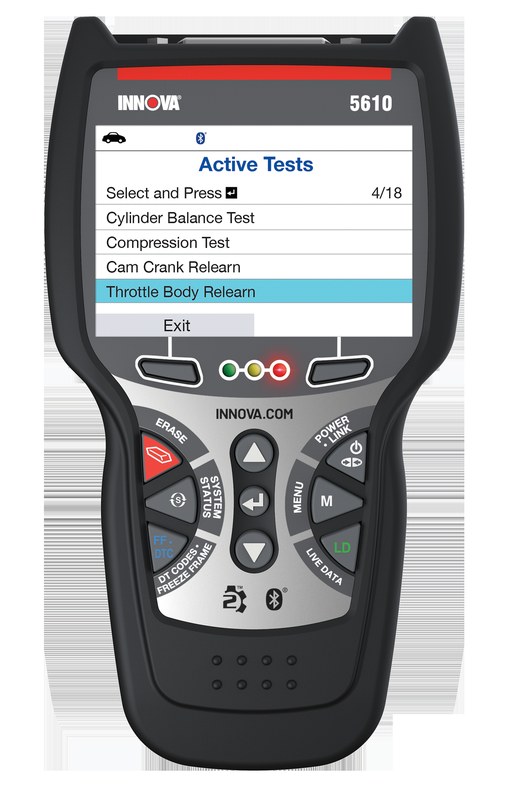
- Match the tool to the task: Basic readers handle codes; ABS, airbag, or TPMS work needs more capable gear.
Do You Need the Engine Running to Use an OBD2 Scanner? The Short Answer
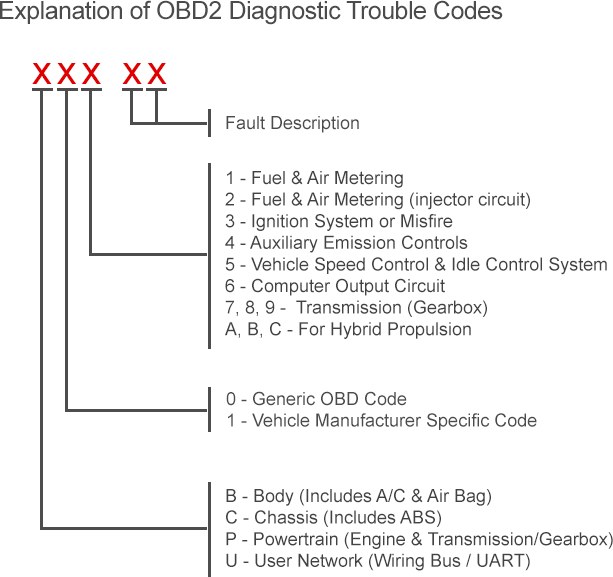
For reading diagnostic trouble codes (DTCs), no. Turn the key to the “on” position — the second click before cranking — and leave the engine off. The dash lights come on, the fuel pump primes, and the OBD2 port receives power. That is enough for the scanner to talk to the engine control module (ECM) and pull any stored codes.
Key On, Engine Off: The Only Setting You Need for Reading Codes
KOEO works because the OBD2 port is powered whenever the ignition is on, regardless of whether the engine is running. The ECM stores fault codes in memory, so it can report them without running. This holds for all 1996-and-newer US-market vehicles because they follow the same OBD2 standard.
You can read engine codes, pending codes, and freeze frame data in this mode. There is no mechanical reason to start the engine just to read a code.
Why Scanning with the Engine Off Is Safer for You and the Vehicle
An idling engine creates heat, exhaust, and moving parts. Scanning with the engine off removes those hazards. It also prevents an accidental shift if the vehicle is in gear or if a module command triggers an unexpected response.
Always set the parking brake and put the transmission in Park. If you must reach under the dash, do not wedge yourself into a position where you cannot pull out quickly.
Find the OBD2 Port, Power the Scanner, and Protect Your Battery
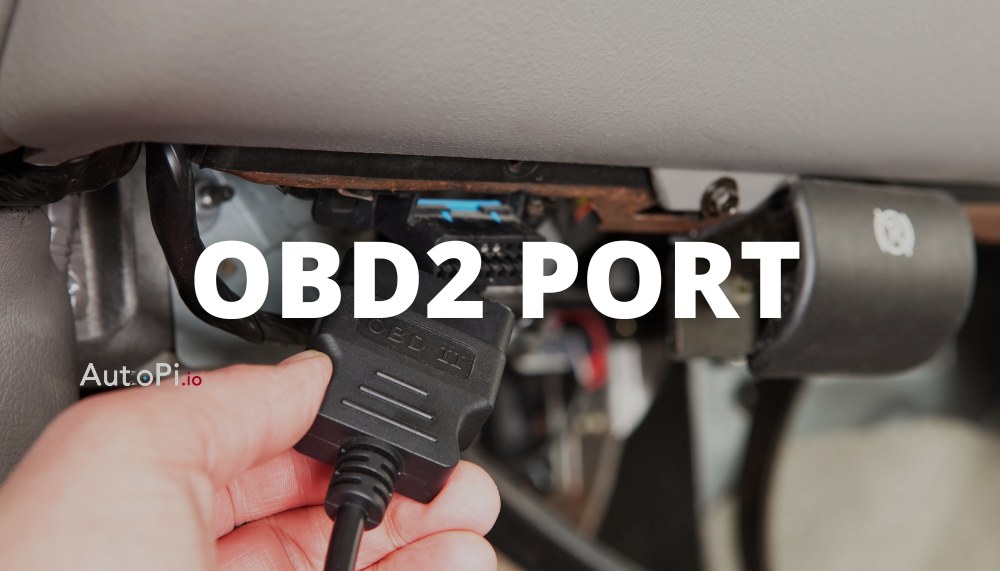
Where the Port Lives in Most 1996-and-Newer Vehicles
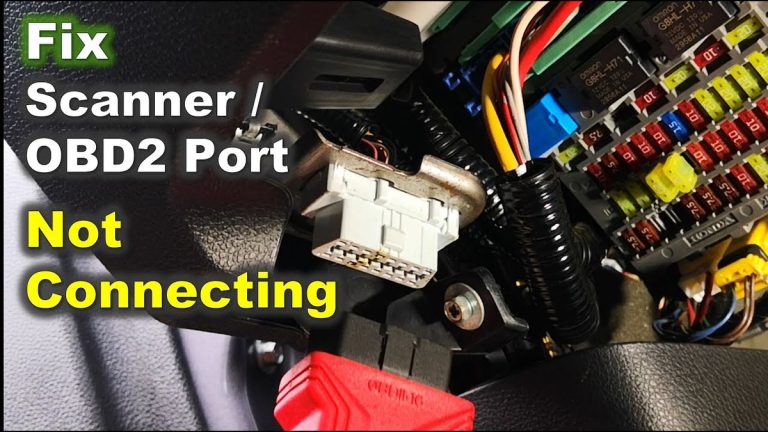
The OBD2 port is normally under the driver’s side dashboard, within reach of the steering column. It is a 16-pin trapezoid connector, sometimes behind a small access door. In some trucks and SUVs, it sits higher near the fuse panel.
If you cannot spot it, check the owner’s manual. Nearly every US-market vehicle places it on the driver’s side.
System Voltage, Connection Order, and Damaged-Battery Stop Conditions
Connect the scanner before turning the ignition on. This prevents communication glitches when the vehicle powers up. If your scanner has a power switch, plug it in first, then power the scanner, then turn the key to the on position.
Check the battery before you start. A swollen, leaking, or heavily corroded battery is hazardous. Stop and call for professional help instead of plugging anything in.
Hybrid and EV Cautions: The 12V Battery Still Rules the Diagnostic Session
Hybrids and EVs power the OBD2 port from the small 12V auxiliary battery, not the high-voltage traction pack. You are not tapping into orange high-voltage cables when you plug in a scanner.
Do not open high-voltage service covers or touch orange wiring. Some EVs require the car to be “awake” — with the instrument cluster active — before the port responds. Check the owner’s manual for your model’s procedure.
When the Engine Actually Needs to Be Running
Live Data, Oxygen Sensor Tests, and Bidirectional Controls
Live data such as RPM, coolant temperature, and fuel trims only make sense with the engine running. With the key on and the engine off, these values usually read near zero or hold at a fixed default.
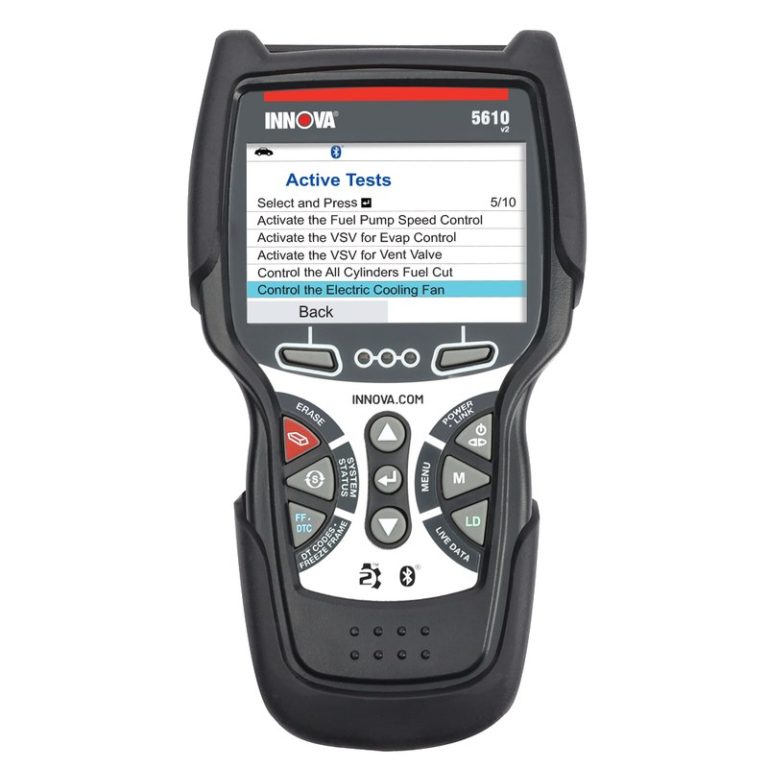
Oxygen sensor switching tests and some bidirectional commands — like commanding a cooling fan or fuel pump — also need the engine running or a specific test mode. Always follow the scanner’s prompts and the vehicle manual. If you are new to live data, learn how to find live data on an obd2 scanner so you set it up correctly.
EVAP and Readiness Monitors That Require a Warm Engine
Evaporative emissions (EVAP) leak tests and most readiness monitors run only after the engine reaches operating temperature during a drive cycle. The scanner cannot trigger these while parked in your driveway.
This becomes critical after you clear codes. Clearing resets the readiness monitors, and your vehicle will not pass an emissions test until they complete again.
What You Can (and Can’t) Do with the Engine Off
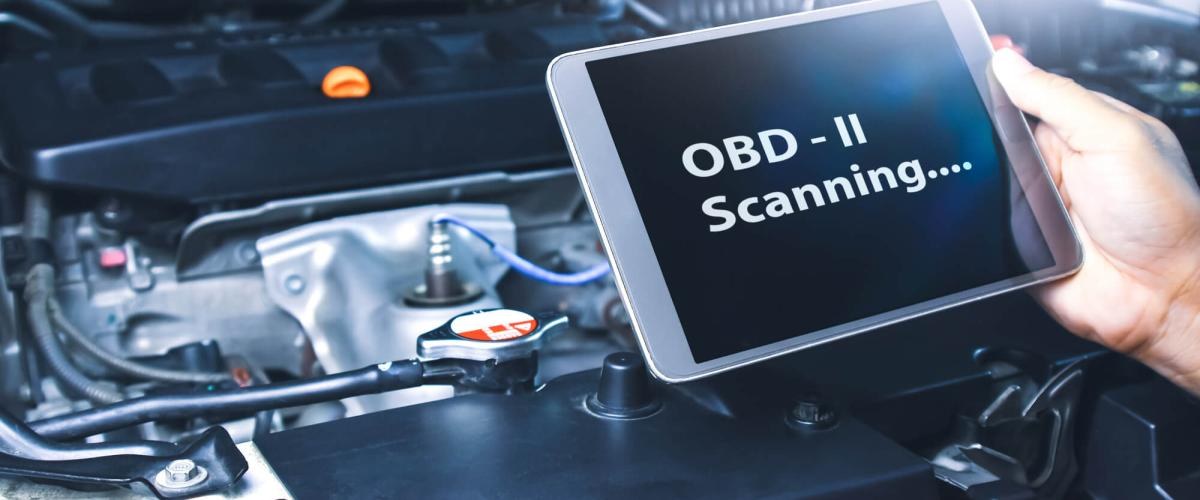
Code Reading, Freeze Frames, and VIN Lookup
In KOEO mode, a scanner can reliably:
- Read stored and pending diagnostic trouble codes
- Display freeze frame data recorded when a code was set
- Pull the VIN from the vehicle’s module
- Show mode 6 monitor results on many models
None of these tasks require starting the engine.
Clearing Codes and Reset Limitations
You can clear codes with the engine off. The scanner sends a reset command, and the check engine light usually goes out right away. But a permanent code will not clear until the vehicle completes its own diagnostic cycle and the fault is gone.
Clearing codes never fixes the root cause. If the fault is still there, the code returns — sometimes after a few drive cycles. Before you rely on a low-cost reader, understand whether a cheap obd2 scanner can clear the check engine light and what it cannot do.
App Permissions, Firmware Updates, and Bluetooth Pairing Gotchas
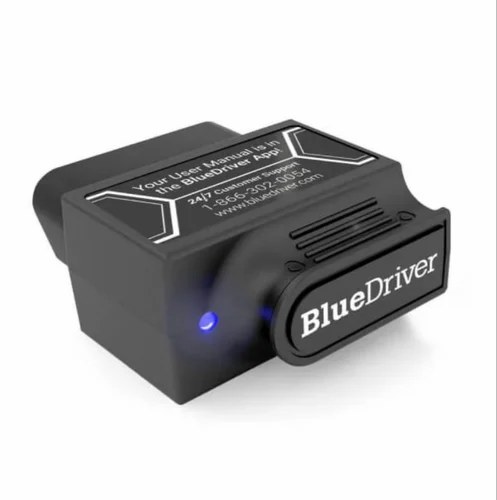
Bluetooth dongles add a few extra steps. Your phone app may need location permission to scan for Bluetooth devices, and the dongle must pair before the app connects to the vehicle. Turn the ignition on first, wait for the dongle LED, then pair.
Never update scanner firmware while you are trying to diagnose a car. An interrupted update can leave the dongle or scanner stuck and require a fresh connection to recover. Do updates at home with the app closed.
Emissions Readiness and Drive Cycles: Why Clearing Codes Isn’t a Pass
How Readiness Monitors Work and What the Scanner Displays
Readiness monitors are self-tests that run while you drive. Each monitor — catalytic converter, oxygen sensor, EVAP, and others — reports “complete” only after the vehicle meets its running conditions. The scanner simply displays that status.
If any monitor shows “not complete,” your vehicle may not pass an emissions test, even if the check engine light is off.
State-by-State Emissions Rules and the Legal Side of a DIY Scan
Scanning your own vehicle is legal in most states. The gray area is intent. Clearing codes to conceal an active emissions fault may cause legal trouble. Also, many states cap the number of “not ready” monitors a vehicle can have and still pass inspection.
Battery Drain, Jump Packs, and Safe Scanning Habits
How Long Can You Scan Before the Battery Drops Too Low?
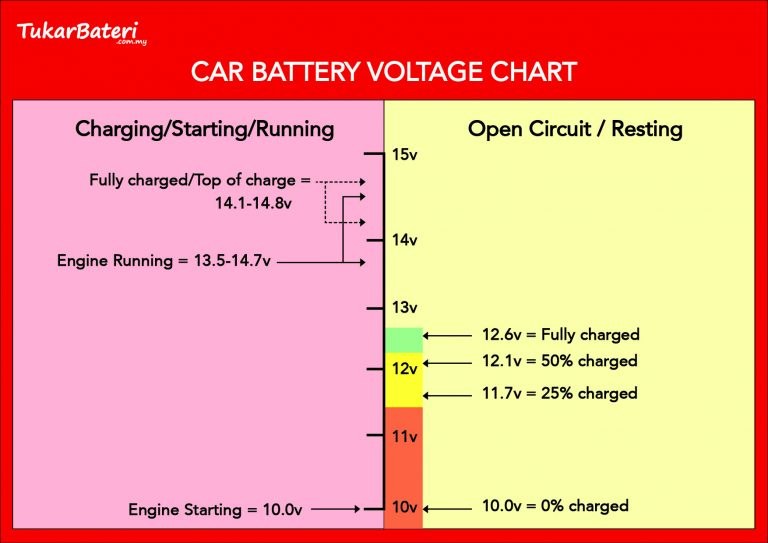
There is no universal timer. A healthy battery can handle 10 to 15 minutes of engine-off scanning, but a weak battery can drop below cranking voltage in half that time. Watch the dash lights: if they dim or the scanner screen flickers, stop and start the engine.
Cold weather makes this worse. Cold batteries have less cranking power, so keep engine-off sessions short in winter.
- Connect the scanner first, then turn the ignition on
- Set the parking brake and place the transmission in Park
- Keep sessions short and watch for dimming lights
- Unplug and inspect the scanner cable after each use
- Clear codes before writing down every code and freeze frame
- Jump a damaged, frozen, or leaking battery
- Do firmware updates during a live diagnostic session
- Assume a cleared light means the vehicle will pass emissions
Jump Pack and Cable Safety, Storage Conditions, and Post-Use Inspection
If you end up needing a jump start after a scan, follow the jump pack’s connection order exactly as printed on the unit. Do not use a damaged jump pack or one with a swollen case. Store it in a cool, dry place and check its charge level a few times a year.
After each diagnostic session, unplug the scanner and close any port cover. Inspect the cable for kinks, cuts, or melted spots — a damaged cable causes intermittent connection problems later.
What Your Scanner Can Tell You About Tires and TPMS
Cold Pressure, the Door-Jamb Placard, and Gauge Accuracy
Most generic OBD2 scanners do not show raw tire pressure values, even on vehicles with direct TPMS. The dash may display a warning, but the exact PSI data often does not travel through the diagnostic port in a readable way for consumer tools.
For accurate pressure, use a tire gauge and follow the cold pressure printed on the door-jamb placard. Check tires after they have sat for at least three hours, not right after a long drive.
TPMS Relearn Limits, Puncture Location, Temporary Repairs, and Pro Thresholds
If you replace a sensor or rotate tires, some vehicles require a TPMS relearn procedure that a basic OBD2 scanner cannot perform. You may need a TPMS-specific tool or a shop. Find out whether a TPMS sensor needs to be programmed after replacement before you install a used or aftermarket sensor.
For tire repairs, limit any DIY patch or plug to the tread area and have a professional inspect it. Never repair a sidewall puncture or a tire driven on while flat, and replace the tire if the damage is near the shoulder.
When to Stop Scanning and Call a Professional
Intermittent Codes and Module Communication Failures
If a code appears and disappears, or the scanner cannot reach a specific module, you may have an intermittent wiring problem or a failing module. These require wiring diagrams, oscilloscope checks, and experience that a consumer scanner cannot replace.
If the scanner reports no codes but the check engine light stays on, the explanation may be a manufacturer-specific code or a pending issue. Read why an obd2 scanner says no codes while the check engine light is on before you replace parts blindly.
The Limits of Consumer Scanners and What a Professional Adds
Consumer scanners read generic powertrain codes but often miss manufacturer codes from the ABS, airbag, and transmission modules. A professional tool can access every module, run bidirectional tests, and perform relearns and programming.
If your diagnosis involves airbags, high-voltage hybrid systems, or ADAS components, stop and call a qualified shop. These systems are safety-critical, and an incorrect test can cause costly or dangerous results.
Choosing the Right OBD2 Scanner for Your Situation
Basic Code Readers vs. Bluetooth Dongles vs. Professional Scanners
Basic code readers are inexpensive and simple. They read and clear engine codes and little else. Bluetooth dongles pair with your phone and offer live data, freeze frames, and readiness status for a low cost, but they depend on a third-party app. Professional scanners cost more but add manufacturer-specific codes, bidirectional controls, and multi-module coverage.
Check: Confirm the scanner supports your make, model, year, and the systems you care about (engine, ABS, airbags, TPMS). Limitations: A generic OBD2 scanner cannot read manufacturer-specific codes on every brand — verify coverage before purchase.
Model-Year Coverage, Compatibility, Warranty, and Ownership Costs
Most scanners cover 1996-and-newer US vehicles, but feature coverage is not uniform. Battery registration, diesel glow-plug tests, and ABS bleed functions are often brand-specific. Check the warranty, return policy, and update terms before buying. Some apps require a subscription after a free trial; a dedicated handheld scanner has no app dependency but costs more upfront.
For most drivers, a basic reader or a Bluetooth dongle handles the engine-off code-reading tasks described here. A mid-range scanner adds value only if you actually need live data, readiness checks, or other-module reads.
Drawbacks, Alternatives, and a Transparent Verdict for Different Drivers
Occasional DIYers who just want to read and clear a check engine light are best served by a low-cost code reader. Enthusiasts who do their own maintenance gain more from a Bluetooth dongle with live data and readiness views. Professionals — or owners of European and hybrid vehicles with special service functions — should choose a professional-level scanner or use a qualified shop.
There is no single best scanner for everyone. The honest trade-off: the simplest tool is the easiest to learn, while a more capable tool costs more and needs more knowledge to use well.
- Best for: DIY owners who want to read and clear engine codes quickly with the key on and the engine off.
- Think twice if: You need live sensor data, ABS or airbag codes, bidirectional tests, or TPMS service functions that generic OBD2 tools cannot provide.
- Next step: Locate your OBD2 port, confirm your battery is healthy, and choose a scanner matched to the systems and features you actually need.
Frequently Asked Questions
Yes. Put the ignition in the on position with the engine off (often called KOEO), connect the scanner, and read stored and pending codes. The engine does not need to run for the computer to share fault codes.
It can, especially on a weak or older battery. Keep engine-off diagnostic sessions to about 10 to 15 minutes on a known-good battery, and stop if the dash lights dim or the scanner screen flickers.
KOEO powers the computer without running the engine and is used for reading and clearing codes. KOER keeps the engine running and is needed for live data, oxygen sensor switching tests, and some bidirectional commands.
Yes, the reset command works with the ignition on and the engine off. Permanent codes will not clear until the vehicle completes its own diagnostic cycle and the underlying fault is resolved.
No, not for code reading. Pair the dongle with the ignition on and the engine off. The engine usually only needs to run for live data and active tests that depend on engine operation.
Check the battery voltage first, then confirm the scanner is plugged in before turning the ignition on. If it still fails, review the vehicle’s port location, the dongle pairing steps, and the scanner’s protocol compatibility.