Best Bluetooth OBD2 Scanner for iPhone: 5 Smart Picks
Updated: September 21, 2026
The best Bluetooth OBD2 scanner for iPhone is not simply the scanner with the longest feature list. For iPhone users, the real question is whether the adapter pairs reliably with iOS, whether the app explains problems clearly, and whether the tool helps you make a better repair decision instead of just showing a confusing fault code.
If I were buying one for a normal driver, I would start with BlueDriver. It is the easiest overall pick because the app is clean, the repair guidance is easier to understand, and the learning curve is lower. If I were buying for a more technical DIY owner who wants faster live data and more app control, I would choose OBDLink MX+. If I wanted a phone-based scanner with more advanced functions, I would look carefully at TOPDON TopScan after checking the current app terms.
This guide is written for drivers who use an iPhone and want a practical scan tool for check-engine lights, emissions readiness, live data, and basic diagnostic confidence. I am not using fake prices or fake ratings. Product features, app access, and subscription rules can change, so check the current Amazon listing and the app details before buying.
Quick Verdict
BlueDriver is the best overall iPhone OBD2 scanner for most owners. OBDLink MX+ is the best adapter for app flexibility and live data. TOPDON TopScan is the best advanced phone-based option if its current coverage fits your car. Veepeak OBDCheck BLE is the best budget adapter, while FIXD is best for simple reminders and easy explanations.
| Product | Best for | Price |
|---|---|---|
| BlueDriver Bluetooth Pro Best overall |
Simple iPhone app and clear repair guidance. | See Price |
| OBDLink MX+ Best live data |
Strong adapter for app flexibility and sensor data. | See Price |
| TOPDON TopScan Advanced app tool |
More phone-based scan-tool functions; check terms. | See Price |
| Veepeak OBDCheck BLE Budget adapter |
Low-cost iPhone adapter for basic code reading. | See Price |
| FIXD Bluetooth Scanner Simple reminders |
Friendly app for basic codes and maintenance reminders. | See Price |
1. BlueDriver Bluetooth Pro – Best Overall for Most iPhone Users
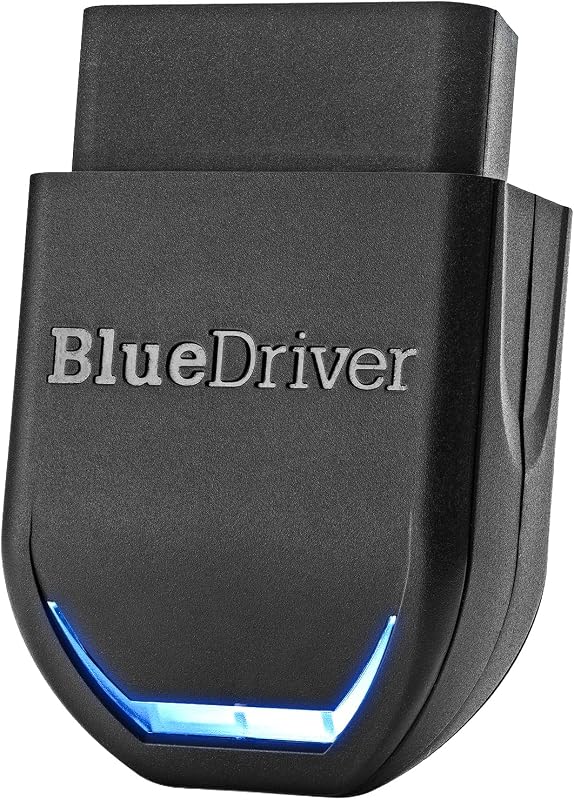
BlueDriver is the strongest first recommendation because it solves the biggest iPhone scanner problem: confusion. Many Bluetooth adapters can show codes, but a normal driver needs more than a code number. BlueDriver gives you a single app experience, clearer explanations, freeze-frame data, and a repair-report style workflow that is easier to follow than a generic adapter paired with a separate app.
This is the scanner I would recommend to someone who says, “I have a check-engine light and I want to understand what is going on before I call a mechanic.” It is not trying to be a professional tablet scanner. Its value is that it makes the basic diagnostic process less intimidating. You plug it in, connect through the app, scan the vehicle, review the code explanation, and save the report if needed.
Who should buy it: iPhone users who want simple setup, clear explanations, and a guided app. It is also a good choice for families who want one scanner in the glovebox for several cars.
Who should skip it: DIY users who want maximum third-party app control, custom dashboards, or faster data workflows may prefer OBDLink MX+.
- Best strength: beginner-friendly iPhone app.
- Best use: check-engine diagnosis and repair guidance.
- Main caution: not the most flexible adapter ecosystem.
2. OBDLink MX+ – Best for Live Data and App Flexibility
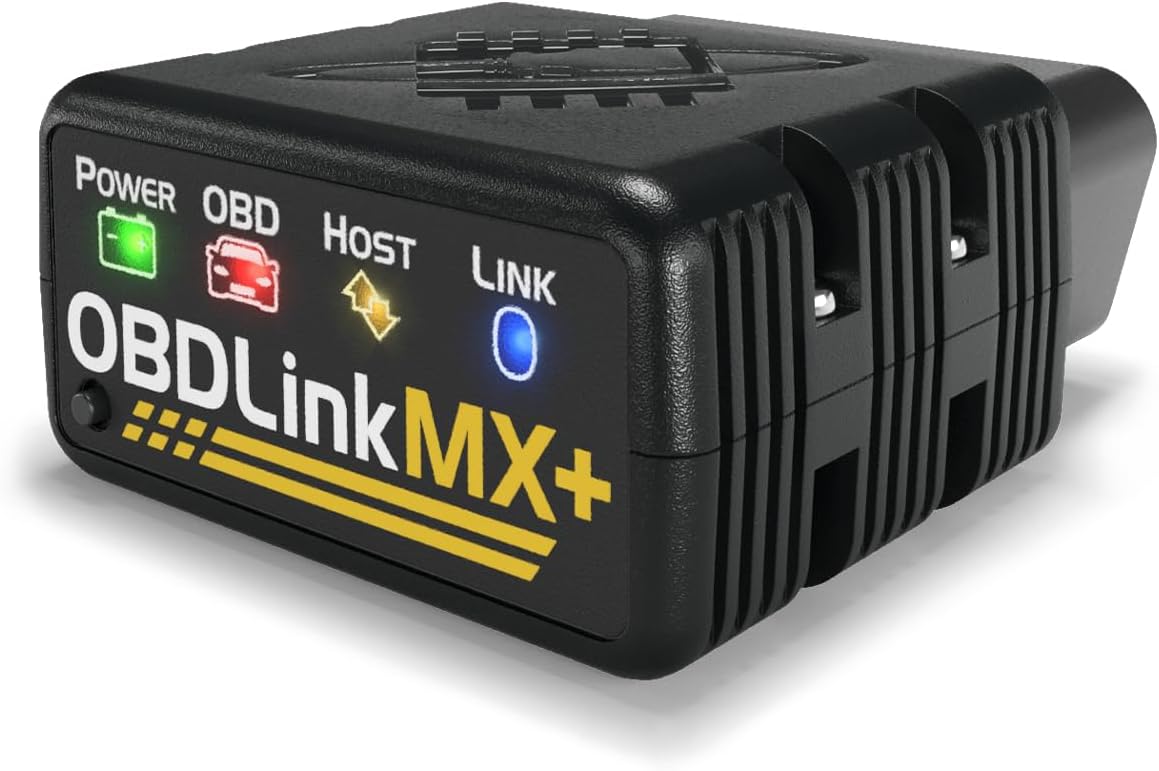
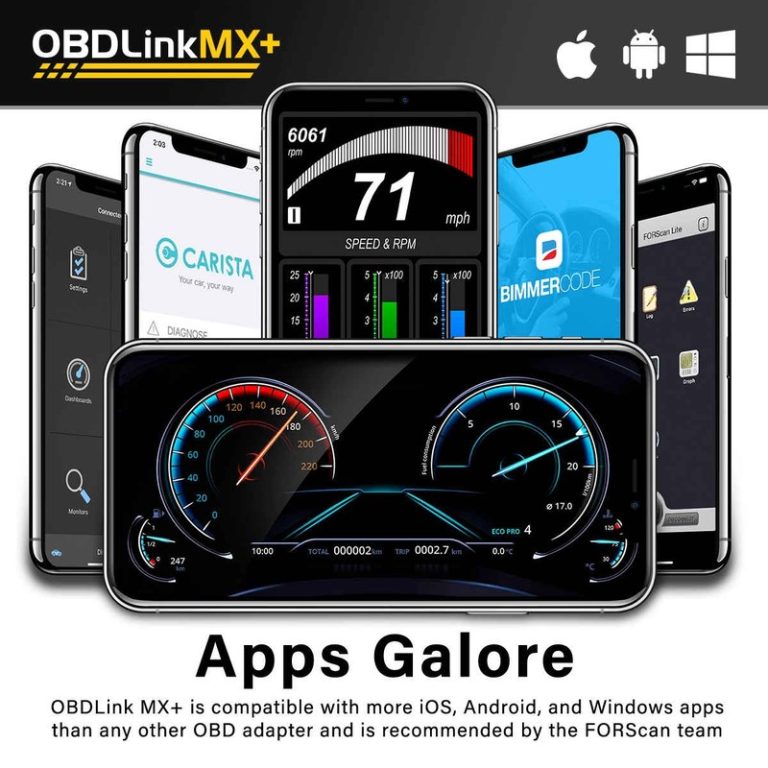
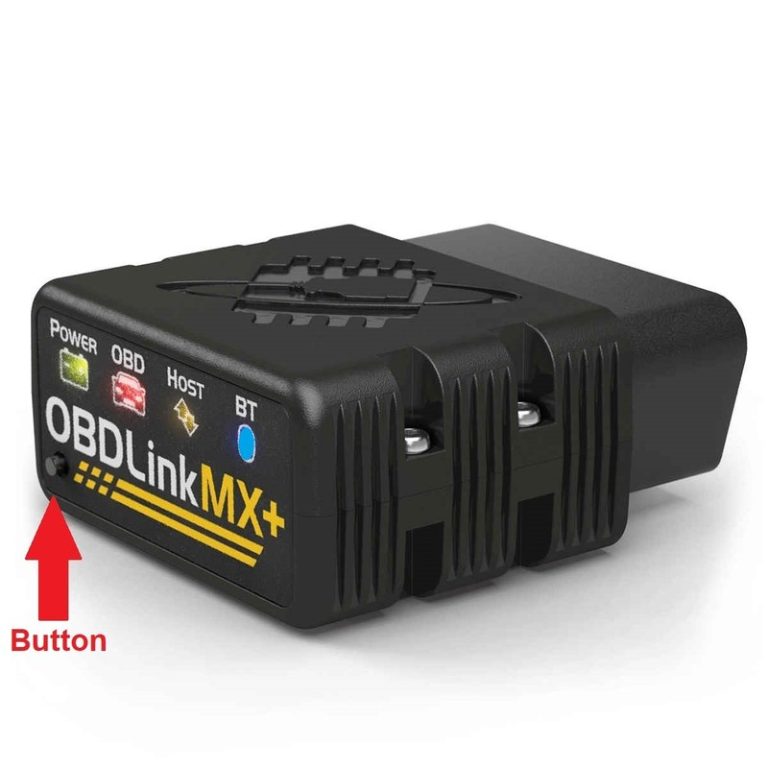
OBDLink MX+ is the better scanner for an iPhone user who wants more control. It is less about hand-holding and more about giving you a strong adapter for app-based diagnostics. If you like watching fuel trims, coolant temperature, oxygen sensor behavior, charging voltage, or misfire clues, OBDLink MX+ makes more sense than a very basic adapter.
The reason I rank it below BlueDriver for most people is not because it is weak. It is because it expects a more involved owner. The app and adapter combination can be very capable, but a first-time user may need more time to understand what the data means. For a home mechanic, that is a benefit. For a casual driver, it may feel like extra work.
Who should buy it: DIY drivers who want stronger live data, supported app flexibility, and a scanner that can stay useful as their diagnostic skills improve.
Who should skip it: If you only want a simple explanation of a check-engine light, BlueDriver is easier.
- Best strength: data-focused diagnostic flexibility.
- Best use: live data checks and app-based troubleshooting.
- Main caution: less beginner-guided than BlueDriver.
3. TOPDON TopScan – Best Advanced Phone-Based Scanner
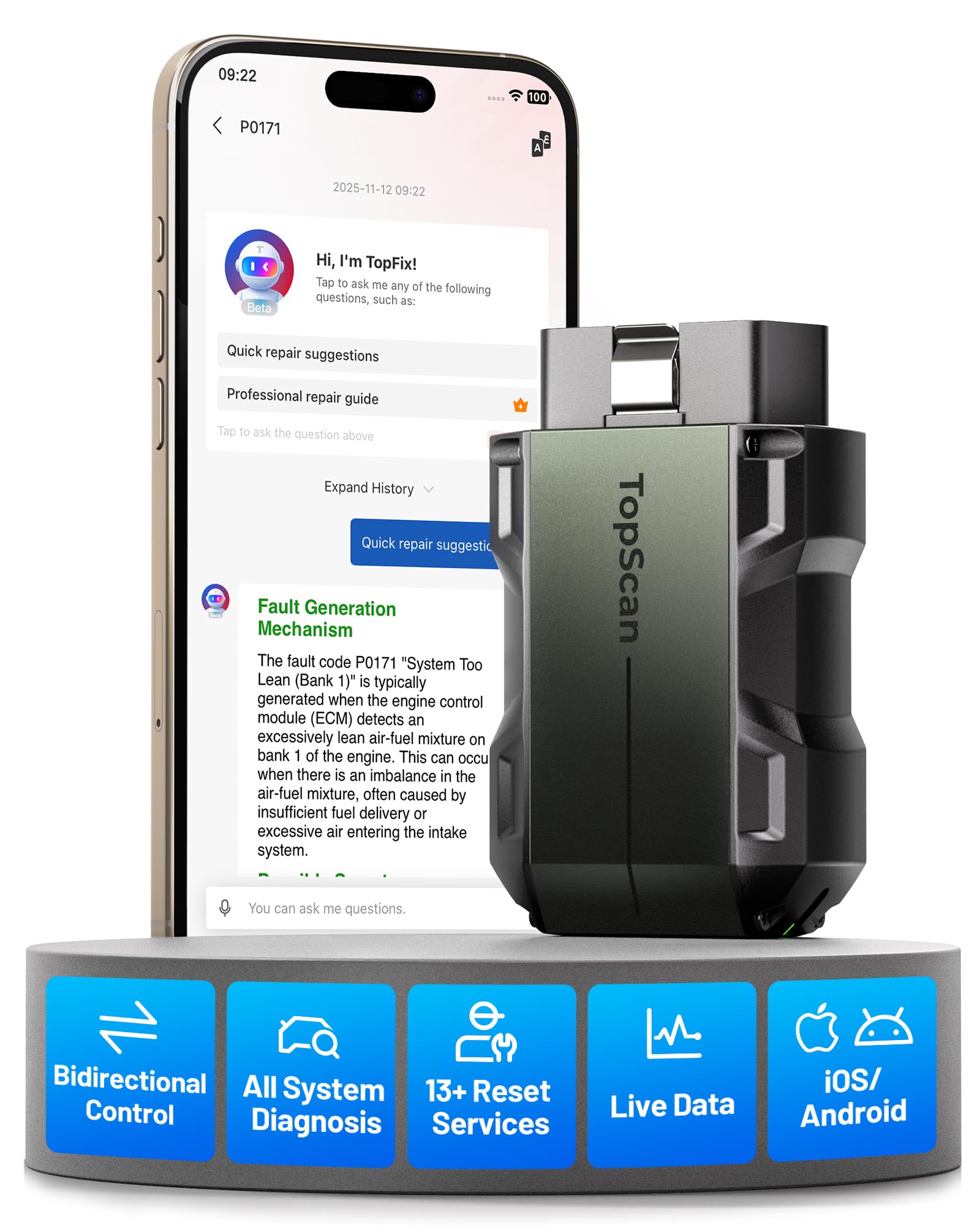
TOPDON TopScan is the option I would consider when a basic code reader is not enough, but you still want to use a phone instead of a dedicated tablet scanner. It can make sense for buyers who want more scan-tool style functions in an app-based format. Depending on current coverage, it may offer more advanced menus than a simple generic adapter.
The caution is that advanced app scanners often come with coverage limits, subscription details, or feature language that changes over time. That does not make TopScan a bad choice, but it means you should read the current listing carefully. Check which functions are included, which are paid, and whether your vehicle is supported for the modules you care about.
Who should buy it: drivers who want a phone-based scanner with more advanced diagnostic potential than a basic adapter.
Who should skip it: buyers who do not want to think about subscriptions, app terms, or coverage details should choose a simpler scanner.
- Best strength: advanced app-scanner potential.
- Best use: buyers who want more than generic code reading.
- Main caution: check current app terms and vehicle coverage.
4. Veepeak OBDCheck BLE – Best Budget iPhone Adapter

Veepeak OBDCheck BLE is the budget pick. It is the scanner I would consider if you mainly want basic OBD2 code reading, emissions readiness, and simple live data through a compatible iOS app. It is not the most polished guided diagnostic system, but it can be enough for owners who already understand what they want from an app adapter.
The important thing is to think of Veepeak as an adapter, not a full repair-guidance system. The experience depends heavily on the app you use with it. If the app is good and supports what you need, the adapter can be a good value. If the app is confusing or paid features surprise you, the low price may feel less attractive.
Who should buy it: budget shoppers who need basic code reading and are comfortable choosing an iPhone app.
Who should skip it: beginners who want clear repair explanations should choose BlueDriver instead.
- Best strength: affordable iPhone-compatible adapter path.
- Best use: basic codes, readiness checks, and simple live data.
- Main caution: app choice controls much of the experience.
5. FIXD Bluetooth Scanner – Best for Simple Reminders
FIXD is the option for drivers who want a friendly app more than a deep diagnostic tool. It is useful if your main goal is to understand basic warning lights, track maintenance reminders, and avoid a technical interface. For a non-DIY owner, that can be enough.
I would not put FIXD above BlueDriver or OBDLink MX+ for serious diagnostics. It is not the scanner I would choose for live-data learning, advanced troubleshooting, or app flexibility. But for an owner who wants simple language and a reminder-focused experience, it still has a place.
Who should buy it: owners who want reminders, plain explanations, and a light diagnostic companion.
Who should skip it: DIY users who want deeper data or more control should choose OBDLink MX+ or TOPDON TopScan.
- Best strength: simple app experience.
- Best use: maintenance reminders and basic code explanations.
- Main caution: not ideal for deeper diagnostics.
How to Choose the Right iPhone OBD2 Scanner
Choose by use case first. If you only scan your own car a few times a year, buy the scanner with the clearest app. If you diagnose multiple cars or enjoy learning live data, buy the stronger adapter. If you need ABS, SRS, transmission, or other enhanced modules, check coverage before buying because generic OBD2 support does not guarantee those systems.
| Need | Best pick | Why |
|---|---|---|
| Simple check-engine help | BlueDriver | Best balance of ease and useful explanations. |
| Live data and flexibility | OBDLink MX+ | Better for app-focused DIY diagnostics. |
| Advanced app functions | TOPDON TopScan | Worth checking if you want more scan-tool features. |
| Lowest practical cost | Veepeak OBDCheck BLE | Good value if you are comfortable with compatible apps. |
| Reminder-focused ownership | FIXD | Simple app style for non-technical owners. |
iPhone Compatibility Checks Before You Buy
The word Bluetooth is not enough. Some older adapters pair well with Android but not iPhones. Look for iOS support, Bluetooth LE, Wi-Fi, or a dedicated iPhone app. Also read recent app reviews. A scanner can have good hardware and still feel poor if the app is outdated or difficult to use.
- Confirm iPhone or iOS support on the current listing.
- Check whether a separate paid app is required.
- Look for freeze-frame data, readiness monitors, and live data if you want more than code reading.
- Confirm enhanced module support before expecting ABS, SRS, TPMS, or transmission codes.
- Check subscription language before buying app-based advanced scanners.
What These Scanners Can Actually Diagnose
A good iPhone OBD2 scanner can read engine codes, pending codes, freeze-frame data, emissions readiness, and live sensor data. That is enough for many everyday check-engine situations. It can help you understand whether a code is emissions-related, whether readiness monitors are complete, and whether the car needs attention before an inspection.
What it cannot do is guarantee the failed part every time. A code is a clue, not a verdict. For example, a lean code may involve vacuum leaks, fuel delivery, exhaust leaks, sensor data, or wiring. A scanner helps narrow the problem, but you still need basic inspection and common sense before replacing parts.
Final Recommendation
For most iPhone users, buy BlueDriver. It is the least confusing and the easiest to recommend. Buy OBDLink MX+ if you want more live-data control and app flexibility. Consider TOPDON TopScan if you want a more advanced phone-based scanner and you are willing to check current coverage details. Pick Veepeak if price matters most and you can handle the app side. Choose FIXD only if you mainly want a simple ownership app with reminders and basic explanations.
Related CarValleyNJ Guides
- Best OBD2 Scanner for Cars for DIY Diagnostics
- Best OBD2 Scanner for Home Mechanic Diagnostics
- Best OBD2 Scanner for the Money
- OBDLink MX+ vs BlueDriver
- OBD2 Scanners category hub
How I Would Narrow the Choice in Real Life
If the buyer is a normal driver with one family car, I would not overcomplicate the purchase. I would choose BlueDriver because it turns codes into a more readable story and does not require the owner to test several apps before getting useful answers. That matters when the check-engine light appears before work, before a road trip, or right before inspection. The best tool in that situation is the one the owner will actually use correctly.
If the buyer is a weekend DIY person who already understands basic sensor data, I would move toward OBDLink MX+. The reason is long-term value. A flexible adapter can stay useful as you learn more about live data and troubleshooting. You can watch coolant temperature, charging voltage, fuel trims, oxygen sensor patterns, and readiness monitors without feeling boxed into one beginner workflow.
If the buyer wants more advanced app-based diagnostics, I would compare TOPDON TopScan only after checking current coverage. It may offer more features than a simple OBD2 adapter, but advanced features are only valuable when they support your vehicle and are not hidden behind terms you did not expect. This is where many buyers make mistakes: they see a feature list, but they do not verify whether those functions apply to their exact car.
If the buyer is trying to spend as little as possible, Veepeak can make sense. But I would only recommend it to someone comfortable choosing and learning an app. A cheap adapter with the wrong app can feel worse than a more expensive scanner with a cleaner workflow. Low price is useful only when the full setup still solves the problem.
What to Check on the Amazon Listing Before You Click Buy
Before buying any iPhone OBD2 scanner, read the current listing like a diagnostic checklist. First, look for clear iPhone or iOS language. Second, check whether the scanner uses Bluetooth LE, Wi-Fi, or a dedicated app. Third, look for wording about enhanced diagnostics, subscriptions, updates, and supported vehicles. If the listing is vague, do not assume the scanner can do everything.
For BlueDriver, confirm that the app support and repair-report workflow still matches what you expect. For OBDLink MX+, check app compatibility and whether the features you want are supported by your preferred app. For TOPDON TopScan, pay extra attention to subscription and vehicle coverage notes. For Veepeak, confirm the app you plan to use works on iPhone and supports the data you care about. For FIXD, make sure the reminder-focused app experience is what you actually want.
Also check return policy and recent buyer questions. OBD2 scanners can vary by vehicle, phone model, app version, and user expectations. A tool can be good and still not be the right fit for your specific car. That is why I prefer buying from a listing with clear compatibility language and an easy return path.
What Makes an iPhone Scanner Feel Premium?
A premium iPhone OBD2 scanner does not just connect. It reduces confusion. It should pair without strange workarounds, keep a stable connection, explain codes clearly, show freeze-frame data, and make it easy to save or share a report. If the scanner gives live data, the app should make common values easy to find instead of hiding them behind cluttered menus.
The scanner should also make limitations clear. No app scanner can guarantee that one code equals one failed part. A good tool helps you think through the problem. It gives you data, context, and direction. A poor tool dumps a code on the screen and leaves you guessing. That is why the app matters as much as the adapter.
My Short Buying Rule
Choose BlueDriver if you want the least confusing ownership experience. Choose OBDLink MX+ if you want more technical control. Choose TOPDON TopScan if you want a phone-based tool that may go beyond basic OBD2, but only after checking coverage. Choose Veepeak if budget comes first and you are comfortable with app setup. Choose FIXD if you care more about reminders and plain explanations than diagnostic depth.
FAQs
BlueDriver is the safest overall pick for most iPhone users because the app is easy, the explanations are clear, and it is less confusing than pairing a generic adapter with a separate app. OBDLink MX+ is better if you care more about live data and app flexibility.
No. Many older Bluetooth adapters were designed mainly for Android. iPhone buyers should look for iOS support, Bluetooth LE, Wi-Fi, or a dedicated iPhone app before buying.
OBDLink MX+ is better for data-focused DIY users who want app flexibility and faster live data. BlueDriver is better for beginners who want one simple app and easier repair explanations.
Some app scanners can read enhanced modules on supported vehicles, but generic OBD2 coverage mainly covers engine and emissions codes. Always confirm ABS, SRS, transmission, or TPMS coverage for your exact vehicle.
A cheap adapter can be worth buying for basic engine-code checks, but it may require a separate paid app and usually gives less repair guidance than BlueDriver, OBDLink MX+, or TOPDON TopScan.
Some tools or apps may have paid features, subscriptions, or optional add-ons. Check the current Amazon listing and app terms before buying, especially for advanced diagnostics.


4 Comments