What Does Readiness Monitor Incomplete Mean After Clearing Codes
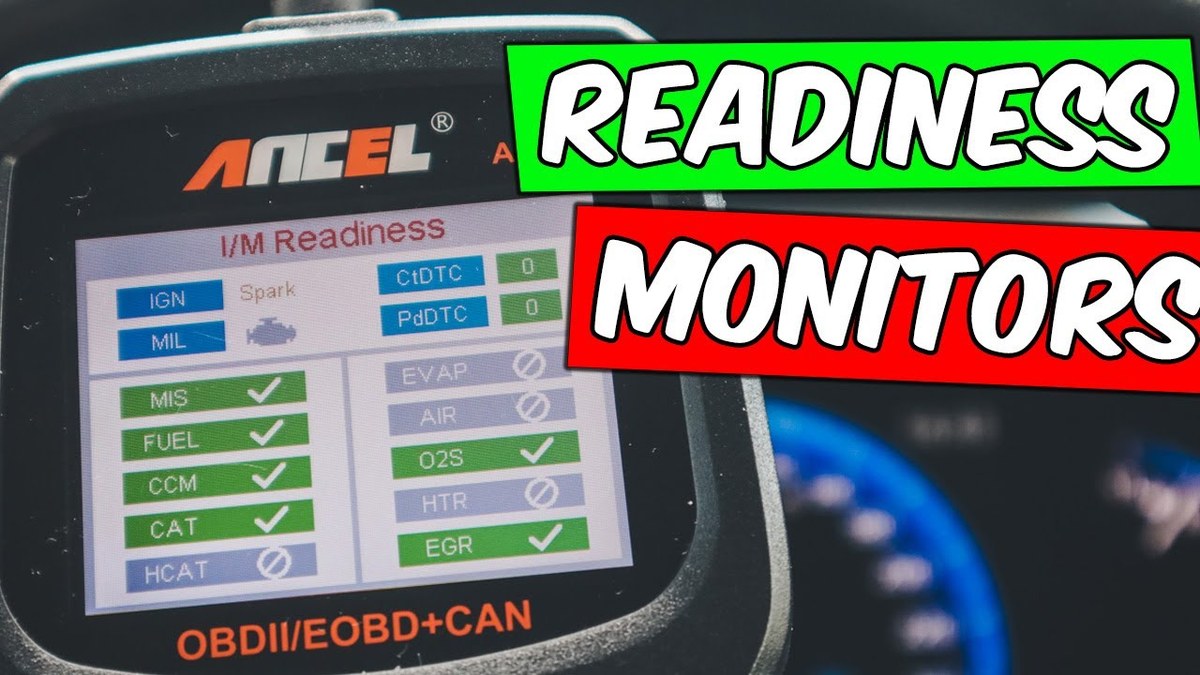
An incomplete readiness monitor means the vehicle has not finished one or more emissions self-tests since codes were cleared or power was lost. The car may drive normally, but inspection can fail until the required monitors switch to ready.
what does readiness monitor incomplete mean? It means one or more OBD2 self-checks have not finished running yet, usually because codes were cleared, battery power was lost, or the right driving conditions have not happened since the reset. That status does not always mean the car is unsafe, but it can absolutely keep you from passing an emissions inspection until the required monitors switch to ready.
- Reset cause: Clearing codes or disconnecting the battery often resets monitors to not ready.
- Inspection risk: Incomplete monitors can block emissions testing even with no check engine light.
- Common delay: EVAP, catalyst, and oxygen-sensor tests often need specific fuel, temperature, and trip conditions.
- Better diagnosis: Check pending codes, live data, and battery voltage before replacing parts.
- Tool fit: Use a scanner that supports your vehicle’s model year, protocol, and readiness status.
What readiness monitor incomplete means after clearing codes
Readiness monitors are the vehicle computer’s way of proving that key emissions systems have tested themselves. After you erase trouble codes, the powertrain control module usually wipes out those completed test results too. The car then starts over and marks many monitors as incomplete or not ready.
Why monitors reset to “not ready” when codes are erased or battery power is disconnected
When you clear codes with a scan tool, you are not just removing the check engine light. You are also clearing stored diagnostic history and many completed emissions self-tests. The same thing can happen after a dead battery, a battery replacement, or a long power loss on some vehicles.
That reset is intentional. The computer needs fresh evidence that the catalyst, oxygen sensors, EVAP system, and other emissions parts still work correctly. Until those tests run again under the right conditions, the monitor stays incomplete.
What “incomplete,” “not ready,” and “unsupported” mean on an OBD2 scan tool
These terms sound similar, but they mean different things.
- Incomplete: the monitor exists on that vehicle, but the test has not finished.
- Not ready: usually the same practical meaning as incomplete on many scan tools.
- Unsupported: that vehicle does not use that monitor, so it is not expected to run.
Unsupported is not a failure. It usually reflects the vehicle design, engine family, fuel type, or model-year strategy. Incomplete is different because the test should run eventually if the car is healthy and the drive conditions are correct.
Whether it is safe to drive and when an incomplete monitor will block inspection
An incomplete monitor by itself does not automatically mean the car is dangerous to drive. If the engine runs normally, temperatures stay stable, and no warning lights are flashing, many drivers can continue normal use while the monitors reset.
But safety depends on the reason the monitor is incomplete. If the car has a flashing check engine light, severe misfire, fuel smell, stalling, overheating, or obvious charging issues, stop treating it like an inspection problem and treat it like a repair problem.
Inspection is the bigger issue for most owners. In many states, too many incomplete monitors will cause an automatic rejection even if the check engine light is off. The exact allowance varies by state, model year, and sometimes fuel type.
How OBD2 readiness monitors work on 1996+ vehicles in the United States
US-market light-duty vehicles from model year 1996 onward use OBD2, but that does not mean every car behaves exactly the same. The basic idea is shared: the computer watches emissions-related systems, stores faults, and reports monitor status through the diagnostic port.
Continuous vs non-continuous monitors and why some set faster than others
Continuous monitors run almost all the time while the engine is operating. Misfire, fuel-system, and comprehensive component checks typically fall into this group. They often set quickly because the PCM is watching them during normal driving.
Non-continuous monitors need more specific conditions. Catalyst, oxygen sensor, oxygen sensor heater, EGR, secondary air, and EVAP tests may require a cold start, steady cruise, deceleration, idle time, or a certain fuel level. That is why a car can be driven for days and still show one stubborn incomplete monitor.
Model-year and protocol coverage: OBD2, CAN, manufacturer-specific behavior, and diesel or hybrid differences
All 1996+ US light-duty vehicles have OBD2, but scan-tool behavior still varies. Older vehicles may use earlier OBD2 communication protocols, while newer vehicles commonly use CAN. Some scanners show simple readiness status only, while better tools also show monitor names, live data, and manufacturer-specific details.
Diesel, hybrid, and some plug-in models can also differ in which monitors they support and how quickly those tests run. A hybrid that spends less time with the gasoline engine operating may need more deliberate drive conditions before certain monitors complete.
Check: Verify your scan tool supports your vehicle’s model year, protocol, and fuel type. Limitations: Some basic readers show generic readiness only and may not explain manufacturer-specific monitor behavior on diesel, hybrid, or newer CAN-based vehicles.
What a scan tool can and cannot show: codes, pending codes, live data, freeze-frame, and monitor status limits
A decent scan tool can usually show confirmed codes, pending codes, readiness monitors, and some live data. Better tools may also display freeze-frame data, Mode 6 test information, and graphable sensor values. That extra detail matters when a monitor will not set and you need to know why.
Still, no generic scan tool can magically force every monitor to complete. It can report status, and on some vehicles it can guide diagnosis, but the vehicle still decides when the test conditions are met. If you are comparing options, this guide to OBD2 scanner features beginners actually need helps explain which functions are worth paying for.
Why monitors stay incomplete even after you have driven the car
The most common reason is simple: the exact drive cycle has not happened yet. “I drove it a lot” does not always mean the PCM saw the right mix of cold start, idle, cruise, coast-down, and fuel level conditions.
Cold-start requirements, fuel level range, ambient temperature, and trip length
Many monitors want a true cold start, not a restart after a short stop. The engine coolant and intake air temperatures may need to be close to ambient. EVAP monitors often need the fuel tank within a moderate range rather than nearly empty or completely full.
Short trips also slow everything down. If you only drive a few miles at low speed, the catalyst may not heat long enough, the oxygen sensor checks may not finish, and the EVAP logic may never run. Highway cruising mixed with steady in-town driving often works better than repeated short errands.
Pending faults, weak battery voltage, recent repairs, and firmware or PCM update issues
A monitor can stay incomplete because the vehicle sees a problem that has not matured into a confirmed code yet. That is why pending codes matter. A pending EVAP leak or oxygen sensor fault may quietly block readiness even though the check engine light is off.
Low system voltage can do the same thing. Weak batteries, unstable charging, or repeated jump starts can interrupt self-tests or reset learned values. Before chasing parts, it helps to understand what a battery tester can actually tell you and how voltage problems affect modern electronics.
Recent repairs can matter too. An unplugged sensor, loose gas cap, exhaust leak ahead of an oxygen sensor, or the wrong replacement part may leave the car in a half-fixed state. In rarer cases, a PCM calibration issue or needed software update can delay monitor completion until the vehicle is reflashed per factory service information.
Ignition mode, key-on/engine-off vs engine-running checks, and port-location basics for accurate scanning
Make sure you are scanning correctly. Some readers can connect with the key on and engine off, but readiness status is often most useful after the engine has run and the trip has completed. On push-button vehicles, accessory mode is not always the same as ignition on.
The OBD2 port is usually under the driver-side dash, but exact location varies. A loose connector, low phone battery, or unstable Bluetooth pairing can also create confusion with app-based scanners. If you use a wireless tool, review the app’s update and connection requirements before assuming the car is the problem.
Which readiness monitors matter most and what each one is checking
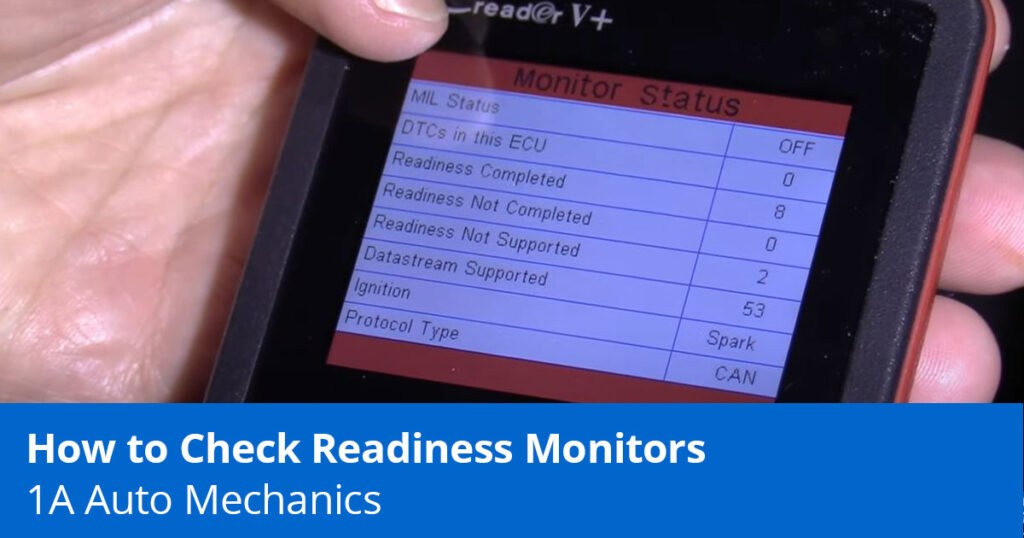
Not every monitor applies to every vehicle, but several appear often enough that owners should know the basics. The names on your scan tool are short. The systems behind them are not.
Catalyst, oxygen sensor, oxygen sensor heater, and evaporative emissions monitors
The catalyst monitor checks whether the catalytic converter is cleaning exhaust gases as expected. It often depends on good oxygen sensor data and a stable engine condition, so it may lag behind other monitors.
The oxygen sensor monitor checks sensor response and switching behavior. The oxygen sensor heater monitor checks whether those sensors warm up quickly enough for proper closed-loop operation.
The EVAP monitor checks the fuel vapor system for leaks or control problems. This one is famous for staying incomplete because it often needs a certain fuel level, soak period, and ambient condition before it will run.
EGR, secondary air, heated catalyst, and misfire or fuel-system monitors
The EGR monitor checks exhaust gas recirculation flow where equipped. The secondary air monitor looks at air-injection performance on vehicles that use that system. Some vehicles also list a heated catalyst monitor, though many do not support it.
Misfire and fuel-system monitors are usually continuous. They often set quickly, but if they detect a real problem, other non-continuous monitors may never complete because the engine is not operating within the conditions needed for accurate testing.
Why some vehicles support fewer monitors and how “unsupported” affects inspection results
Unsupported monitors are normal on many vehicles. A car without an air-injection system will not suddenly gain a secondary-air monitor just because your scan tool lists that category. Inspection programs generally account for this by looking only at monitors the vehicle is designed to support.
How to complete a drive cycle and set monitors faster without guessing
The best approach is to use the factory drive cycle for your exact vehicle when available. If you do not have it, a general mixed drive pattern often helps gasoline vehicles reset most monitors without random trial and error.
General drive-cycle steps that help most gasoline vehicles after clearing codes
Start with a fully charged battery and no active drivability problems. Let the vehicle sit long enough for a true cold start. Start the engine, idle briefly, then drive gently in town before adding a steady cruise segment at moderate highway speed. Include a few smooth deceleration periods without hard braking when safe to do so.
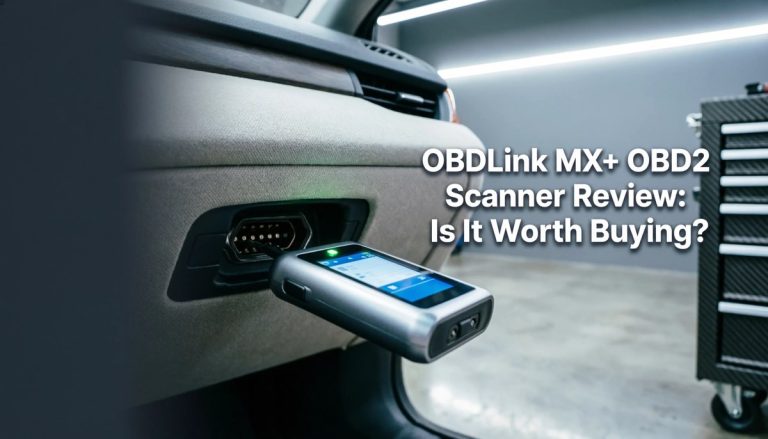
Avoid aggressive throttle, repeated short shutdowns, and topping off the fuel tank. After the trip, rescan the car rather than clearing codes again. If you need a scanner that can show more than just basic code numbers, this overview of what an OBDLink MX can do explains why live data and readiness views are useful.
- Start with no confirmed or pending emissions faults if possible
- Use a cold start, mixed city/highway driving, and smooth deceleration
- Rescan after each meaningful drive cycle instead of guessing
- Clear codes repeatedly and restart the process
- Assume 10 miles of random driving equals a full drive cycle
- Ignore battery voltage, fuel level, or recent repair mistakes
EVAP-specific conditions that commonly delay readiness on many cars and SUVs
EVAP is often the last monitor to set. Common delays include a fuel tank that is too full or too low, overnight temperatures outside the expected range, and not enough parked soak time between trips. Even a loose or damaged gas cap can keep the test from passing.
Some vehicles also wait for a very specific combination of cruise speed, engine load, and purge behavior. That is why owners sometimes see every monitor ready except EVAP for days.
Best practices for using live data to confirm coolant temperature, fuel trims, and monitor progress
Live data helps remove guesswork. Coolant temperature tells you whether the engine truly reached operating temperature. Fuel trims can hint at vacuum leaks, exhaust leaks, or mixture problems that interfere with monitor completion. Oxygen sensor activity can also show whether the engine has entered normal closed-loop operation.
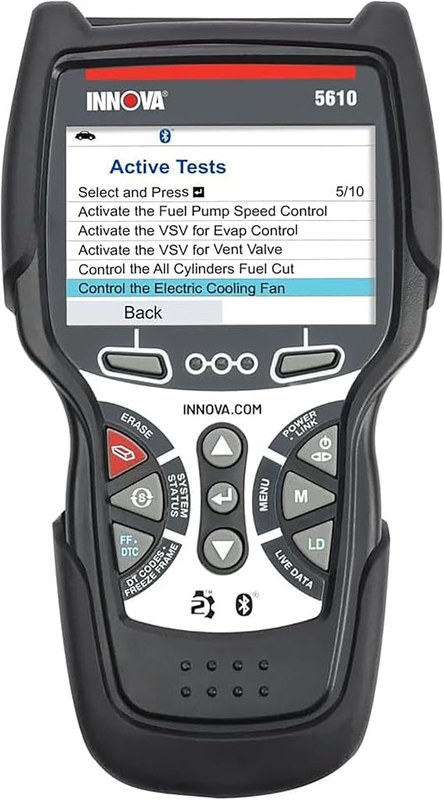
More advanced tools may show monitor-specific test results or manufacturer data lists, but coverage varies. If you are shopping for broader vehicle support, this guide on which vehicles the Innova 5610 works on is a useful starting point.
Troubleshooting checklist before you pay for a re-test or more parts
Before spending money on another inspection or replacing parts based on guesswork, work through the basics. Many readiness problems come from simple electrical or repair issues rather than failed major components.
Check battery chemistry, system voltage, state of charge vs battery health, and low-voltage reset problems
A battery can be charged but still weak. State of charge and battery health are not the same thing. Low cranking voltage, poor terminal connection, or unstable alternator output can interrupt monitor learning or cause modules to lose memory.
If the battery is old or has been drained recently, test it properly before chasing emissions parts. This is especially important after winter no-starts, battery swaps, or repeated short-trip use.
Inspect recent repair work, loose caps, vacuum leaks, exhaust leaks, and sensor connector issues
Look over anything that was touched recently. Check for loose intake tubes, disconnected vacuum lines, damaged wiring, poorly seated oxygen sensor connectors, and exhaust leaks ahead of the converter or sensors. A simple loose fuel cap can still matter, but do not assume the cap is always the answer.
When repeated resets make things worse and why clearing codes should be the last step, not the first
Every time you clear codes, you erase clues. That includes pending faults, freeze-frame data, and monitor progress. You also reset the exact tests you are trying to complete.
That is why code clearing should usually come after diagnosis and repair, not before. If a parts store or seller recently cleared codes on a used car, treat that as a reason to be cautious rather than a sign the problem is solved.
Inspection, legal variation, and emissions-readiness rules drivers should know in 2026
State inspection rules are not identical, and local program details can change. The safest approach is to verify the current rule with your state inspection or emissions program before your appointment.
How many monitors may be allowed incomplete by state, model year, and fuel type
Some inspection programs allow a limited number of incomplete monitors on certain older OBD2 vehicles, while newer vehicles may be held to a stricter standard. Diesel coverage and hybrid treatment can also vary depending on the program.
Do not rely on a friend’s result from another state or another model year. Even within the same state, the rules can differ by inspection type or county program.
Why one county or inspection program may pass a car that another rejects
Different counties may use different emissions programs, and some areas do not test the same way at all. One location may only check for a working MIL and basic OBD communication, while another may enforce monitor readiness more strictly.
What to bring to a shop and when a professional diagnosis is required before inspection
Bring your latest scan results, a list of recent repairs, and notes about when the battery was disconnected or codes were cleared. If one monitor stays incomplete after several proper drive cycles, or if pending codes keep returning, a professional diagnosis is usually cheaper than repeated re-tests and random parts replacement.
Scan tool and app compatibility: choosing the right way to verify readiness
You do not always need a high-end scanner, but the cheapest option can leave out details that matter. The right tool depends on whether you just want to check readiness once or diagnose why a monitor will not set.
Basic code reader vs Bluetooth dongle vs professional scanner: side-by-side strengths and limits
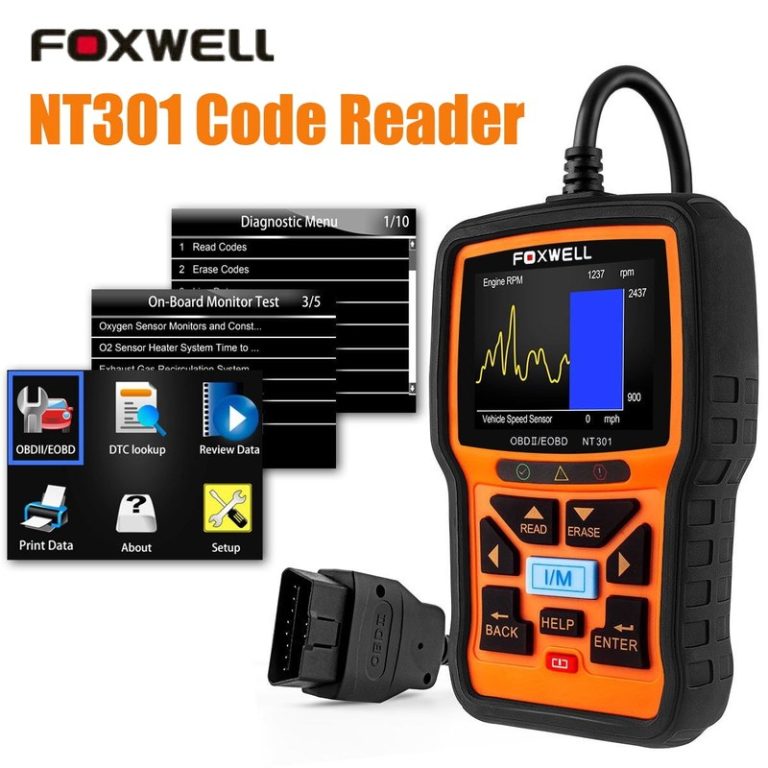
A basic code reader is simple and inexpensive, but it may only show generic codes and monitor status. A Bluetooth dongle paired with a good app can add live data, logging, and better readability, though phone compatibility and permissions matter. Professional scanners go further with bidirectional tests, deeper data, and broader manufacturer coverage.
| Option | Best for | Owner consideration | Driver consideration |
|---|---|---|---|
| Basic code reader | Quick readiness and code checks | Lower cost, fewer advanced diagnostics | Simple use with less app distraction |
| Bluetooth dongle + app | DIY monitoring and live data | May need updates, permissions, or subscription review | Set up while parked to avoid phone distraction |
| Professional scanner | Hard-to-solve readiness problems | Higher cost, broader coverage and test functions | Better for diagnosis before inspection or repair approval |
App permissions, privacy considerations, firmware updates, and data accuracy concerns
Wireless tools are convenient, but they add software variables. App permissions, phone operating-system changes, firmware updates, and account requirements can affect how smoothly the tool works. Some brands also lock better features behind paid software tiers or optional subscriptions.
Data accuracy also depends on the vehicle and the app’s interpretation of generic versus manufacturer-specific parameters. A mismatch does not always mean the tool is broken, but it does mean you should confirm critical findings before making repair decisions.
Which option fits DIY owners, used-car shoppers, and drivers preparing for state inspection
For most DIY owners, a reader that shows readiness, pending codes, and basic live data is the sweet spot. Used-car shoppers should strongly prefer a tool that shows monitor status and whether codes were recently cleared. Drivers heading to inspection may only need a simple readiness check, but deeper tools pay off when one monitor refuses to complete.
Next steps if readiness will not complete after repairs
If you have repaired the obvious issue, followed a real drive cycle, and still cannot get the monitors to set, stop guessing. At that point, the problem may be intermittent, electrical, or software-related rather than a simple reset issue.
Signs the issue is deeper than a simple reset, including intermittent faults and incomplete self-tests
Watch for pending codes that return without turning on the MIL, monitors that reset again after sitting, and one specific monitor that never changes despite correct driving conditions. Those patterns often point to a fault that the PCM sees only part of the time.
How a smoke test, lab scope, or factory-level scan tool can save time and ownership cost
A smoke test can find small EVAP or vacuum leaks that visual checks miss. A lab scope can verify sensor signals and heater circuits. A factory-level or high-end aftermarket scanner can also reveal monitor-enable conditions and manufacturer data that a generic reader cannot show.
That kind of diagnosis often costs less than replacing oxygen sensors, gas caps, or EVAP parts at random.
What to do before buying a used vehicle that shows monitors incomplete after codes were recently cleared
If a used vehicle shows multiple incomplete monitors, ask why. Recently cleared codes are not proof of fraud, but they are a reason to slow down. Get a pre-purchase inspection, scan for pending codes, and avoid taking “it just needs to be driven” at face value when money is on the line.
- Best for: Owners who need a clear explanation of why a car shows incomplete monitors after codes were cleared or battery power was lost.
- Think twice if: You are treating a flashing MIL, misfire, fuel smell, or repeated pending codes like a simple inspection nuisance.
- Next step: Check readiness with a compatible scanner, avoid clearing codes again, and verify your state’s current monitor rules before inspection.
Frequently Asked Questions
Maybe. Some states allow a limited number of incomplete monitors depending on model year, fuel type, and the local inspection program. Check your current state or county rule before testing.
It depends on the vehicle and the monitor. Some set quickly, but EVAP and catalyst tests may need several trips with the right cold-start and fuel-level conditions.
Often yes. Many vehicles lose stored monitor status after battery disconnection, replacement, or a long power loss, which can delay inspection readiness.
No. Many basic OBD2 readers can show readiness status, but tools with pending codes and live data are more helpful when a monitor stays incomplete.
EVAP tests usually need narrow conditions like a certain fuel level, soak time, and ambient temperature range. A small leak or repeated short trips can keep it incomplete longer than other monitors.
Usually no. Clearing codes again restarts the process and erases useful clues like pending faults and freeze-frame data that could explain why the monitor will not set.