Can BlueDriver Read OBD1? No, You’ll Need an OBD1 Scanner
No, BlueDriver cannot read OBD1 — it only communicates with OBD2 vehicles from 1996 and newer. Pre-1996 cars need a dedicated OBD1 scanner, a brand-specific cable, or the jumper-wire method.
If you’ve been asking “can bluedriver read obd1” because you own a 1995 or earlier car, the answer is no. This guide explains why the OBD1/OBD2 compatibility divide exists, how to confirm which system your vehicle uses, and which diagnostic tools actually work on older cars.
- OBD2-only: BlueDriver works only with 1996-and-newer US vehicles using standardized OBD2 protocols.
- Connector check: A 16-pin trapezoid under the dash means OBD2; other shapes mean OBD1, and the.
- Tool options: Dedicated OBD1 scanners like the Innova 3145, brand-specific laptop cables, or a jumper wire.
- Emissions vary: OBD1 cars lack OBD2 readiness monitors, and state testing for older vehicles ranges from.
- Electrical safety: Verify battery voltage and harness condition before scanning; never jumper unknown pins or touch.
The Short Answer: BlueDriver Is OBD2-Only
BlueDriver connects through the standardized 16-pin OBD2 diagnostic port and speaks only OBD2 protocols. The port became a federal requirement on most light-duty US vehicles in model year 1996. Older vehicles usually depend on an OBD1 system with different hardware and data formats.
Why the 1996 Model-Year Cutoff Makes Your Older Car Incompatible
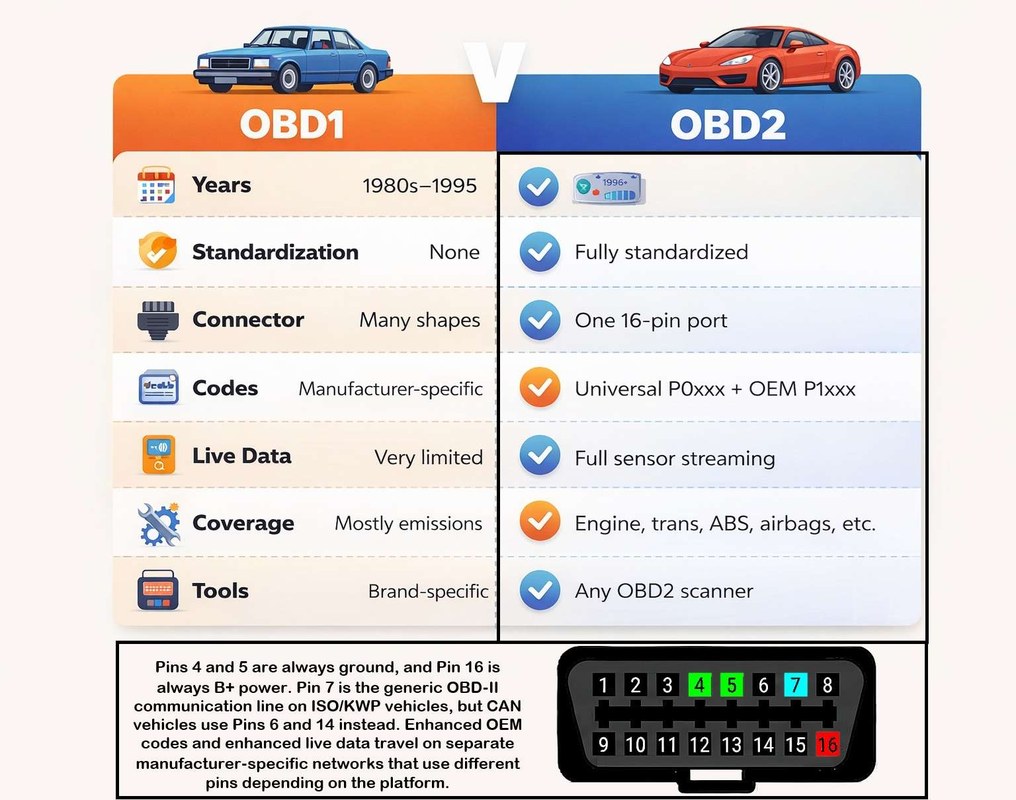
Federal emissions rules required OBD2 on 1996 model-year vehicles sold in the United States. Automakers had to use the same 16-pin connector and one of a few approved communication protocols. OBD1 had no such standard, so each manufacturer used its own connector, wiring, and code format.
BlueDriver’s adapter and app were designed for those OBD2 protocols and nothing else. If your car’s computer doesn’t speak them, the adapter cannot establish a handshake, even when the engine runs perfectly.
What BlueDriver Can and Cannot Do on Pre-1996 Vehicles
On a true OBD1 vehicle, BlueDriver cannot read engine codes, transmission codes, live sensor data, or freeze-frame information. The app usually shows a connection failure because the adapter never receives a compatible response.
BlueDriver can still earn a place in your toolbox for a newer daily driver. Check BlueDriver’s compatibility list for supported vehicles, then pair the adapter with OBD2 cars and buy a separate tool for the older one.
OBD1 vs. OBD2: The Compatibility Divide Explained
Model-Year Mandates and Partial Compliance in 1994–1995
Carmakers began phasing in OBD2 before the official deadline. Some 1994 and 1995 models shipped with a 16-pin OBD2 connector even though they were not fully OBD2 compliant. Others kept OBD1 systems right up to the 1996 model year.
If you own a 1994 or 1995 vehicle, check the underhood emissions label and service manual. A small number of partial-compliance cars can communicate with certain OBD2 scanners, but many cannot.
Protocol Differences: ALDL, ISO 9141, and the 16-Pin Connector
OBD2 standardizes communication on protocols such as SAE J1850, ISO 9141-2, ISO 14230, and CAN. OBD1 uses manufacturer-specific formats. GM used ALDL, short for Assembly Line Diagnostic Link; Ford used EEC-IV; other brands developed their own.
A modern Bluetooth adapter like BlueDriver contains only the hardware and firmware for OBD2 protocols. Even if a plug fits physically, the vehicle’s OBD1 computer will not answer in a language the adapter understands.
Port Location and Ignition Mode: Where OBD1 Diagnostics Start
OBD2 ports sit under the dash on the driver’s side. OBD1 ports appear in many places: under the hood, under the dash, behind a panel, or next to the fuse box. Some older connectors are round, square, or unusually shaped.
Why BlueDriver Physically and Digitally Can’t Read OBD1
The 16-Pin Connector vs. Legacy OBD1 Connector Shapes
BlueDriver’s cable ends in a standard 16-pin OBD2 plug. GM OBD1 systems commonly use a 12-pin ALDL connector; Ford often uses a 6-pin connector; Honda uses a small 2-pin or 3-pin plug near the glovebox. Toyota connectors vary from a single pin to a round 17-pin design.
None of those legacy connectors accept a 16-pin plug without an adapter. Even with one, the pin assignments and signal voltages are different. The physical mismatch is the first reason BlueDriver can’t help.
App Permissions, Firmware Limitations, and Supported Protocol Lists
BlueDriver relies on a smartphone app plus firmware inside the Bluetooth adapter. The adapter requests information from the vehicle, and the app interprets the results. If the firmware lacks the vehicle’s protocol, the app never receives useful data.
No amount of app updates fixes a hardware-level protocol gap. That limitation shapes how BlueDriver’s adapter and app communicate — the software is powerful, but only within OBD2 boundaries.
Code and Live-Data Limits When the Handshake Never Happens
When a diagnostic connection never starts, the tool has nothing to read, clear, or graph. OBD1 codes stay stored in the engine computer, and the check engine light keeps flashing until the problem is fixed or the memory is reset another way.
Live data on OBD1 is also restricted. Many older computers output only a few sensor values, and only through dedicated scan tools. A modern OBD2 adapter is not part of that conversation.
Is Your Vehicle OBD1 or OBD2? How to Check in Five Minutes
Under-Dash Port Inspection: What an OBD2 Port Looks Like
The OBD2 connector is a trapezoid with 16 pins arranged in two rows of eight. It is usually black or gray and labeled “OBD II.” If you find that shape under the dash, your vehicle uses OBD2 and BlueDriver will work.
If you find a 12-pin ALDL plug, a 6-pin Ford-style plug, a small 2-pin Honda connector, or no obvious port at all, your vehicle likely uses OBD1. Check the service manual for the exact connector location.
Emissions Sticker and VIN Decoding for Borderline Model Years
The emissions vacuum diagram label under the hood is the most reliable confirmation of OBD2 certification. On compliant vehicles, the sticker usually lists “OBD II” or the certified protocols. Partial-OBD2 1994 and 1995 models sometimes include both systems on the label.
VIN decoding confirms the model year, not always the diagnostic system. The 10th character of the VIN is the model year; for example, S is 1995 and T is 1996. Combine the VIN, emissions sticker, and physical port before buying anything.
Check: Year, make, model, trim, engine, emissions label, and the actual connector shape under the dash. Limitations: BlueDriver supports OBD2 vehicles only; 1994–1995 partial-compliance cars vary by manufacturer and may not work.
The Best OBD1 Scanners to Buy Instead: A Side-by-Side Comparison
Once you know your vehicle is OBD1, choose a tool that matches your garage, skill level, and budget. Three practical routes cover most owners.
Option 1: Dedicated OBD1 Scan Tools (Innova 3145, Actron CP9690)
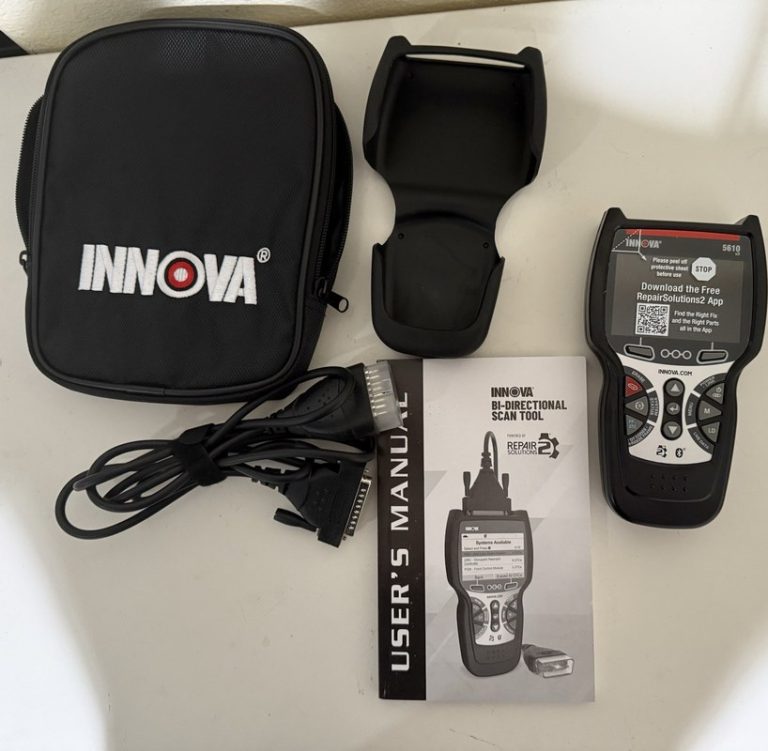
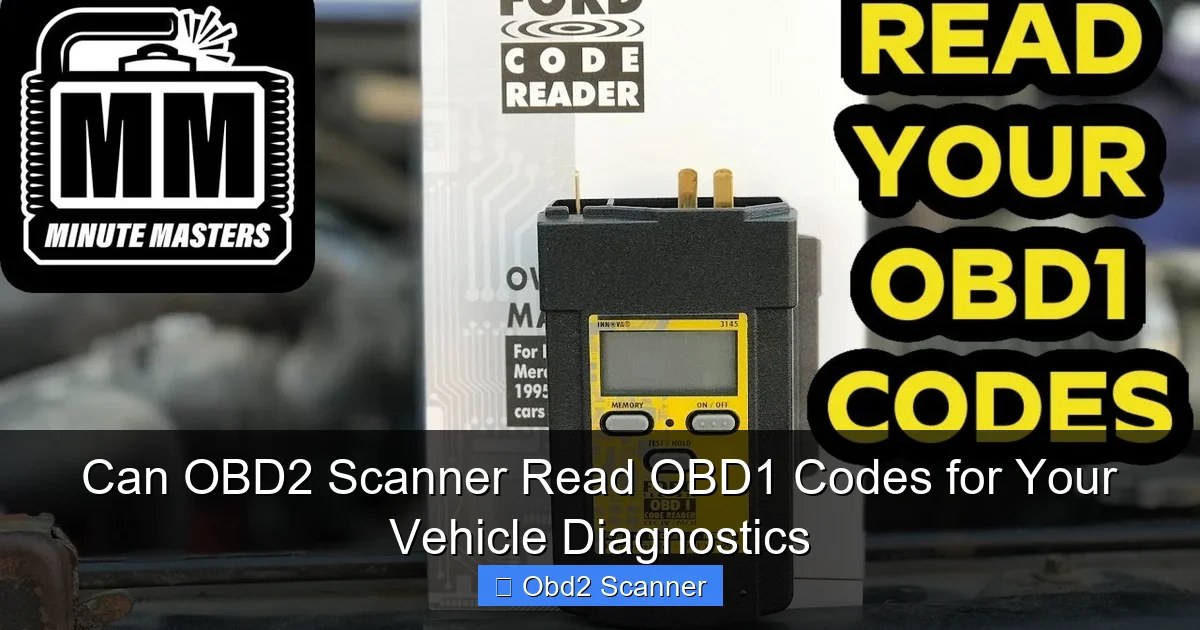
Dedicated OBD1 scan tools like the Innova 3145 and Actron CP9690 are sold with multiple connector options for older vehicles. They read and clear codes on supported makes, and higher-end versions add live sensor data. No smartphone or laptop is required.
These tools make sense when you own several older vehicles or plan to keep your OBD1 car for years. Confirm the adapter list covers your exact make and model, because coverage varies by product revision.
Option 2: Brand-Specific Adapters and Laptop Cables for GM, Ford, and Honda
GM ALDL systems can be read with a USB or Bluetooth cable and laptop software. Ford EEC-IV and Honda OBD1 have similar dedicated cable kits. This route provides more data than blink codes and suits owners focused on one make.
The trade-off is a learning curve. You will install software, select the proper connection port, and interpret raw sensor values. Owners comfortable with a laptop usually prefer this option.
Option 3: The Jumper Wire and Multimeter Budget Route
Many OBD1 systems let you jumper two diagnostic pins so the check engine light flashes stored codes. Count the flashes, then look up the pattern in a service manual. A multimeter adds checks for sensor power, ground, and resistance.
This route costs almost nothing but it is slow and easy to misread. It suits a single, well-documented vehicle such as a classic GM truck. For intermittent faults, a proper scan tool saves hours.
Which Option Fits Your Garage, Skill Level, and Ownership Cost
| Option | Best for | Owner consideration | Driver consideration |
|---|---|---|---|
| Dedicated OBD1 scan tool | Multiple older vehicles, yearly diagnostics | Higher upfront cost; adapters for several makes | One tool covers the whole fleet without a laptop |
| Brand-specific cable and laptop | One make with deeper data needs | Low cable cost; adds software setup time | More live data helps chase intermittent faults |
| Jumper wire and multimeter | Tight budgets and simple code reads | Near-zero cost; requires a service manual | Slowest route; blink codes are easy to miscount |
What to Expect From OBD1 Diagnostics: Codes, Resets, and Emissions
Reading and Clearing Codes: Blink Codes vs. Live Data
OBD1 diagnostics rarely include live-data graphs like OBD2 scans. You usually get a code number, often as check engine light flashes, and the service manual tells you which circuit or sensor is involved.
Reset Limitations and Why Some OBD1 Faults Return Immediately
Clearing an OBD1 code often means disconnecting the battery for a set time or removing a fuse. Some scan tools clear codes directly. Either way, the code returns quickly when the underlying problem remains.
Disconnecting the battery also resets the clock, radio presets, and the computer’s learned idle and fuel adjustments. Keep your radio code handy if the audio system asks for one.
Emissions Readiness: What OBD1 Doesn’t Tell You and State Testing Variations
OBD2 systems run self-tests called readiness monitors that verify the emissions equipment. OBD1 systems generally don’t produce that data. State programs designed for OBD2 emissions readiness checks use a different process for older cars, usually a tailpipe test or visual inspection.
Battery and Electrical Safety When Scanning Older Vehicles
System Voltage and State of Charge vs. Battery Health Before You Start
Diagnostic tools need stable voltage to communicate. A weak battery can create communication errors that look like genuine sensor failures. Check the battery’s resting voltage and inspect the terminals for corrosion before you start.
A fully charged lead-acid battery usually reads between 12.4 and 12.6 volts at rest. If you are new to this, checking a battery with a multimeter is a straightforward skill that helps with both OBD1 and OBD2 cars.
Correct Connection Order and Damaged-Battery Stop Conditions
With OBD1 jumper wires, connect the jumper with the ignition off, then turn the key to run. When disconnecting the battery to clear codes, remove the negative terminal first and reconnect it last. Confirm the sequence in your service manual.
If the battery case is swollen, cracked, leaking, or smells like rotten eggs, stop. Do not connect scanners, jumper wires, or chargers to a damaged battery. Arrange for professional battery service instead.
Battery Chemistry and Hybrid/EV Cautions for Late-Model Conversions
Classic car builds sometimes swap in modern hybrid or electric drivetrains. The diagnostic connector may not match the body’s original design, and high-voltage systems require special training. Verify what system is actually installed.
- Confirm the diagnostic pins or adapter type in a service manual before connecting anything
- Check battery voltage and terminal condition before scanning an older vehicle
- Record the code and the conditions when it appeared before clearing anything
- Jumper unknown diagnostic pins — some carry power or control signals
- Clear a code before you know the cause; the fault will return anyway
- Work around swollen, leaking, or cracked batteries or high-voltage hybrid cables
When an OBD1 Diagnosis Requires a Professional
Intermittent Faults, Wiring Harness Issues, and Live-Data Gaps
An OBD1 code gives you a starting point, not always the full story. A code for an oxygen sensor can actually be caused by a vacuum leak, a weak ground, or a corroded connector. Intermittent faults are the hardest to chase with blink codes.
If you have replaced parts and the problem returns, stop guessing. A professional with factory-grade scan tools and wiring diagrams can trace the circuit properly. That is usually cheaper than replacing parts blindly.
Legal Variation by State: Emissions Inspections and Tampering Rules
Removing emissions equipment, altering the catalytic converter, or adjusting the engine to pass a tailpipe test can violate federal and state tampering rules. These rules vary by jurisdiction. Keep emissions components intact and repair rather than bypass.
If you are unsure whether a modification is legal, contact your state environmental or vehicle inspection agency before doing the work.
The Bottom Line: Match the Scanner to Your Vehicle’s Generation
Owner Value: What You Gain by Owning the Right Diagnostic Tool
The right scanner turns a frustrating check engine light into a short repair list. A dedicated OBD1 tool or a brand-specific cable often pays for itself after one avoided shop trip. BlueDriver remains a strong choice for OBD2 vehicles.
Next Steps: Confirm Your Model Year, Pick an OBD1 Scanner, and Keep a BlueDriver for Future Cars
Start by inspecting your diagnostic port and emissions label today. Then choose an OBD1 solution that fits your budget and skill level. Keep BlueDriver for your 1996-and-newer daily driver.
- Best for: Owners of 1995-and-older vehicles who need a tool matched to their car’s OBD1 system.
- Think twice if: You only need a one-time code read and want zero upfront cost; the jumper-wire method may be enough.
- Next step: Confirm your port and emissions label, then pick an OBD1 scanner that covers your make and model.
Frequently Asked Questions
No. BlueDriver is an OBD2-only scan tool that uses the standardized 16-pin connector and OBD2 protocol set, which became the US standard for the 1996 model year. Pre-1996 OBD1 vehicles need a dedicated OBD1 scanner, a brand-specific cable, or the jumper-wire method instead.
Most US-market cars and light trucks built before 1996 use OBD1, with some exceptions among 1994–1995 partial-OBD2 models. Check the underhood emissions label and the shape of the diagnostic connector to confirm your vehicle.
On many GM and some other OBD1 systems, jumpering the correct diagnostic pins makes the check engine light flash stored codes. Confirm the exact pins in a service manual first, because shorting the wrong pins can damage the engine computer.
OBD2 uses one standardized 16-pin trapezoidal connector, usually under the dash. OBD1 connectors vary by manufacturer and can be 1-pin, 2-pin, 6-pin, 12-pin, or 17-pin shapes located under the dash, under the hood, or near the fuse panel.
It depends on the vehicle. Some 1994–1995 models are partial OBD2 and may communicate with OBD2 tools, while others use true OBD1. Check the emissions label and the manufacturer’s compatibility list for your exact make and model.
No. OBD1 systems generally don’t produce the OBD2-style readiness monitor data used in modern inspections. States that test older vehicles typically use a tailpipe test or visual inspection, and rules vary by state and county.