BlueDriver Compatibility List: Check Your Car Before You Buy
BlueDriver works with most 1996 and newer gasoline cars and light trucks in the U.S., but enhanced ABS, airbag, and live-data coverage is strongest on 2008 and newer models. Run your VIN through the official compatibility checker before you buy, especially if you drive a diesel, hybrid, EV, or older vehicle.
The bluedriver compatibility list is the first thing to check before buying this popular Bluetooth OBD2 scanner. It shows whether your car can use basic powertrain codes, enhanced manufacturer data, and extra functions like ABS, airbag, battery, and tire pressure checks. This guide explains how BlueDriver coverage works, what it means for different vehicles, and how to verify your car before you spend money.
- Coverage: 1996+ gasoline vehicles get standard OBD2 codes; 2008+ models get enhanced data on supported.
- Protocols: Supports CAN, J1850, ISO 9141-2, and KWP2000, with no OBD1 support.
- No subscription: Core scanning is free after the one-time scanner purchase.
- Verify first: Use your OBD2 port location and VIN to confirm coverage before buying.
- Limits: Diesel, hybrid, EV, and pre-2008 enhanced coverage varies widely.
What Is the BlueDriver Compatibility List and Why It Matters
BlueDriver is a Bluetooth OBD2 scanner that plugs into your car’s diagnostic port and works with a free smartphone app. The compatibility list answers one question: will this scanner read the systems on your car? Getting that answer wrong means wasted money and a tool that cannot see the codes you need.
The Short Answer: Most 2008-and-Newer Gas Vehicles in the U.S.
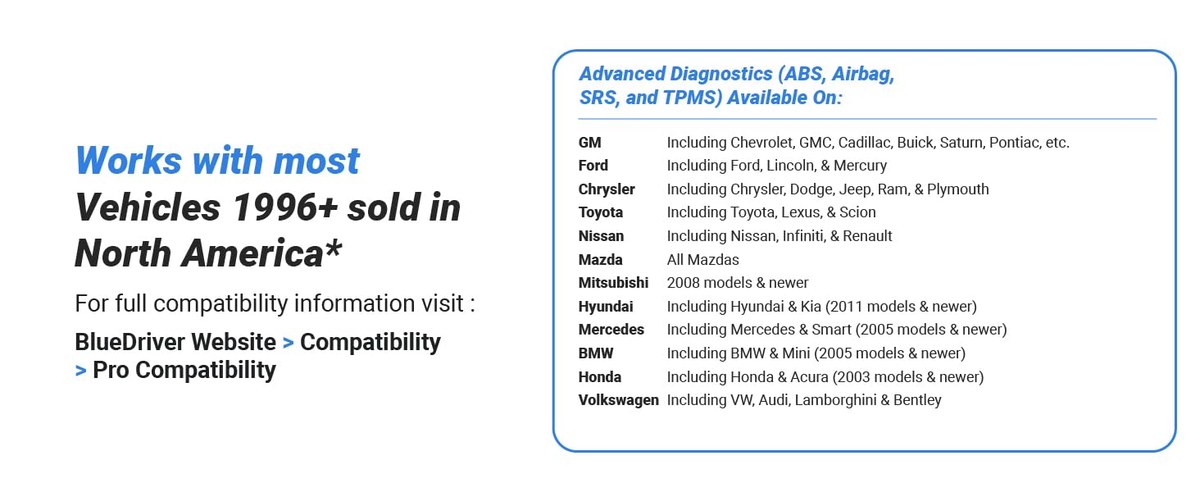
Most 2008 or newer gasoline cars and light trucks in the U.S. will connect to BlueDriver and give you standard codes, live data, and, on supported makes, ABS and airbag coverage. For 1996 through 2007 vehicles, the scanner still reads basic powertrain codes, but enhanced manufacturer-specific data is often missing.
How the Compatibility List Is Built: OBD2 Protocols, Not Make and Model
BlueDriver compatibility is built around OBD2 protocols, not a checklist of car names. Every gasoline vehicle sold in the U.S. since 1996 uses one of several standard protocols. If your car uses a supported protocol, the scanner can communicate with it. Enhanced coverage is different; it depends on the manufacturer data BlueDriver supports for your exact make and model.
BlueDriver Vehicle Coverage: Model Years, Protocols, and Regional Limits
OBD2 Protocols Supported: CAN, J1850, ISO, and More
BlueDriver supports the major OBD2 protocols used in the U.S. CAN is required on all U.S. vehicles from the 2008 model year and is the most common today. J1850 VPW and PWM appear mainly on older GM and Ford vehicles. ISO 9141-2 and KWP2000 show up on many Asian and European models.
That broad protocol support means the scanner’s basic functions work on nearly any OBD2-compliant U.S. vehicle. It cannot read pre-1996 OBD1 systems. If you drive an older car, our guide to whether BlueDriver can read OBD1 explains the full picture.
Model-Year Coverage: 1996 Basics vs. 2008+ Enhanced Data
The two important years are 1996 and 2008. 1996 is when OBD2 became mandatory for gasoline cars and light trucks. 2008 is when CAN became mandatory, which is also the year BlueDriver’s enhanced data becomes reliable across more makes.
Check: Verify your exact make, model, year, and trim against the official BlueDriver compatibility checker. Limitations: Enhanced data for ABS, airbags, transmission, and tire pressure is not guaranteed on every 2008+ vehicle.
Hybrid, EV, and Diesel Compatibility Limits
Hybrids usually have standard OBD2 ports and can show engine and transmission codes, but high-voltage battery data sits outside normal OBD2 coverage. EVs often have diagnostic ports, yet coverage is less predictable. Diesel coverage also varies widely, especially for older and heavy-duty trucks, so always verify before purchase.
How to Check Your Car’s Compatibility Before You Buy
Locate Your OBD2 Port and Confirm the Connector Type
Your car’s OBD2 port is a 16-pin trapezoid connector, almost always under the driver’s side dashboard near the steering column. Take a look before you buy. Confirm there is enough room to plug in a scanner about the size of a small pack of cards.
Use the BlueDriver App’s Compatibility Check and VIN Scan
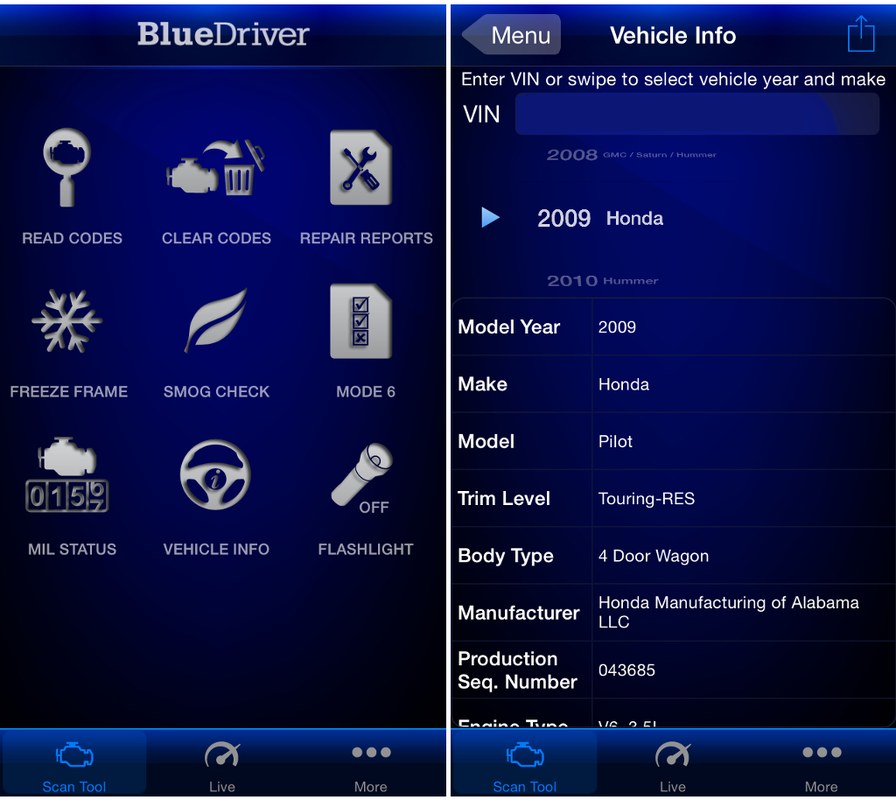
The BlueDriver app includes a compatibility check that walks you through your vehicle information. The most accurate method, though, is scanning your VIN. VIN scanning matches your exact trim and options, because two cars with the same name can have different diagnostic systems.
App Permissions, Account Requirements, and Firmware Updates
The BlueDriver app runs on iPhone and Android. You will need a Bluetooth connection and a free account to register the scanner. Firmware updates happen inside the app, so keep it current. The good news is that BlueDriver does not require a subscription for its core functions; here is the full breakdown of BlueDriver’s subscription policy.
What BlueDriver Can and Cannot Read on Your Vehicle
DTC Codes, Live Data, and Freeze-Frame Limits by Vehicle
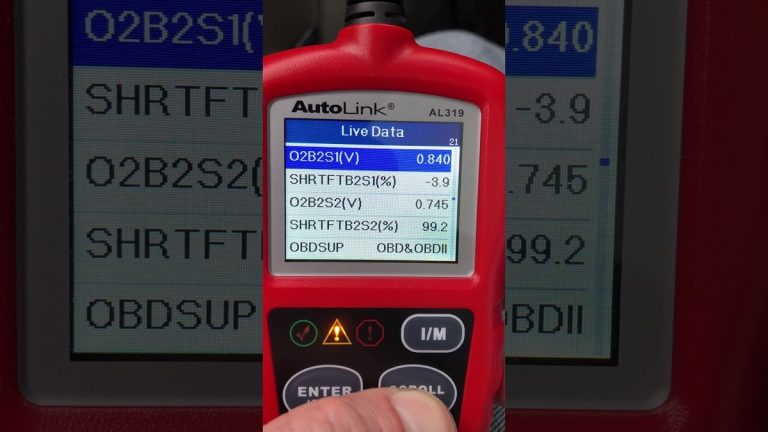
On every OBD2-compliant vehicle, BlueDriver reads generic powertrain trouble codes, the “P” codes for engine and transmission functions. It also shows live data such as engine RPM, coolant temperature, vehicle speed, and fuel trim. Freeze-frame data, which captures the conditions when a code was set, is available too. Enhanced “B” body, “C” chassis, and “U” network codes depend entirely on your vehicle’s coverage.
Ignition Mode and Connection Sequence for Accurate Reads
Most diagnostic reads require the ignition key in the “on” position with the engine off. Some live data, such as charging output, needs the engine running. Follow the app’s on-screen steps in order; skipping the connection sequence is a common cause of failed reads. New to the tool? Our step-by-step guide to using the BlueDriver Pro scan tool walks through the full process.
Emissions Readiness, Smog Checks, and Reset Limitations
BlueDriver can show whether your vehicle’s emissions monitors are ready, which is useful before a state smog test. Clearing codes resets those monitors to “not ready,” so only clear codes when you are ready to verify a repair. A vehicle with reset monitors will not pass a smog test until it completes enough drive cycles to set readiness.
When a Professional Diagnosis Is Still Required
BlueDriver is a consumer-level scan tool. It cannot command actuators, program modules, or perform the bidirectional tests that professional scanners handle. If a trouble code points to a part that needs a live test, or a module needs programming, you will still need a professional shop with the right equipment.
Battery and Electrical Diagnostics: What BlueDriver Tells You
System Voltage, Charging Output, and Battery Chemistry Notes
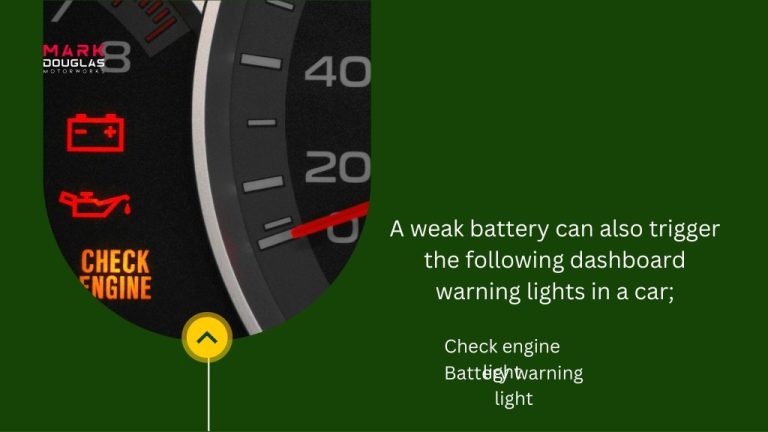
BlueDriver can display system voltage through the OBD2 port, which helps you spot a failing alternator or a weak battery. This is not the same as a full load test. Standard lead-acid, AGM, and lithium starter batteries behave differently under load, and an OBD2 voltage read does not measure cranking amps.
State of Charge vs. Battery Health: Cranking and Charging Tests
On supported vehicles, the app offers battery, cranking system, and charging system tests. These tests watch voltage behavior during key-on, cranking, and engine running. That is useful evidence, but it does not replace a dedicated battery tester. Use it as a screen, not a final verdict on battery health.
Jump-Start Connection Order and Damaged-Battery Stop Conditions
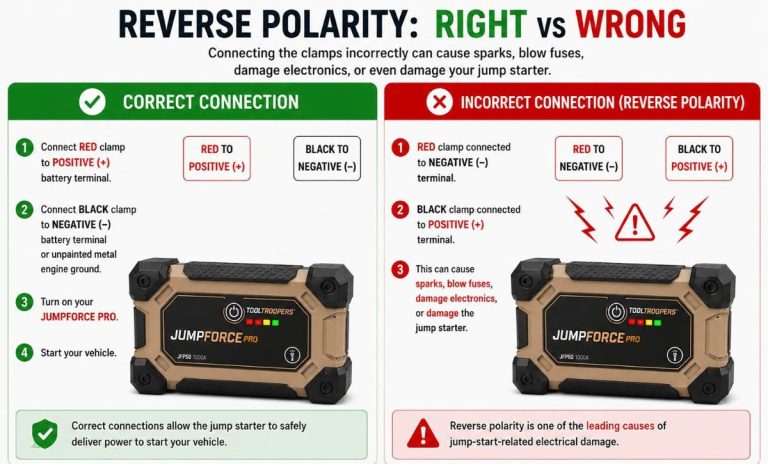
Battery work carries real risk. Always follow the connection order in your vehicle’s owner’s manual. Never connect cables to a battery that is leaking, swollen, cracked, or frozen. Stop immediately if you see sparks, smell sulfur, or feel heat near the battery. If a battery looks damaged, do not test it; have a professional handle it.
Hybrid and EV Electrical Cautions
Hybrid and electric vehicles carry high-voltage systems that can cause serious injury. OBD2 scanning reads only the low-voltage control side. Never touch orange high-voltage cables, and leave high-voltage battery service to trained technicians with proper equipment.
TPMS and Tire-Related Diagnostics You Can Run
Reading TPMS Codes and Live Sensor Data
Tire pressure monitoring systems became mandatory on U.S. passenger vehicles in the 2007 and 2008 model years. On supported newer vehicles, BlueDriver can read TPMS trouble codes and live sensor pressure data, letting you see which tire the system thinks is low before you walk around the car.
Cold Pressure, Door-Jamb Placard, and Gauge Accuracy
Always use the tire pressure listed on your vehicle’s door-jamb placard, not the number molded into the tire sidewall. Check pressures when tires are cold, meaning the car has sat for a few hours. The TPMS module reports what its sensors see; an accurate physical gauge still helps you confirm the measurement.
TPMS Relearn Limits, Puncture Location, and Temporary-Repair Rules
Reading TPMS data is one thing. Relearning sensor positions often requires the vehicle’s own relearn procedure or a separate TPMS tool. For punctures, a nail in the tread within the repairable zone can sometimes be fixed properly. A sidewall puncture, or damage too close to the sidewall, usually means tire replacement. Tire repair kits are for temporary use only.
Inflator Duty Cycle and When a Shop Must Handle the Repair
If you use a portable inflator, respect its duty cycle, which is the recommended on-time before it needs to cool down. If a tire keeps losing air, runs hot, or shows cords or bulges, stop re-inflating it and have a shop inspect it. Repeated refills hide damage that can become dangerous at highway speed.
Using BlueDriver Safely on the Roadside
Choose a Safe, Visible Location Before You Plug In
If you need to scan a car on the roadside, park completely off the travel lane on level ground. Turn on your hazard lights and place warning triangles if you have them. Only use the app while parked; never browse diagnostic data while driving.
Inspect Cable and Connector Condition and Know Current Limits
Check the OBD2 cable and connector for bent pins, cuts, or corrosion before plugging in. The diagnostic port supplies power to the scanner, so a damaged cable or port can cause connection trouble. Avoid plugging multiple adapters or accessories into the port at once, since the OBD2 circuit is designed for one low-power device.
Storage Conditions, Tool Completeness, and Post-Use Inspection
Store the scanner in a dry place away from extreme heat. Unplug it if the car will sit unused for weeks, since even a small standby draw can drain a weak battery. After a long trip, check that the scanner and its cable are still in good shape before storing it again.
BlueDriver vs. Competitors: Compatibility and Value Compared
BlueDriver vs. FIXD: Coverage, App Fees, and Ownership Cost
BlueDriver and FIXD both use a free companion app and sell the scanner as a one-time purchase. BlueDriver is stronger for reading broadcast data like ABS and airbag codes on supported vehicles. FIXD focuses more on plain-English explanations and maintenance reminders. Neither charges a subscription for core scanning, but coverage depth is what separates them. Our detailed BlueDriver vs. FIXD comparison covers the differences in depth.
BlueDriver vs. Autel and Launch: Professional Thresholds
Professional tools from brands like Autel and Launch add bidirectional control, module programming, and broader manufacturer coverage. They also cost much more and take time to learn. For a household with one or two cars, that power is rarely worth the extra cost.
| Option | Best for | Owner consideration | Driver consideration |
|---|---|---|---|
| BlueDriver | DIY owners of 2008+ gas cars who want ABS, airbag, and live data | One-time cost; no subscription for core scanning | Phone app is easy to use while parked |
| FIXD | New owners who want simple code explanations | Low entry cost with maintenance reminders | Simpler alerts, but less advanced data |
| Autel or Launch pro tools | Shops needing bidirectional controls and coding | High cost and training required | Professional power, heavy for casual use |
Which Scanner Fits Your Vehicle Age and Driving Style
If you drive a 2008 or newer gasoline car or light truck and want to read codes without a subscription, BlueDriver is a strong fit. If you drive a pre-2008 car, a diesel, or an EV, check the coverage lists carefully, because you may only get generic codes. If you run a shop or plan to work on many different vehicles, a professional tool belongs in your toolbox instead.
The Verdict: Who Should Buy BlueDriver and What to Do Next
Ideal User and Vehicle Profile for BlueDriver
The ideal BlueDriver owner has a 2008 or newer gasoline car or light truck, wants to read and clear trouble codes, check live data, see emissions readiness, and look at ABS or airbag codes, all without paying a monthly fee. If that sounds like you, this scanner matches the job well.
Drawbacks, Warranty, and Support Evidence
BlueDriver’s main drawbacks are limited enhanced coverage on older vehicles, reliance on a smartphone instead of a built-in screen, and no bidirectional controls. The scanner hardware carries a limited warranty; confirm the current term with the seller or manufacturer before purchase. Support is handled through the manufacturer’s website and app.
Next Steps After Your Compatibility Check
Here’s your plan: find your OBD2 port, run your VIN through the official BlueDriver compatibility checker, compare the coverage against the systems your car actually has, and only then make a purchase from a retailer with a clear return policy. After delivery, update the firmware before your first scan.
- Best for: DIY owners of 2008+ gasoline cars and light trucks who want subscription-free code reading, live data, and enhanced system checks.
- Think twice if: You drive a pre-2008 vehicle, a diesel, an EV, or you need professional bidirectional tools.
- Next step: Run your VIN through the official BlueDriver compatibility checker before spending any money.
Frequently Asked Questions
Yes for basic OBD2 powertrain codes. Enhanced data for ABS, airbags, and transmission is not guaranteed on vehicles older than 2008, so check the official compatibility checker with your VIN.
Diesel coverage varies by model year, weight class, and manufacturer. Older and heavy-duty diesels may only return generic powertrain codes, so verify your specific truck before buying.
No. BlueDriver does not require a subscription for core scanning. You buy the scanner once and use the free app on your phone.
On supported 2008 and newer vehicles, yes, BlueDriver can read broadcast ABS and airbag codes. Coverage depends on your exact make, model, and trim.
Find your 16-pin OBD2 port under the dashboard, then run your VIN through the official BlueDriver compatibility checker or use the app’s built-in check before you buy.
Yes. The free BlueDriver app is available for both iOS and Android, and the scanner connects to your phone over Bluetooth.