Does BlueDriver Need Subscription? No, Just a One-Time Cost
BlueDriver does not require a subscription. You pay once for the scanner, and the free app, firmware updates, and code data are included.
If you’re asking does bluedriver need subscription, the short answer is no: BlueDriver is a one-time purchase, and the companion app stays free. You pay once for the scanner, and the core diagnostic features come with it. This guide breaks down the real cost, what the tool can and cannot do, and how it compares with the subscription-based scanners you’ll see on store shelves.
- One-time purchase: BlueDriver has no monthly or yearly subscription fees.
- Free updates: The app, firmware, and code definitions are included with the scanner.
- Long-term savings: Over five years, the one-time cost beats most subscription scanners.
- Smartphone required: You need a compatible iOS or Android device to use it.
- Compatibility limits: Advanced bidirectional and module programming features are not included.
The Short Answer: BlueDriver Is a One-Time Purchase, Not a Subscription
BlueDriver, from Lemur Vehicle Monitors, is built around a simple idea: buy the hardware, download the free app, and start diagnosing. There is no required subscription to read or clear engine codes, view live data, or generate the app’s diagnostic report. That is the main reason it stands out in a market where many competing scanners hide useful data behind a paywall.
The cost model is refreshingly direct. Buy the scanner, download the free app, and connect. The app, firmware updates, and code definitions are all included with the device. For anyone who wants a diagnostic tool ready at all times without tracking another recurring bill, that is a meaningful advantage.
BlueDriver Pricing: What You Pay, What’s Included, and What It Costs Over Five Years
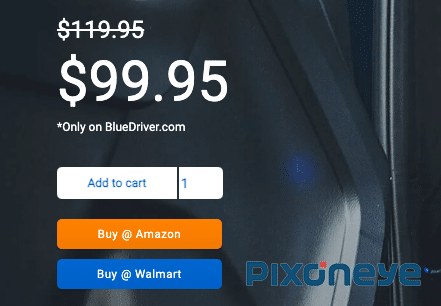
BlueDriver’s one-time price is usually around $100 in the US, but it varies by retailer and seasonal sales. The key point is that this is the only payment you make. The app is free, and no subscription is required for the scanner’s core functions.
What’s included in that one-time cost: the Bluetooth OBD2 adapter, free access to the BlueDriver app, firmware updates, a user manual, and basic diagnostic data for your vehicle. Some retailers bundle extras like a carrying case, but those extras vary by seller.
Over five years, the math is easy to follow. A one-time scanner that costs about $100 stays at about $100. A subscription scanner often charges a monthly or yearly fee that can add several hundred dollars to your total cost during the same period. The gap grows even larger if you own multiple vehicles or plan to keep the tool for a decade.
If you compare BlueDriver with other subscription-free scanners, check what each includes in its base price. Some tools bundle free updates for life; others limit software revisions or charge for advanced features. For a broader look at your options, see our guide to the best OBD2 scanners without a subscription.
How BlueDriver Works: OBD2 Coverage, Port Location, and Ignition Mode
BlueDriver plugs into your vehicle’s OBD2 diagnostic port, which is usually located under the dashboard near the driver’s left knee. The scanner communicates over Bluetooth with the free app on your smartphone or tablet. It works with most 1996 and newer cars, trucks, and SUVs sold in the US, but you should confirm your exact make, model, and year on the official compatibility list before buying.
For most diagnostic reads, you turn the ignition to the “on” position without starting the engine. The app then reads stored codes, pending codes, and live sensor data. Some live data, such as engine RPM, only appears while the engine is running. If you need a refresher on how the connection and app work step by step, our article on how BlueDriver works on a typical vehicle covers the process.
One practical note: the dongle is small but sticks out of the port. If your vehicle has a tight footwell, test the connection while parked before you rely on it during a roadside emergency.
BlueDriver vs. Subscription-Based OBD2 Scanners: A Side-by-Side Comparison
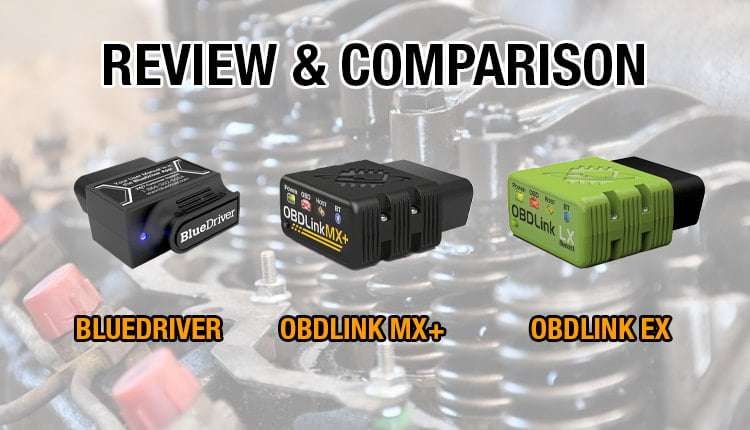
Subscription scanners promise a low upfront price, then a monthly or yearly fee unlocks code details, repair guidance, or advanced diagnostics. BlueDriver keeps everything in the base price, which changes the math for owners who keep a vehicle for several years. The comparison below shows how the two approaches differ where it matters most.
| Option | Best for | Owner consideration | Driver consideration |
|---|---|---|---|
| BlueDriver | DIY owners who want a one-time tool | No recurring subscription; free app and firmware updates | Read and clear codes anytime without an active account |
| Subscription scanner | Drivers who want a low upfront price and guided repair tips | Recurring fee adds up over years; features reset if you cancel | Must keep a subscription active to see full diagnostic data |
When a Subscription Scanner Makes Sense
A subscription model can be a reasonable choice if you need guided repair instructions and don’t plan to keep the scanner for more than a year or two. It can also work well if the subscription includes features you would otherwise buy separately, such as detailed component tests or tailored repair reports. Still, read the fine print about what happens when the subscription lapses.
Some drivers like the low upfront price of budget subscription units. The trade-off is that the scanner’s useful features may disappear the moment the trial ends, which makes the long-term cost far less predictable.
When BlueDriver’s One-Time Cost Wins
BlueDriver wins for most long-term owners. The upfront price is higher than some subscription scanners, but the total cost over five years is lower, and you never worry about a canceled card or an expired account. It is also a better fit if you own multiple cars or help family members with diagnostics.
If you are deciding between these two approaches, our BlueDriver vs. FIXD comparison shows exactly how the fee structure changes what you get while you own the tool.
What BlueDriver Can and Cannot Do: Code Limits, Emissions Readiness, and Resets
BlueDriver reads and clears manufacturer-specific and generic powertrain codes on most compatible vehicles. It also reads ABS and airbag (SRS) codes on many cars, though coverage varies by make and model. The app shows pending codes, stored codes, freeze-frame data, and I/M readiness status, which is useful when you prepare for an emissions test.
Clearing codes is included, but clearing a code is not a repair. If the underlying problem remains, the light will return. An emissions test performed right after clearing codes can also show incomplete readiness monitors, which usually causes a fail. Our article on why the check engine light returns after clearing codes explains what is happening under the surface.
When Diagnosis Requires a Professional Scan Tool
BlueDriver is not a substitute for a dealer-level or bidirectional scan tool. It cannot perform advanced actuator tests, module programming, key coding, or manufacturer-specific service resets on many vehicles. If a modern car needs software updates or guided component calibration, only the dealership or a specialty tool can handle it.
Knowing that limit before you buy prevents frustration. If you need those functions regularly, budget for a professional-grade scanner instead, because BlueDriver’s one-time price buys a genuine but still consumer-focused tool.
Installation, App Permissions, and Firmware Updates
Setup takes about five minutes. Plug the dongle into the port, download the free app, create an account, and pair via Bluetooth. The app walks you through the connection, and the scanner usually updates its firmware during the first pairing. Run the update while parked and follow the app’s instructions about whether the engine should be running.
The app asks for certain permissions, including Bluetooth and location access. This is normal for Bluetooth connections on both Android and iOS, but you should know why those permissions exist before you grant them. Bluetooth scanning is used to find the dongle, and location access is often required by the phone’s operating system rather than by the app itself.
Firmware updates are free, which means your scanner stays current with new features and bug fixes over time. Keep the app updated on your phone as well. There is no tiered “premium” version of the app that gates core functions, though the manufacturer could add paid optional features in the future, so check the latest release notes before you assume a specific feature is included.
Battery and Electrical Diagnostics: What BlueDriver’s Battery Test Really Tells You
The BlueDriver app includes a battery voltage reading and a basic charging system check. That tells you the current voltage at rest and whether the alternator is producing a reasonable output while running. It is a helpful first check for a vehicle that cranks slowly or shows a flickering interior light.
State of Charge vs. Battery Health
Voltage-based testing estimates the battery’s state of charge, not its internal health. A battery can show 12.4 volts at rest and still fail under load when it has a weak cell. For a proper health reading, you need a conductance tester or a load test at a shop. BlueDriver’s battery screen is a useful signal, but it is not a final diagnosis.
Hybrid and EV Cautions
Hybrid and electric vehicles use high-voltage battery packs that are not serviceable with a standard OBD2 reader. BlueDriver may read the 12-volt accessory battery and some hybrid diagnostic codes, but it cannot measure high-voltage pack health. Never touch high-voltage cables or orange connectors under the hood, and leave that work to trained technicians.
TPMS and Tire Considerations: What the Scanner Can and Can’t Do
BlueDriver can show tire-pressure-related data in live data if your vehicle broadcasts it over the OBD2 bus. Some cars display individual tire pressures; others only show a generic warning lamp. In either case, the scanner can read the fault code but cannot program or relearn a new TPMS sensor.
If you replace a tire or install new sensors, you still need a dedicated TPMS tool or the vehicle’s relearn procedure. And remember that the correct cold-tire pressure for your vehicle is on the placard on the driver’s door jamb, not on the tire sidewall. A quality manual gauge remains the most reliable way to confirm a real air-pressure problem.
Privacy, Data Handling, and the Verdict: Is BlueDriver Right for You?
For most US vehicle owners, BlueDriver’s one-time cost model is the cleanest answer to the question, does bluedriver need subscription — no, and that is the main convenience. You don’t have to budget for an annual fee, remember to cancel a trial, or worry about data access disappearing when the money stops.
Drawbacks and Alternatives
BlueDriver’s main drawbacks are its reliance on a smartphone and the lack of advanced bidirectional or programming functions. If you need dealer-level diagnostics, you’ll want a pricier professional tool. If you want a no-subscription alternative with different strengths, consider other standalone OBD2 readers and compare their app quality, code coverage, and update policies before choosing.
- Confirm your vehicle’s make, model, and year on the official BlueDriver compatibility list
- Compare price, warranty, and return policy across a few retailers
- Make sure your phone supports the latest BlueDriver app version and has Bluetooth
- Understand that clearing codes won’t pass an emissions test if readiness monitors are incomplete
- Plan to keep the free app updated so your scanner receives firmware improvements
The Transparent Verdict
BlueDriver is the right choice if you want a solid, usable OBD2 scanner without any subscription commitment. It is not the right tool if you need professional-level bidirectional controls or module programming. For the typical DIY owner with a compatible vehicle and a smartphone, the one-time cost delivers better long-term value than almost any subscription model on the market.
- Best for: DIY owners who want a reliable Bluetooth OBD2 scanner with no recurring fees.
- Think twice if: You need bidirectional controls, module programming, or a scanner that works without a smartphone.
- Next step: Confirm your vehicle on the official BlueDriver compatibility list and compare current prices at a few retailers.
Frequently Asked Questions
No. BlueDriver’s app, firmware updates, and core diagnostic functions are included with the one-time purchase of the scanner. There is no monthly or yearly fee.
BlueDriver typically costs around $100 total, with no ongoing fees. A subscription scanner can add several hundred dollars to your total cost over five years, depending on the plan.
No. Firmware updates and the companion app are free. The manufacturer includes them in the scanner’s purchase price, though optional future features could change.
Yes. Reading and clearing engine codes are part of the free app experience. You do not need an active account or paid plan to do either one.
BlueDriver works with most 1996 and newer OBD2 vehicles in the US, but compatibility varies by make, model, and year. Check the official compatibility list before buying.
No. BlueDriver estimates state of charge and checks charging voltage, but it cannot perform a conductance load test. A shop battery tester is the more reliable way to judge battery health.