TPMS Tool Says Sensor Not Found? Here’s How to Fix It
Most “sensor not found” errors come from a dead sensor battery, a wrong frequency setting, or a car that is not in relearn mode. Check the tool, the mode, and the sensor in that order before replacing anything.
When your TPMS tool says sensor not found, the problem is usually not the tool itself. In most cases, the cause is a dead sensor battery, a frequency mismatch, or a car that is not in relearn mode. This guide walks through each cause and the exact fix steps, so you can get back on the road without replacing parts you do not need.
- Check the tool first: Low tool battery and wrong frequency settings cause many false “not found” readings.
- Use relearn mode: Most vehicles will not respond to a TPMS tool unless the system is in.
- Know the sensor battery: TPMS sensor batteries typically last 5 to 10 years, so a dead battery is.
- Match the tool to the car: Confirm the tool supports your vehicle’s frequency, protocol, and model year before buying.
- Stop at the right point: If a new sensor still will not register, a shop-level scanner or professional may.
Why Your TPMS Tool Says “Sensor Not Found”
Dead Sensor Battery: The Usual Suspect
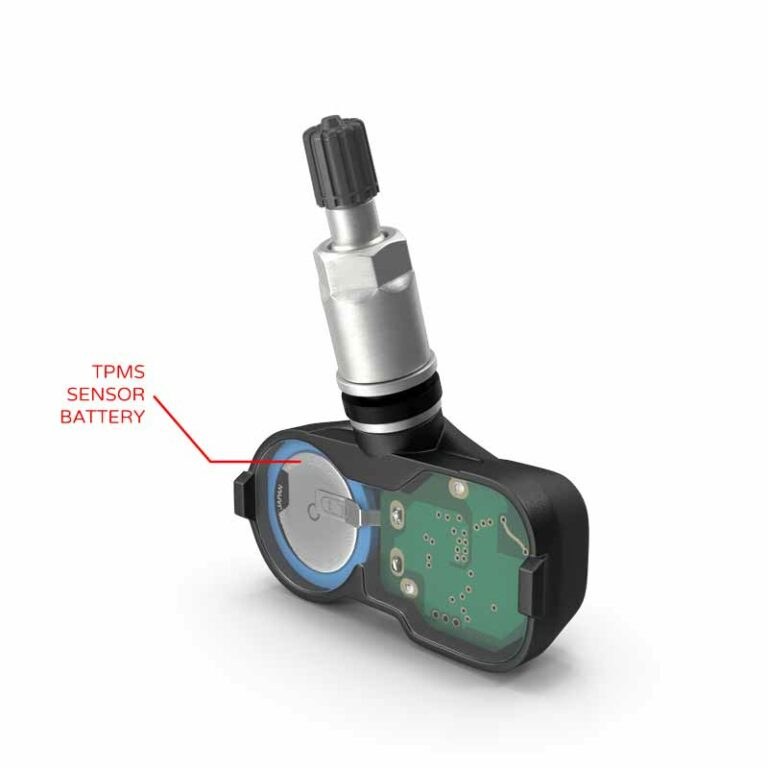
TPMS sensors are battery-powered. Most sensor batteries are designed to last about 5 to 10 years, depending on the vehicle, climate, and how often the car is driven. When the battery dies, the sensor stops transmitting. The tool cannot read a sensor that is not sending a signal, so it reports “sensor not found.” A dead sensor battery is the most common reason for this error on older vehicles.
Wrong Frequency or Protocol
US vehicles use TPMS sensors that broadcast on either 315 MHz or 433 MHz. Your tool must match the frequency your vehicle uses. Some tools support both; others only support one. Protocol matters too. Different automakers use different data formats. If the tool does not speak the vehicle’s protocol, it will not recognize the sensor. Check the tool’s coverage list before assuming the sensor is bad.
The Car Isn’t in Relearn Mode
Most vehicles require a relearn mode before a TPMS tool can trigger a sensor. Relearn mode tells the vehicle’s system to listen for sensor signals. If the car is not in relearn mode, the tool may transmit a trigger, but the sensor will not respond the way you expect. Some tools can read sensors without relearn mode; many cannot. If you are not sure, check the vehicle owner’s manual. For a full breakdown of the difference, see our guide on TPMS relearn vs TPMS reset.
Before You Blame the Tool: Quick Checks to Rule Out User Error
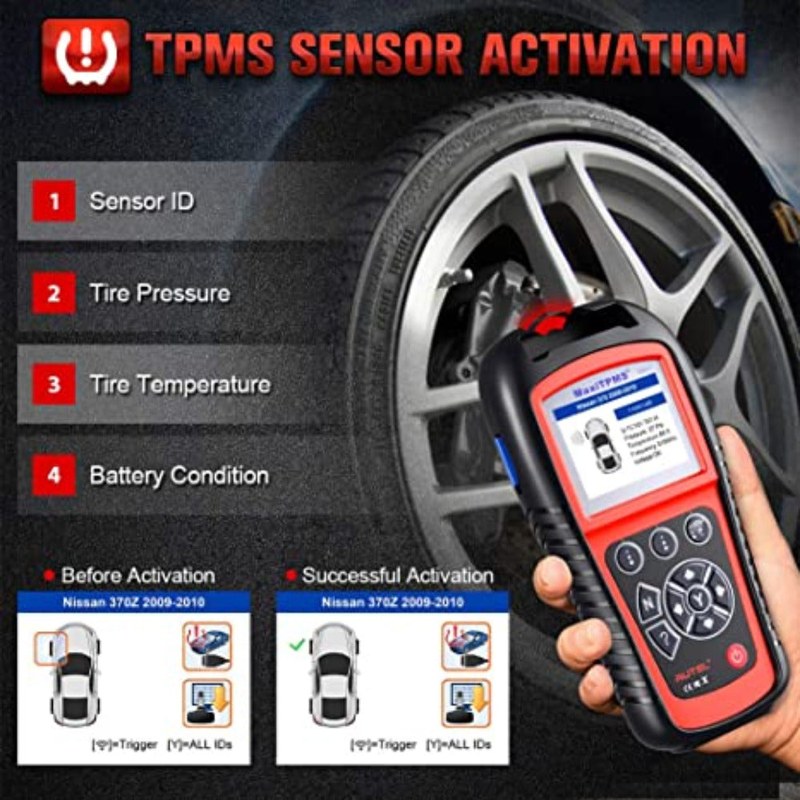
Before you replace a sensor or buy a new tool, run these quick checks. They take a few minutes and can save you money.
- Check the tool battery. A low tool battery can weaken the trigger signal.
- Move closer to the sensor. Hold the tool within a few inches of the tire sidewall, near the valve stem.
- Remove metal objects between the tool and the tire.
- Confirm the tool is set to the correct frequency for your vehicle.
- Try the sensor from a different angle if the tool allows it.
If the tool still says sensor not found after these checks, move on to the trigger method below.
How to Properly Trigger a TPMS Sensor for a Reliable Reading
Triggering a sensor sounds simple, but the order of operations matters. Follow the vehicle-specific relearn procedure first. Then use the tool the way the tool’s manual says. If you skip either step, you may get a false “not found” result. For a step-by-step walkthrough, see how to use a TPMS reset tool.
The Deflate-and-Relearn Method, Step by Step
Many vehicles use a deflate-and-relearn procedure. This method works for many US vehicles, but always confirm with your owner’s manual.
Follow the owner’s manual. This often involves turning the ignition to ON without starting the engine, then pressing the brake pedal or using the dash buttons until the TPMS light blinks.
Most relearn procedures begin at the left front, then move to the right front, right rear, and left rear. Check the manual for the exact order.
Place the tool near the valve stem and press the trigger. Wait for the vehicle to acknowledge the sensor with a horn chirp or a light flash.
Move through the correct order. If a tire does not respond, check the sensor again or note it for a professional.
Common Mistakes That Block the Trigger
Several small mistakes can cause a false “not found” result. Holding the tool too far away is common. So is aiming at the wrong part of the tire. Some tools need to touch the sidewall; others work best within an inch or two. A metal valve stem can also block or weaken the signal on some tools. If the vehicle has a tire that was recently repaired, the sensor may have been moved or damaged during the repair.
- Confirm the vehicle is in relearn mode before triggering
- Follow the exact tire order in the owner’s manual
- Hold the tool close to the sidewall near the valve stem
- Assume the sensor is bad after one failed attempt
- Clear TPMS codes before recording the diagnosis
- Use a plug-only repair on a sensor area and call it permanent
Choosing the Right TPMS Tool: Handheld RF vs. OBD2

Two main types of TPMS tools exist: handheld RF tools and OBD2-based tools. Each has a different job. Handheld RF tools trigger and read sensor signals directly from the tire. OBD2 tools talk to the vehicle’s computer through the diagnostic port. Some OBD2 tools can also trigger sensors, but they depend on the vehicle’s system to do it.
Model-Year and Protocol Coverage in 2026
TPMS coverage changes every model year. A tool that works on a 2018 sedan may not support a 2026 truck. Before buying, check the manufacturer’s current coverage list for your exact make, model, and year. Tool makers update firmware and coverage lists over time, so a tool with update support is worth considering. If you drive multiple vehicles, look for broad coverage across US brands.
Key Features to Look For: Display, Updates, Warranty, and Ideal User
Look for a clear display that shows sensor ID, pressure, and temperature. A backlit screen helps in low light. Check whether the tool supports firmware updates and how those updates are delivered. Some tools update through a computer; others use an app. Review the warranty and support policy before you buy. The ideal user for a handheld RF tool is a DIY owner who rotates tires, swaps seasonal wheels, or owns multiple vehicles. The ideal user for an OBD2 tool is someone who already owns a scanner and wants TPMS data alongside other diagnostics.
| Option | Best for | Owner consideration | Driver consideration |
|---|---|---|---|
| Handheld RF tool | Direct sensor triggering and reading at the wheel | One-time cost; no subscription on most models | Quick tire checks without needing the vehicle computer |
| OBD2 TPMS tool | Reading TPMS data through the vehicle’s diagnostic port | May require app, firmware updates, or subscription | Can show system codes and live data while parked |
OBD2 Diagnostics for TPMS: Coverage, Limits, and When to Go Pro
Port Location, Ignition Mode, Codes, Live Data, and Reset Limitations
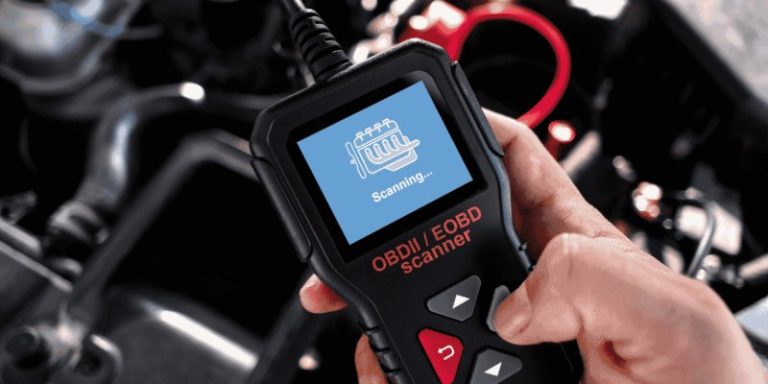
The OBD2 port is usually under the dashboard on the driver’s side. The vehicle must be in the correct ignition mode, often key ON with the engine off. An OBD2 scanner can read TPMS-related trouble codes and some live data, such as pressure values reported by the sensors. But the scanner can only see what the vehicle’s computer can see. If a sensor is not transmitting, the scanner will also report a missing sensor. Most OBD2 tools cannot trigger a sensor directly. They rely on the vehicle’s relearn function. If your scanner says the protocol is not supported, the tool may not be compatible with your vehicle’s TPMS system. Our guide on an OBD2 scanner that says protocol not supported explains this in more detail.
When You Need a Professional Scanner or Shop-Level Tool
A shop-level TPMS tool can do more than a basic handheld unit. It can read sensor IDs, copy sensor data, program new sensors, and perform relearns on many vehicle brands. If you have tried a new sensor and the tool still says not found, a professional scanner may be able to diagnose whether the sensor is faulty, the tool is wrong, or the vehicle’s receiver has a problem. Some vehicles also need a special relearn procedure that only dealer-level equipment can perform.
Battery and Electrical Pitfalls That Mimic “Sensor Not Found”
Tool Battery Health and Vehicle Battery State of Charge vs. Health
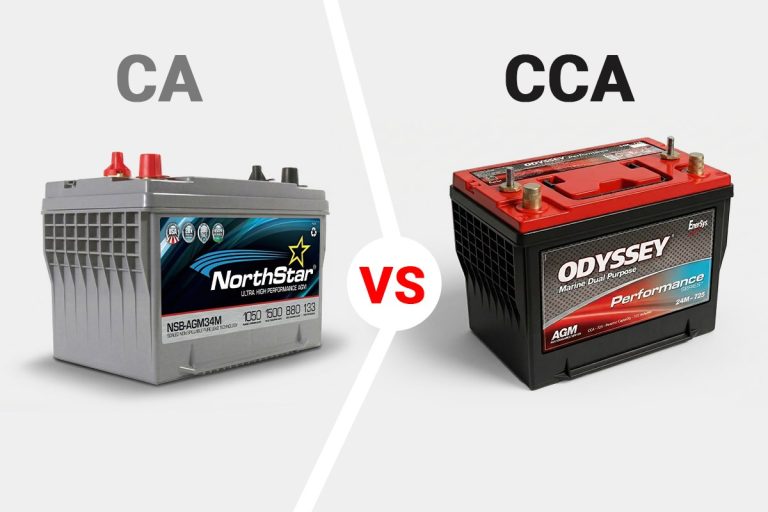
A weak tool battery can cause a weak trigger signal. The tool may light up but not transmit enough power to wake the sensor. Replace or recharge the tool battery first. The vehicle battery matters too. A low vehicle battery can affect the TPMS receiver and the relearn process. State of charge is not the same as battery health. A battery can show enough voltage to start the engine but still have a weak cell that causes electrical noise. If you suspect the vehicle battery, test it before replacing the sensor. Our guide on a battery tester saying good battery but the car will not start covers similar electrical confusion.
Hybrid/EV Cautions: High-Voltage Systems and Correct Connection Order
Hybrid and electric vehicles have high-voltage systems with orange cables and components. These systems can remain energized after the vehicle is turned off. Never probe high-voltage components with a TPMS tool or a basic scanner. Connect the tool to the OBD2 port only. Follow the vehicle’s manual for the correct connection order. If you are not sure, have a professional handle the diagnosis.
Tire Pressure and TPMS Relearn: What to Check Before Replacing Anything
Door-Jamb Placard, Cold Pressure, Gauge Accuracy, and Inflator Duty Cycle
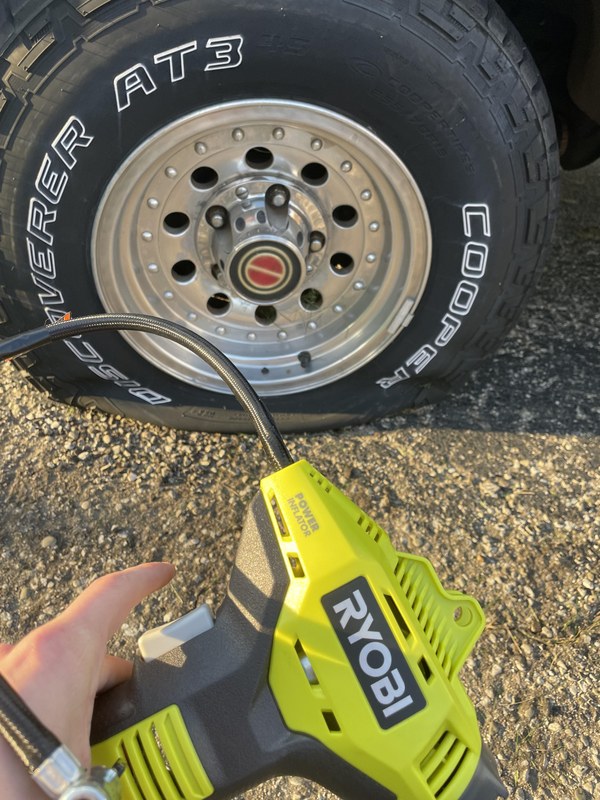
Before you replace a sensor, check the basics. The correct cold tire pressure is on the placard inside the driver’s door jamb. Do not use the number molded into the tire sidewall; that is the maximum pressure, not the recommended pressure. Check pressure when the tires are cold, meaning the car has not been driven for at least a few hours. Use a gauge you trust. Inflators have duty cycles, so let a portable inflator cool down between tires if it feels hot. If the tire pressure is far off, the TPMS system may flag a sensor as missing even when the sensor works.
Puncture Location, Temporary-Repair Limits, and Professional-Repair Thresholds
Where a tire is punctured matters. Punctures in the tread area can often be repaired. Punctures in the sidewall or shoulder usually mean the tire should be replaced. A plug-only repair is a temporary fix in many cases. A proper patch-and-plug repair from a shop is more permanent. If a sensor is near the repair area, the repair process can damage it. If the tire is worn or damaged, replacing the tire and sensor together may be smarter than paying for two separate services.
Roadside Safety and TPMS Tool Storage
If you are working on the side of the road, park away from traffic, turn on hazard lights, and use wheel chocks. Never kneel near a tire that could roll. Store the TPMS tool in a dry place with moderate temperatures. Extreme heat or cold can shorten battery life. Remove the tool battery if you will not use it for months. Keep the tool in the glovebox or a padded case so it does not bounce around.
When to Call a Professional: Repair Thresholds, Legal Checks, and Next Steps
Signs You Need a Shop-Level Scanner or New Sensor
Call a professional if a new sensor still will not register, if the vehicle’s receiver seems faulty, or if the TPMS light flashes and then stays on. A flashing light usually means the system has a fault, not just low pressure. If the tool reads other sensors but not one specific tire, that sensor is likely dead or damaged. If the tool reads nothing at all, the problem may be the tool, the vehicle, or the receiver. If you see a flashing light, our guide on why the TPMS light flashes then stays on explains what to do next.
State Inspections, Safety Thresholds, and What to Expect from a Pro
TPMS rules vary by state. Some states check the TPMS light during safety inspections; others do not. A vehicle with a solid TPMS light may fail inspection in some states. Check your state’s current inspection rules before you pay for a retest. A professional shop can scan the system, identify the exact sensor, and quote a repair. Ask for a written estimate that includes the sensor, labor, and relearn. A shop can also tell you whether the sensor can be replaced without replacing the tire.
- Best for: DIY owners who rotate tires, swap seasonal wheels, or want to diagnose a “sensor not found” error before paying a shop.
- Think twice if: You drive a newer vehicle with a complex TPMS protocol, or you need dealer-level programming that a basic tool cannot perform.
- Next step: Check the tool battery, confirm the vehicle is in relearn mode, and verify the tool’s frequency and coverage list before replacing any sensor.
Frequently Asked Questions
A new sensor can still fail if it was stored too long, if the battery is dead, or if the tool does not support the sensor’s frequency or protocol. Make sure the sensor is programmed for your vehicle before installation. If the tool still says not found, test the sensor with a shop-level tool.
Relearn mode procedures vary by make and model. Common methods include turning the ignition to ON without starting the engine, then pressing the brake pedal or a dash button until the TPMS light blinks. Check your owner’s manual for the exact steps for your vehicle.
Not always, but it helps if you own multiple vehicles. US vehicles use either 315 MHz or 433 MHz sensors, so a dual-frequency tool covers more ground. If you only service one vehicle, check which frequency it uses and buy a tool that supports it.
Yes. A weak vehicle battery can affect the TPMS receiver and the relearn process, which can prevent the tool from reading a sensor. Test the vehicle battery before replacing the sensor.
Cost varies by shop, sensor type, and vehicle. Some shops charge a flat fee per sensor; others charge for diagnosis plus programming. Ask for a written estimate before approving the work.
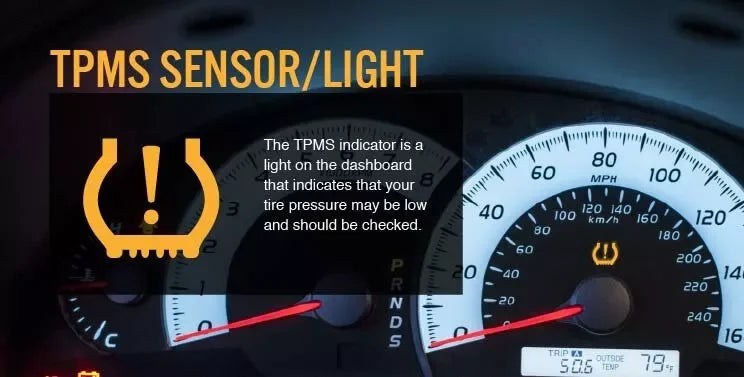
The TPMS light does not measure tire pressure directly. It only warns when the system detects a problem. Check all four tire pressures with a reliable gauge. If a tire is low, fill it to the placard pressure. If the light flashes, the system has a fault that should be diagnosed soon.