Why Does My OBD2 Scanner Keep Disconnecting? Simple Fixes
Most OBD2 scanner disconnects come from unstable vehicle power, a damaged port, or outdated scanner software. Check the battery, port pins, and firmware first before buying a new scanner.
If you have been asking why does my obd2 scanner keep disconnecting in the middle of a scan, the short answer is usually power, port, or software trouble. This guide walks you through each cause in plain language so you can fix the problem and get back to reading codes with confidence.
- Power first: A weak battery or loose ground is the most common cause of mid-scan drops.
- Port check: Bent pins, corrosion, or a blown OBD2 fuse can break the data link.
- Compatibility: Budget scanners may drop during live data or on newer vehicles.
- Update and reset: Firmware and app updates fix many random disconnects.
- Know when to stop: Repeated drops can signal a real electrical fault that needs a shop.
Why Does My OBD2 Scanner Keep Disconnecting? The Quick Answer First
Most OBD2 disconnects come from four main problems: unstable power, a damaged diagnostic port, a compatibility gap, or a weak wireless connection. Check these areas in order. You will often find the fix in minutes without spending a dime.
Top Four Causes of OBD2 Disconnects and What to Check Before Anything Else
Power and voltage. The scanner draws power from the vehicle’s 12-volt system. If voltage dips, the scanner resets or drops the connection.
The OBD2 port itself. Bent pins, corrosion, or a loose connector can interrupt the data link.
Compatibility gaps. Some scanners do not fully support the vehicle’s protocol, model year, or data stream.
Cables, adapters, and apps. A damaged cable, weak Bluetooth signal, or missing phone permission can look exactly like a scanner failure.
Power and Voltage Problems: The #1 Reason Your Scanner Drops Off
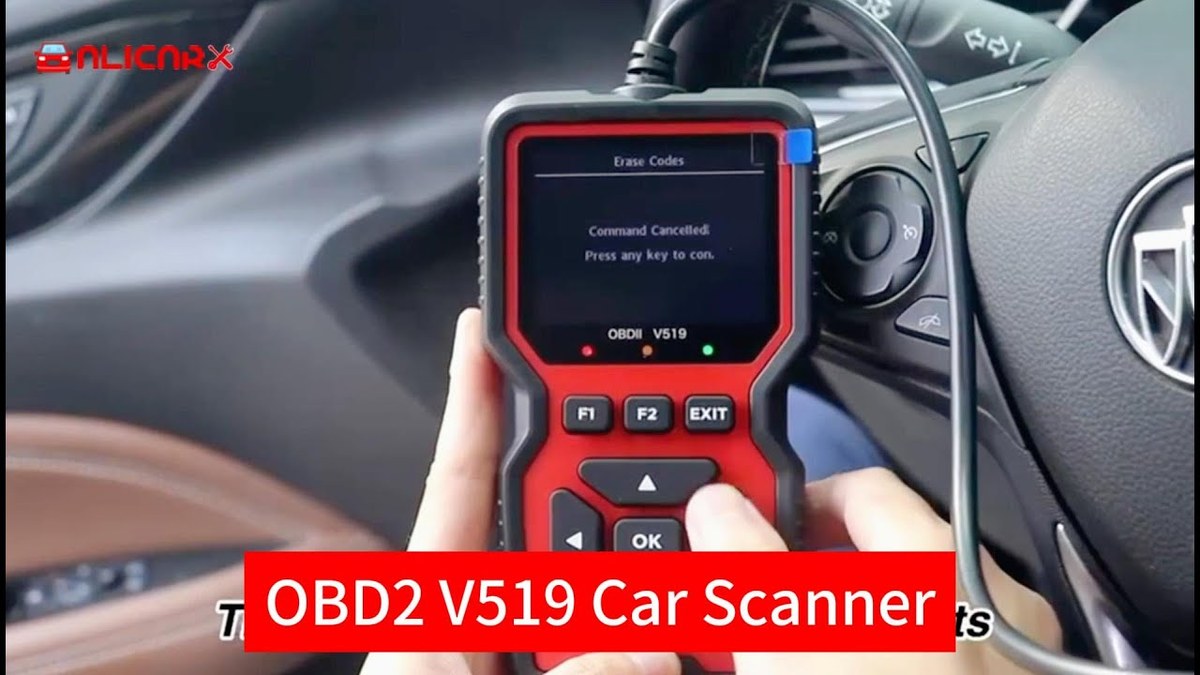
Power is the most common cause of OBD2 disconnects. Often, the vehicle’s electrical system is the real problem, not the scanner.
How Low System Voltage and Battery Chemistry Kill the Connection Mid-Scan
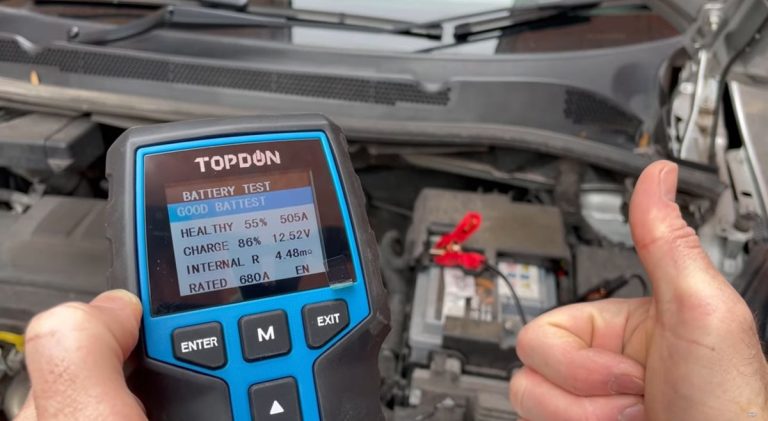
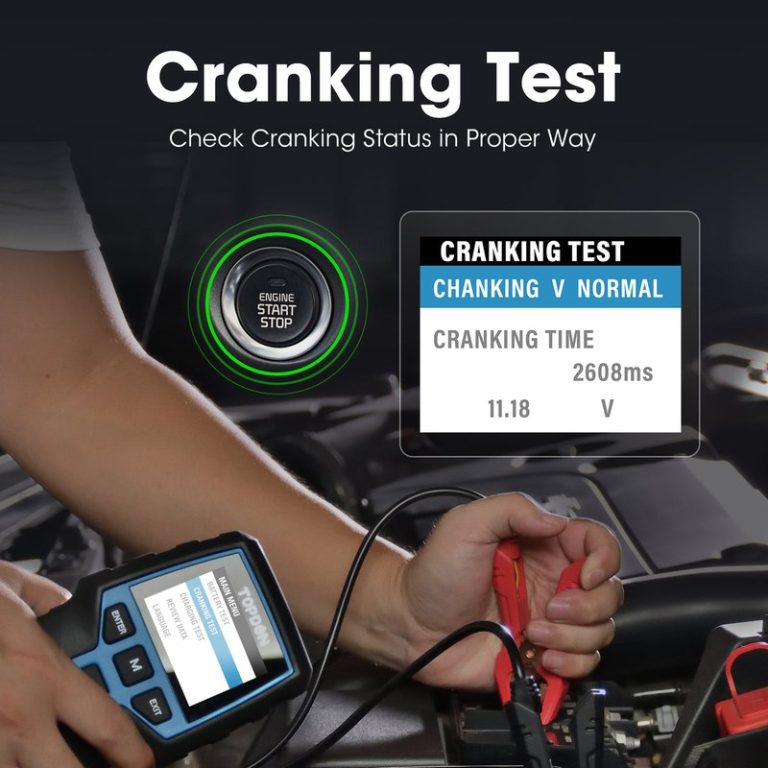
An OBD2 scanner needs steady voltage from the vehicle’s 12-volt system. With the engine off, the battery alone supplies that power. A battery that reads 12.4 volts at rest can drop below 10 volts when the scanner and vehicle modules wake up. That drop is enough to reset the scanner.
Battery chemistry matters too. A weak cell can hold surface voltage but fail under load. The scanner may start fine, then disconnect when the vehicle’s computers draw more current.
State of Charge vs. Battery Health: Why a “Good” Battery Still Causes Drops
A battery can show a good state of charge and still be unhealthy. State of charge tells you how full the battery is. Battery health tells you how much power it can deliver. A damaged battery can look “good” on a voltmeter but fail when the modules wake up.
If the scanner disconnects only after the engine has been off for a while, suspect the battery first. Check the terminals for corrosion and tightness. A loose ground cable causes the same symptom.
Correct Connection Order, Ignition Mode, and the Damaged-Battery Stop Condition
Plug the scanner into the port first. Then turn the ignition to ON without starting the engine. This lets the scanner and vehicle modules establish a clean data link before the system load changes.
If you plug in after the ignition is on, some scanners miss the wake-up handshake and drop out later. Avoid switching from ON to START while streaming live data. The starter draw can cause a voltage sag that resets the scanner.
Hybrid and EV Cautions: 12-Volt Battery and DC-DC Converter Surprises
Hybrid and electric vehicles still use a 12-volt battery to power computers, lights, and the OBD2 port. If that small battery is weak, the scanner can disconnect even though the high-voltage battery is full.
Some hybrids charge the 12-volt battery through a DC-DC converter only when the system is ready. If the car is not in the correct ready mode, the 12-volt battery drains during a long scanning session. Check the owner’s manual for the correct mode.
OBD2 Port and Connector Issues: Loose Pins, Corrosion, and Blown Fuses
The OBD2 port is the physical link between the scanner and the vehicle’s computers. A small mechanical problem here can cause constant disconnects.
Where to Find the Port and How to Check for Bent or Recessed Pins
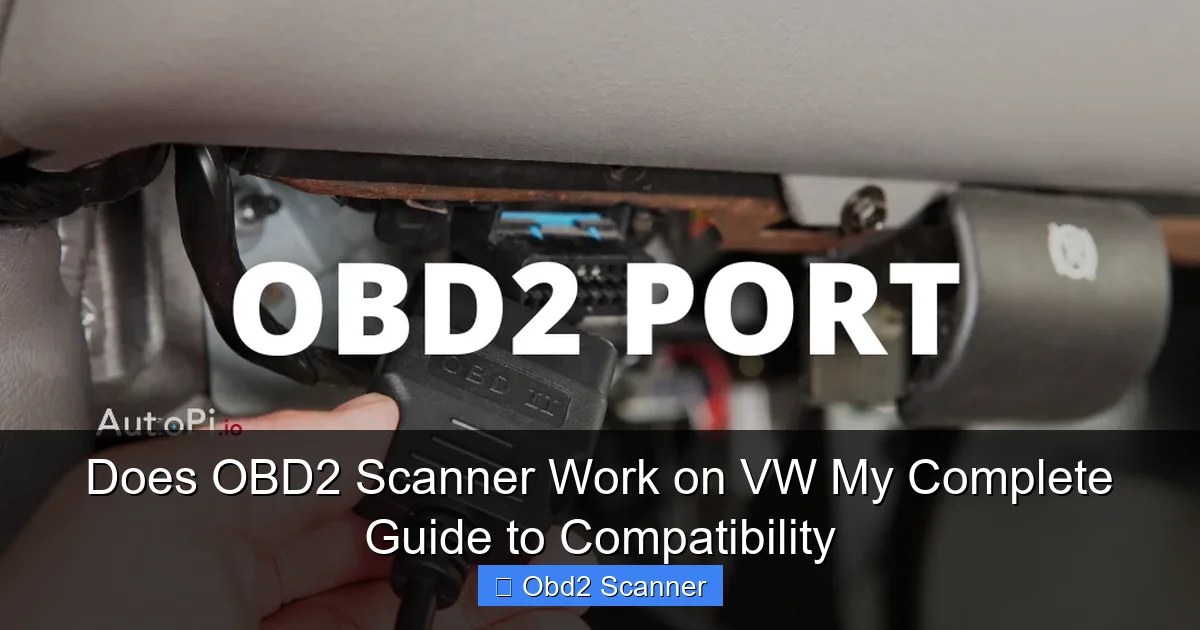
The OBD2 port is usually under the driver’s side dash, near the steering column or hood release. It is a trapezoid-shaped 16-pin connector. Inspect the pins inside carefully. A bent, pushed-in, or corroded pin can break the data connection.
Compare each pin to the housing with a flashlight. If one pin sits deeper than the others, that is a problem. Try a different scanner if you have one. If the second scanner also disconnects, the port is the likely culprit. Do not force a connector into a damaged port.
Tracking Down the OBD2 Fuse and Ground Wire When Power Seems Fine
Most vehicles have a fuse that powers the OBD2 port, often the cigarette lighter or a dedicated data link connector fuse. If the port has no power, check the fuse box. The owner’s manual tells you which fuse protects the port. If the scanner will not power up at all, see our guide on why an OBD2 scanner might not turn on when plugged in.
A blown fuse usually means something else is wrong, so replacing it without finding the cause is only a temporary fix. If the fuse is fine but the port still lacks power, a corroded or loose ground connection may be the cause.
Compatibility Gaps: Protocol, Model-Year, and Scanner Limitations
Not every scanner works with every car. If the scanner cannot handle the vehicle’s data requirements, it may disconnect, freeze, or restart.
OBD2 Protocols Explained: CAN vs. Older Standards and Your Vehicle’s Model Year
Modern vehicles use the CAN (Controller Area Network) protocol. Older vehicles may use earlier standards such as ISO 9141, KWP2000, or VPW. Most current scanners support all of them, but budget units sometimes have gaps. If you see a protocol error, check our guide on what it means when an OBD2 scanner says the protocol is not supported.
If the scanner supports the protocol but not the specific model year, you may see a partial connection. The scanner might read engine codes but drop out when it tries to access ABS or airbag modules.
Check: Verify the scanner covers your vehicle’s make, model, year, and protocol. Limitations: Many budget scanners read engine codes only and do not support ABS, airbag, or battery-management systems. If you need those systems, you need a scanner that lists them explicitly.
Code and Live-Data Limits on Budget Scanners That Trigger Random Reconnects
Budget scanners often handle slow data streams. When a vehicle sends a high-speed live-data burst, the scanner’s processor can get overwhelmed and drop the connection. The screen may freeze, then the scanner reboots.
This is a hardware limit, not a broken scanner. If the disconnect happens only during live-data streaming, try turning off live data and reading codes only. If you need live data, you may need a faster scanner.
Emissions Readiness, Reset Limitations, and Why Some Scanners Quit Mid-Routine
Emissions readiness tests and monitor resets can take several minutes. Some scanners time out or lose the connection during these routines, especially if the vehicle’s modules are slow to respond.
Some scanners also quit during a reset routine if the vehicle requires a security access procedure that the scanner does not support. Check the manual for the exact reset procedure for your vehicle.
Wired Cable, Bluetooth Adapter, and App Permission Problems
Sometimes the problem is not the scanner at all. It is the connection between the scanner and your phone, or the cable between the scanner and the port.
Wired Scanners: Damaged Cables, Bad Connectors, and Strain on the Port
A worn or kinked cable can cause intermittent disconnects. Wiggle the cable while the scanner is connected. If the screen flickers or resets, the cable is the problem.
Avoid letting the cable hang and pull on the OBD2 port. A heavy cable or a dangling scanner can bend the pins over time. Support the scanner or use a short extension cable to reduce strain.
Bluetooth and Wi-Fi Scanners: Pairing Drops, Signal Interference, and Range Limits
Bluetooth OBD2 adapters are convenient, but they have limits. Bluetooth range is short, and the signal can be blocked by the dash, the firewall, or other electronics. If your phone is too far from the adapter, the connection drops.
Wi-Fi adapters can also drop if the phone switches networks. Try moving the phone closer, closing other apps, and turning off Wi-Fi if you use a Bluetooth adapter.
App Permissions and Data Settings That Break the Connection on Your Phone
Diagnostic apps need certain permissions to work. On many phones, a Bluetooth adapter requires location permission, even though the app does not show a map. If the app cannot access Bluetooth or location services, it may connect briefly and then drop.
Check the app settings on your phone. Make sure the app has permission to access Bluetooth, location, and nearby devices. Also, check for battery optimization settings that may kill the app in the background.
Firmware and Scanner Software: Outdated Code Behind the Constant Reconnects
Scanners are small computers. They need software updates just like a phone or laptop. Outdated firmware can cause disconnects on newer vehicles.
How to Check for Scanner Firmware Updates and Why They Matter for Newer Vehicles
Check the scanner manufacturer’s website or app for firmware updates. Many scanners update through a companion app or a USB connection to a computer. Newer vehicles often introduce new data patterns, and manufacturers release updates to keep their scanners compatible.
If the scanner worked fine on your car last year but now drops the connection, a firmware update may fix it. This is especially common after a vehicle software update or a model-year change.
Resetting Your Scanner and Phone App Before Assuming Hardware Failure
Before you buy a new scanner, try a full reset. Turn off the vehicle, unplug the scanner, and wait a few minutes. Restart your phone. Then reconnect in the correct order: plug in the scanner, turn the ignition to ON, and open the app.
This simple reset clears many software glitches. If the problem returns every time, the issue is likely hardware or vehicle-related.
When It’s Not the Scanner: Vehicle Module Wake-Up and Network Faults
Sometimes the vehicle itself is the problem. Modern cars are networks of computers. If one module misbehaves, the whole network can drop the scanner.
Why Some Modules Drop Off the CAN Bus and Force a Scanner Reboot
The CAN bus is the vehicle’s internal communication network. If a module sends bad data or stops responding, the network can become unstable. The scanner, another device on that network, loses its connection.
This can happen after a battery disconnect, a recent repair, or a module failure. If the scanner disconnects at the same point in every scan, a specific module may be failing.
Ignition Mode and Wake-Up Timing: The Setting Most Drivers Get Wrong
Many vehicles have multiple ignition modes: OFF, ACC, ON, and START. The OBD2 port needs the vehicle in the correct mode for full communication. Some scanners work in ACC mode, but many need the ON position with the engine off. For more on the correct engine state, see our guide on whether you need the engine running to use an OBD2 scanner.
If you turn the key to START while the scanner is connected, the voltage drop can reset the scanner. Wait for the engine to idle, then reconnect. Some vehicles also “sleep” after a few minutes of inactivity. Cycle the ignition to wake it up.
Step-by-Step Fix Guide and When to Take It to a Professional
Now that you understand the causes, here is a simple order to follow. Work through these steps in the driver’s seat, one at a time.
A Simple Troubleshooting Order to Follow in the Driver’s Seat
Inspect the OBD2 port for bent pins, corrosion, or loose fit. Check the fuse that powers the port. Verify the battery terminals are tight and clean.
Plug the scanner in first, then turn the ignition to ON. Do not start the engine while the scanner is streaming live data.
Start the engine and let it idle. If the scanner stays connected with the engine running but drops with the engine off, suspect the battery or charging system.
Update the scanner firmware and the phone app. Reset both devices and try again.
If possible, try the scanner on another car. If it works there, the problem is likely your vehicle, not the scanner. If the scanner never connects at all, see our guide on why an OBD2 scanner won’t connect to your car.
When the Disconnect Signals a Real Electrical Fault That Needs a Shop
If you have tried all the steps above and the scanner still disconnects, the vehicle may have a real electrical fault. A failing alternator, a corroded ground strap, or a failing module can all cause scanner drops.
Do not keep clearing codes or forcing the connection if the vehicle shows signs of a deeper issue. If the battery light is on, the voltage reads below 12 volts with the engine off, or the car struggles to start, take it to a qualified shop.
- Inspect the OBD2 port pins and fuse before replacing the scanner
- Use the correct ignition mode and connection order
- Update firmware and reset the app before assuming hardware failure
- Clear codes before writing down the codes and freeze-frame data
- Force a connector into a damaged port or ignore a swollen battery
- Keep streaming live data if the vehicle voltage is dropping or the battery light is on
Next Steps: Choosing the Right Scanner Upgrade for Your Vehicle and Budget
If your current scanner is too old or too slow, an upgrade may be the right fix. Look for a scanner that lists your vehicle’s make, model, and year. If you need ABS, airbag, or battery-system data, choose a model that explicitly supports those systems.
Consider data speed as well. A faster scanner handles live-data streams without dropping out. If you drive a hybrid or EV, check that the scanner supports hybrid-specific data. Read owner reviews and check the manufacturer’s website for current coverage before you buy.
- Best for: Most drivers with a disconnecting OBD2 scanner will find the fix in the power supply, the port, or a firmware update—not in a new scanner.
- Think twice if: The disconnect happens only on one vehicle, at the same point in every scan, or after a recent repair. That points to a vehicle network fault, not a scanner problem.
- Next step: Start with the five-step troubleshooting order above. If the problem persists, have the battery and charging system load-tested by a professional.
Frequently Asked Questions
A weak battery or failing alternator can cause voltage drops while the engine runs. The scanner needs steady 12-volt power, so any dip can reset it. Have the charging system tested if the disconnects happen mainly with the engine on.
Yes. A battery can show decent voltage at rest but drop under load. When the scanner and vehicle modules wake up, the added draw can push voltage below the scanner’s minimum, causing a disconnect.
Bluetooth range is short and the signal can be blocked by the dash or firewall. Move the phone closer, close other apps, and check that the app has location and Bluetooth permissions enabled.
Check the manufacturer’s website or companion app for update instructions. Many scanners update over USB or through a phone app. Updates keep the scanner compatible with newer vehicles.
Budget scanners often have slower processors that cannot handle high-speed live data. Try reading codes only, or upgrade to a faster scanner if you need live data for diagnosis.
If the scanner disconnects at the same point in every scan, or if the battery light is on, the vehicle may have a real electrical fault. A professional can test the charging system and CAN bus safely.