What OBD2 Scanner Features Do Beginners Need to Avoid Costly Repairs
The four OBD2 features that matter most for beginners are live data, emissions readiness, ABS/airbag coverage, and battery voltage. A $50–$150 app-based scanner covers all four; a $20 code reader does not.
Knowing what obd2 scanner features do beginners need is the first step toward avoiding costly repairs. The right scanner helps you check engine codes, monitor battery health, confirm emissions readiness, and spot ABS or airbag problems early.
- Live data first: Freeze-frame and live readings show why a code appeared, not just the code number.
- Readiness matters: Emissions readiness monitors reset when you clear codes and can fail an inspection.
- Beyond the engine: ABS and airbag modules need separate coverage that cheap readers lack.
- Battery voltage: A scanner can catch low voltage and alternator problems before you get stranded.
- Compatibility check: Confirm CAN protocol support, port location, and firmware updates for your vehicle.
Beginners Need OBD2 Scanners with Four Features: Live Data, Readiness, ABS/Airbag, and Battery Voltage
A basic code reader only shows a code number. A useful beginner scanner shows why the code appeared and whether the system is healthy. Look for these four features before you buy.
Live Data and Freeze Frame: What a Beginner Scanner Can and Cannot Tell You
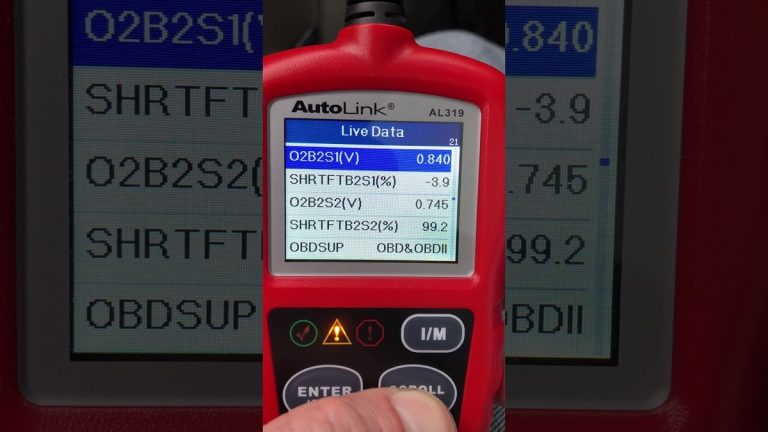
Live data shows sensor readings in real time. Freeze frame captures engine conditions when the code was stored. Together, they help you spot patterns instead of guessing.
A scanner cannot tell you which part is physically worn. It can only report what sensors see. Use live data to confirm a reading, then investigate the cause.
Emissions Readiness Monitors: Avoiding Costly Inspection Failures
Emissions readiness shows whether your car’s self-tests have completed. If you clear a code right before an inspection, the monitors reset to “not ready” and you can fail.
A scanner with readiness status helps you avoid wasted trips and re-test fees. That alone can pay for the scanner.
ABS and Airbag Coverage: Beyond the Check Engine Light
Many cheap readers only talk to the engine computer. ABS and airbag modules have separate computers. If your scanner lacks this coverage, you will not see those codes.
Brake and airbag repairs are often expensive. A scanner with ABS and airbag coverage helps you decide whether a shop visit is necessary. Learn what airbag codes a scanner can read before relying on one for safety systems.
Battery Voltage and Charging System Readouts: Catching Electrical Failures Early
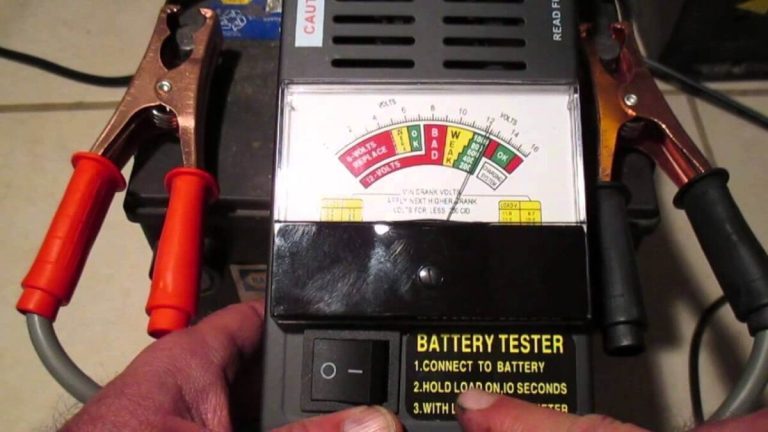
A weak battery or failing alternator causes strange electrical codes. Many beginner scanners show battery voltage and charging output.
If voltage drops below about 12.4 volts at rest or fluctuates while running, investigate before you get stranded. A scanner can help detect a bad alternator, but it cannot test battery capacity.
OBD2 Compatibility, Port Location, and First-Time Setup
Protocol Coverage and Model-Year Limits: OBD2, CAN, and 2026 Vehicles
OBD2 became standard in 1996 for gasoline cars in the US. Most 2008 and newer vehicles use the CAN protocol. A scanner that supports CAN covers most modern cars.
For 2026 models, confirm the scanner’s advertised coverage. Some brands release firmware updates for newer vehicles. Check the manufacturer’s website before buying.
Check: Verify make, model, year, trim, port location, and protocol support. Limitations: Some scanners do not cover heavy-duty trucks, older European models, or high-voltage hybrid systems.
Finding the Diagnostic Port and Choosing the Correct Ignition Mode
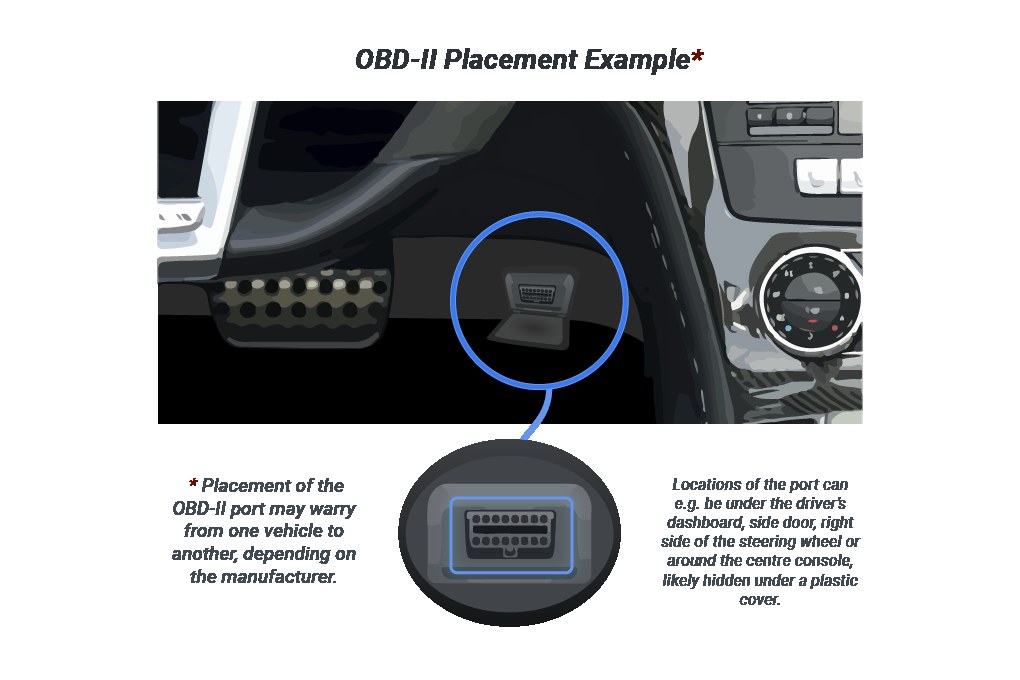
The OBD2 port is usually under the dashboard on the driver’s side. You may need to feel near the hood release. Most scanners work with the key in the “on” position and the engine off.
Some live-data functions need the engine running. Check your vehicle manual. Knowing whether the engine should be running prevents false readings and wasted time.
App Setup: Bluetooth Pairing, Permissions, and Firmware Updates
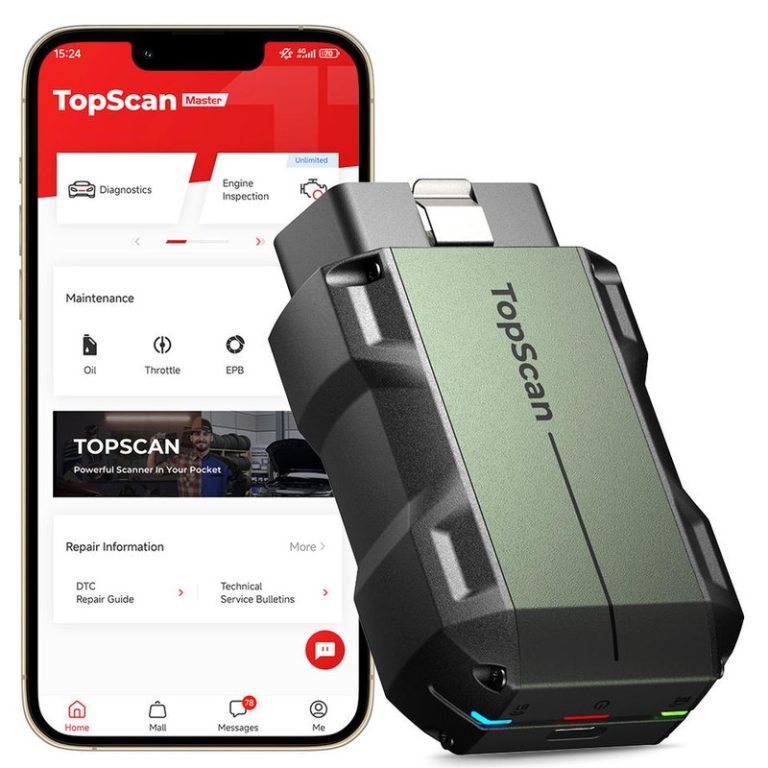
Phone-based scanners need a companion app. Pairing usually takes a few minutes. Grant only necessary permissions, and update the app and scanner firmware regularly.
A scanner that stops receiving updates may not support newer vehicles. Check the app store for recent update dates before you buy.
Battery and Electrical Checks You Can Do Safely with a Beginner Scanner
System Voltage, State of Charge, and Battery Health: Know the Difference
Voltage is a snapshot. State of charge estimates remaining energy. Battery health measures capacity. A beginner scanner shows voltage, not true health.
Use a multimeter for a second opinion. If voltage reads low, charge the battery or have it load-tested before replacing anything.
Lead-Acid, AGM, and Lithium: Why Battery Chemistry Matters
Different batteries charge and discharge differently. AGM and lithium batteries need compatible charging systems. A scanner that reads voltage works with any chemistry.
But registration and charging functions may be vehicle-specific. Confirm your battery type before using reset or registration features.
Correct Connection Order and Damaged-Battery Stop Conditions
Connect the scanner to the OBD2 port first, then start the app. If the battery is swollen, leaking, or smells like rotten eggs, stop.
Hybrid and EV Caution: High-Voltage Systems Require Different Tools
Hybrids and EVs have high-voltage cables and modules. A standard OBD2 scanner reads the 12-volt auxiliary system, not the high-voltage traction battery.
Never probe orange cables. Leave high-voltage diagnostics to trained technicians.
Tire Pressure, TPMS, and OBD2: What You Can Check Without Leaving the Driveway
Use the Door-Jamb Placard, Check Cold Pressure, and Mind Inflator Duty Cycle
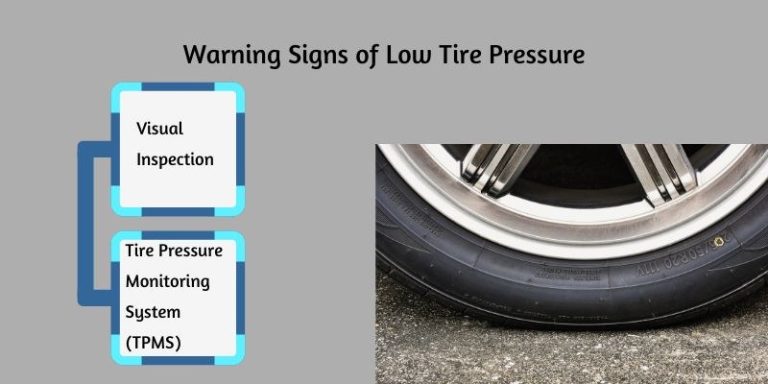
Your vehicle’s correct cold tire pressure is on the driver’s door-jamb placard, not the tire sidewall. Check tires when they are cold, before driving.
If you use a portable inflator, follow its duty cycle. Most inflators need rest periods to avoid overheating. Choosing the right tire inflator size prevents slow fills and overheating.
TPMS Relearn Limits, Puncture Location, and Temporary-Repair Rules
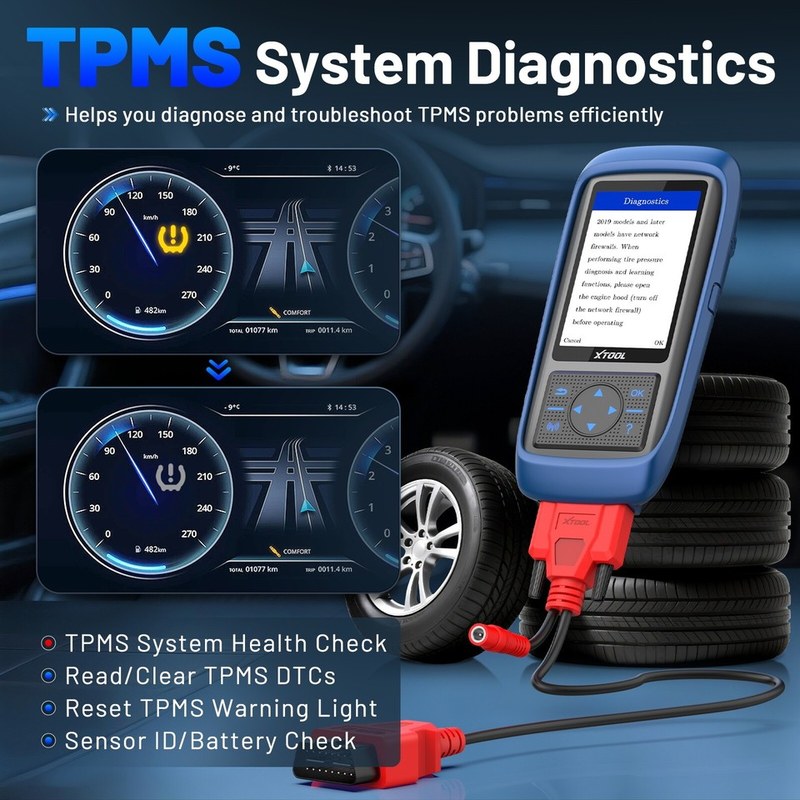
TPMS sensors can fail after tire repairs or rotations. Relearn procedures vary by vehicle. Some scanners trigger TPMS relearn; many do not.
A puncture in the sidewall or shoulder usually means replacement. A temporary repair kit is not a permanent fix.
When a Tire Repair Needs a Professional: Size, Location, and Speed Rating
Professional repair is safer for large punctures, sidewall damage, or high-speed-rated tires. If the puncture is larger than about 1/4 inch, most tire shops recommend replacement.
A scanner cannot tell you whether a tire is repairable. Inspect the tire and consult a shop when in doubt.
Reset Limitations, App Privacy, and Legal Variations That Confuse Beginners
Oil Life, Battery Registration, and Emissions Resets: What Your Scanner Can Actually Clear
Clearing a check-engine code does not fix the underlying problem. Oil-life resets and battery registration are separate functions. Many cheap scanners cannot perform them.
Check the product description for these specific functions before you buy.
App Permissions and Data Privacy: Know What Your Scanner Uploads
Connected scanners may upload VINs, codes, and location data. Read the app’s privacy policy before pairing. Some apps share data with third parties.
State Emissions Rules and OBD2 Readiness: Legal Limits Vary
Emissions inspection rules vary by state. Some states check readiness monitors; others check codes only. Clearing codes before an inspection can cause an automatic fail.
Code Reader vs. OBD2 Scanner vs. Professional Scan Tool: Honest Comparison
Code Reader ($20–$40): The Minimum for Basic Code Reading
A code reader shows engine codes and lets you clear them. That is it. No live data, no ABS, no readiness. It is fine for a quick check but limited.
OBD2 Scanner with App ($50–$150): The Beginner Sweet Spot
This is the sweet spot for most beginners. You get live data, readiness, ABS/airbag on many models, and battery voltage. App-based scanners add graphing and code explanations.
Confirm which systems are covered before buying. Coverage varies widely by model.
Professional Scan Tool ($300+): Overkill for Most, but Useful for Multi-Car Households
Professional tools add bidirectional controls, coding, and manufacturer-specific functions. They are overkill for most drivers.
But a multi-car household with older European or luxury vehicles may benefit. Expect a learning curve and higher cost.
| Option | Best for | Owner consideration | Driver consideration |
|---|---|---|---|
| Code reader ($20–$40) | Quick code checks | Lowest cost, no live data | No ABS or airbag coverage |
| App-based scanner ($50–$150) | Most beginners | Live data and readiness included | Requires phone pairing and app setup |
| Professional tool ($300+) | Multi-car or luxury households | Bidirectional controls and coding | Steep learning curve |
How to Evaluate Scanner Reviews, Warranties, and Firmware Support: Criteria, Evidence Limits, and Verdicts
Read reviews for real owner patterns, not just star ratings. Check the warranty length and firmware update policy. A scanner with no updates may fail on newer cars.
We have not tested these products ourselves, so compare verified specifications and owner feedback. Be skeptical of claims that sound too good.
Roadside and Emergency Tools to Pair With Your OBD2 Scanner
Safe Location, Traffic Visibility, and Storage Conditions
Use a scanner in a safe, flat area away from traffic. Turn on hazard lights if you are near a road. Store the scanner in a dry place. Extreme heat or cold can damage electronics.
Jumper Cables and Jump Packs: Condition, Current Limits, and Connection Order
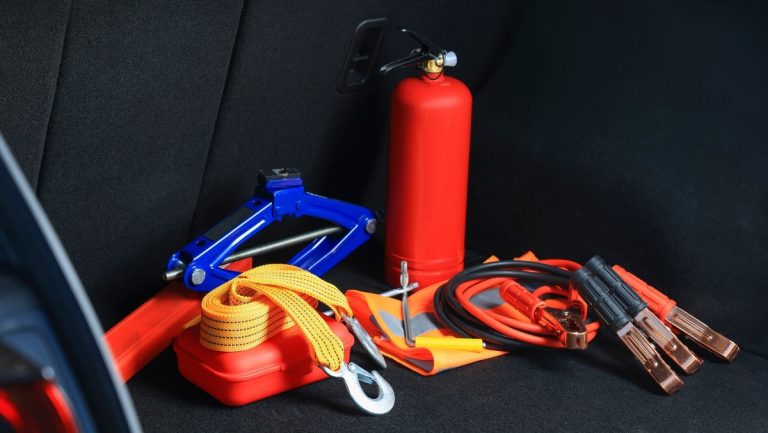
A jump pack is safer and easier than cables for beginners. Check the amp rating against your engine size. Connect positive first, then negative. Never connect to a damaged battery.
Post-Use Inspection and Tool Completeness: What to Check Before Every Trip
Check cables for cracks, clamps for corrosion, and the jump pack charge level. Keep the OBD2 scanner in a known location. A complete emergency kit is only useful if it works.
- Record freeze-frame data before clearing codes
- Confirm scanner coverage for ABS, airbag, and readiness
- Check cold tire pressure against the door-jamb placard
- Clear codes right before an emissions inspection
- Probe high-voltage cables on hybrids or EVs
- Use a temporary tire repair as a permanent fix
Your Next Steps: Build a Diagnostic Routine That Prevents Costly Repairs
The Monthly Home Check: Codes, Battery Voltage, and Cold Tire Pressure
Once a month, scan for codes, check battery voltage, and measure cold tire pressure. Write down the results. Patterns matter more than single readings.
This routine catches small problems before they become big bills.
When a Diagnostic Code Means You Need a Professional
Some codes point to serious issues like misfires, transmission problems, or airbag faults. If the check-engine light flashes, stop driving. A flashing light means a misfire that can damage the catalytic converter.
Call a professional when you see flashing lights or codes you do not understand.
Plan for Your Next Vehicle: Scanner Protocols and Upgrades for 2026
If you plan to buy a newer vehicle, confirm your scanner supports its protocol. Some 2026 models may need firmware updates or new tools.
A good beginner scanner should last several years if the manufacturer supports it.
- Best for: Beginners who want live data, emissions readiness, ABS/airbag coverage, and battery voltage in one tool.
- Think twice if: You need bidirectional controls or manufacturer-specific coding for a luxury or hybrid vehicle.
- Next step: Confirm your vehicle’s port location, protocol support, and the scanner’s firmware update policy before buying.
Frequently Asked Questions
A code reader shows engine trouble codes and lets you clear them. An OBD2 scanner adds live data, emissions readiness, and often ABS or airbag coverage. For most beginners, a scanner in the $50–$150 range is the better value.
Many do, but not all. Coverage depends on the scanner model and the vehicle’s modules. Check the product description for ABS and SRS (airbag) coverage before you buy.
It depends on the function. Reading stored codes usually works with the key in the on position and the engine off. Live data and some tests require the engine running.
Yes, in many states. Clearing codes resets the emissions readiness monitors to not ready, which can cause an automatic inspection failure. Check your state’s rules before clearing any codes.
A scanner can show battery voltage and charging output, but it cannot test battery capacity or cranking amps. For a full health check, use a multimeter or have the battery load-tested.
Most beginners should spend $50–$150 on an app-based scanner. Below that, you lose live data, readiness, ABS, and airbag coverage. Above that, you are paying for professional features most drivers never use.